



Root Cause Analysis Dashboard Excel Template
Stop Guessing Why Problems Keep Happening. Find the Root Cause.
Recurring problems, scattered issue records, and manual risk calculations can make it difficult to identify where improvement efforts should begin.
Take control of your problem-solving process with this professional Root Cause Analysis Dashboard Excel Template, designed to help you identify root causes, perform 5 Whys analysis, calculate Risk Priority Numbers (RPN), and visualize recurring issues in one organized dashboard.
Instead of manually preparing charts, calculating risk scores, or building complicated Pivot Tables, simply enter your issue records into the structured FORM sheet and let the connected dashboard update automatically.
IDENTIFY → ANALYZE → ASSESS RISK → MONITOR → IMPROVE
Perfect for quality managers, manufacturing teams, operations professionals, safety managers, ISO consultants, and continuous improvement specialists.
No VBA. No Macros. No Pivot Table Refresh Required.
⭐ WHY YOU’LL LOVE THIS DASHBOARD
✔ Automatic Root Cause Analysis Dashboard
✔ Structured 5 Whys Analysis
✔ Automatic Risk Priority Number (RPN) Calculations
✔ High, Medium & Low Risk Classification
✔ Automatic Top Root Cause Identification
✔ Recurring Issue Monitoring
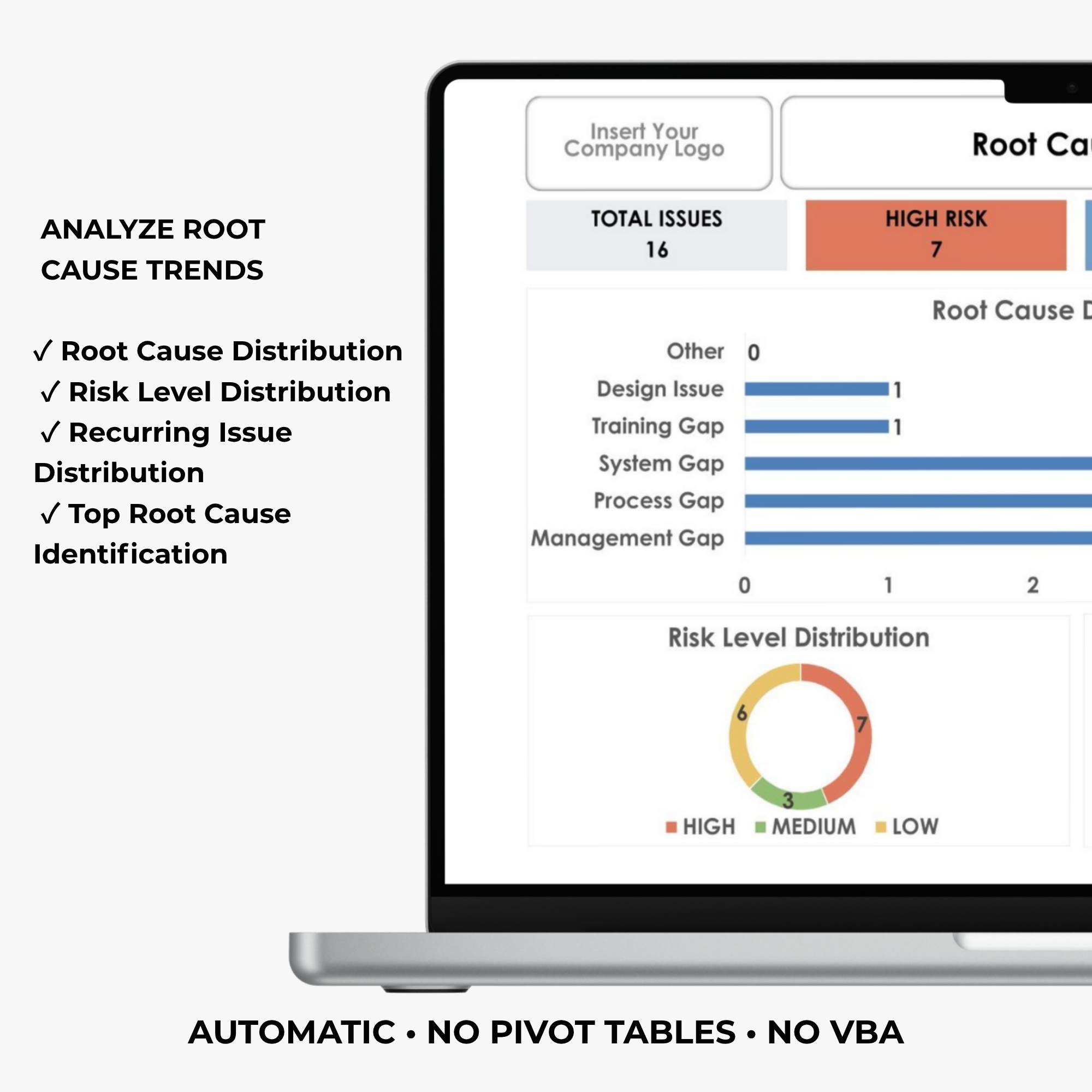
✔ Root Cause Distribution Charts
✔ Risk Level Distribution Charts
✔ Customizable Departments
✔ Customizable Root Cause Categories
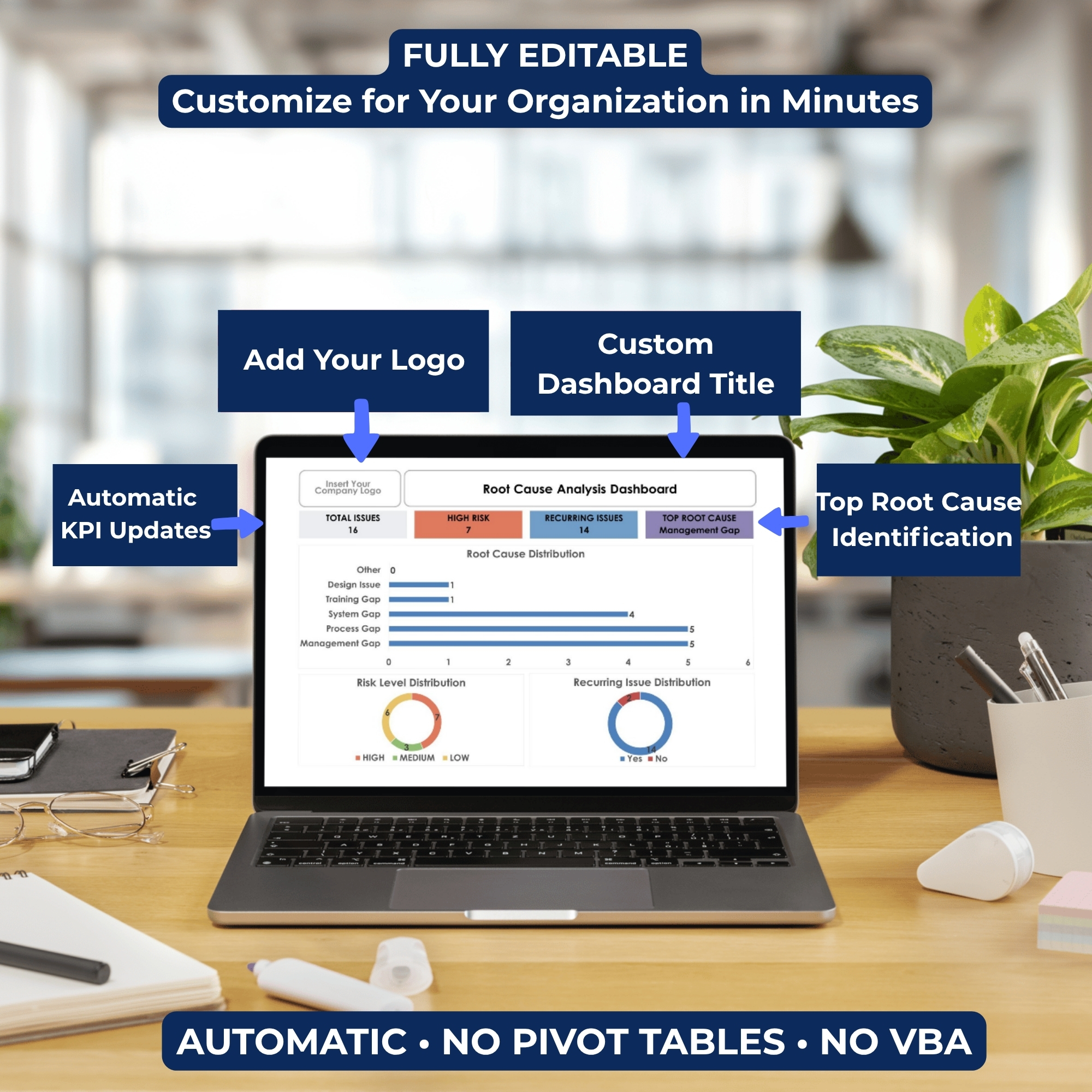
✔ Editable Company Logo & Dashboard Title
✔ Professional Visual KPI Reporting
✔ Fully Editable Microsoft Excel Template
✔ No VBA or Macros Required
✔ No Manual Pivot Table Refresh
✔ Instant Digital Access
📦 WHAT’S INCLUDED
Your purchase includes 1 professionally designed Microsoft Excel Root Cause Analysis Dashboard Workbook, delivered through a downloadable PDF access file.
FILE 1 — Root Cause Analysis Dashboard Excel Workbook
The workbook includes:
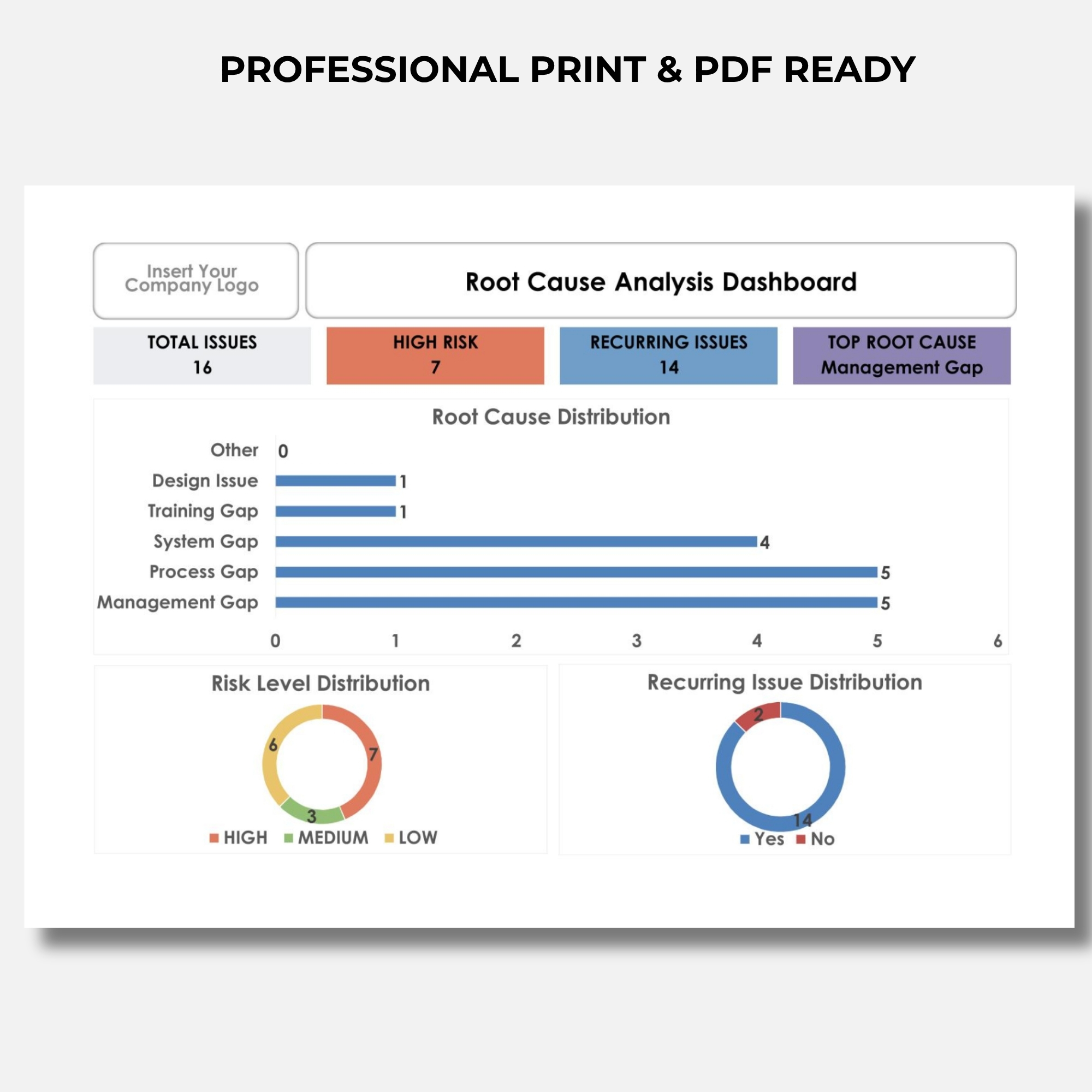
1. Automatic Root Cause Analysis Dashboard
A professional visual dashboard for monitoring issue records, root cause distribution, recurring problems, and risk levels.
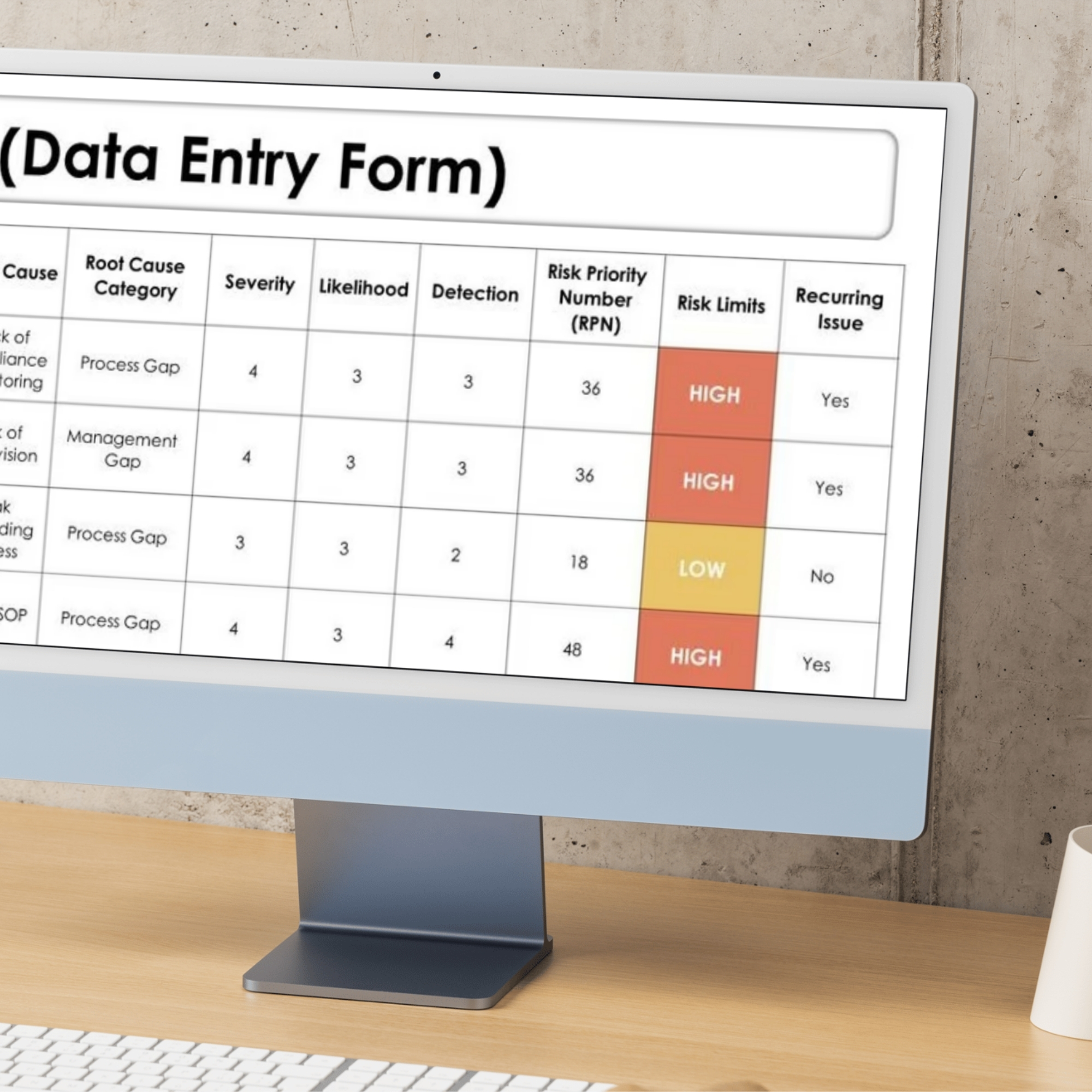
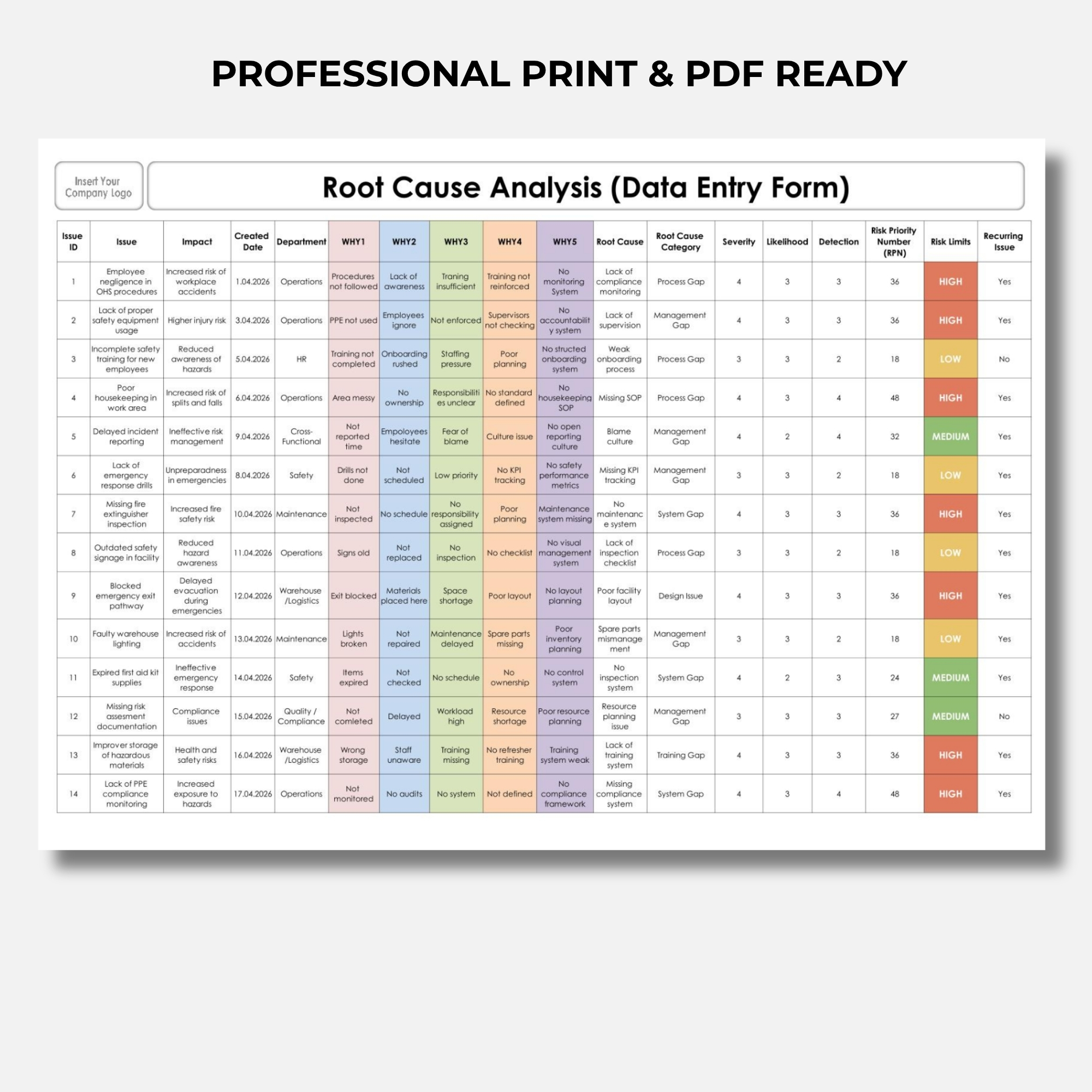
2. Root Cause Analysis Data Entry Form
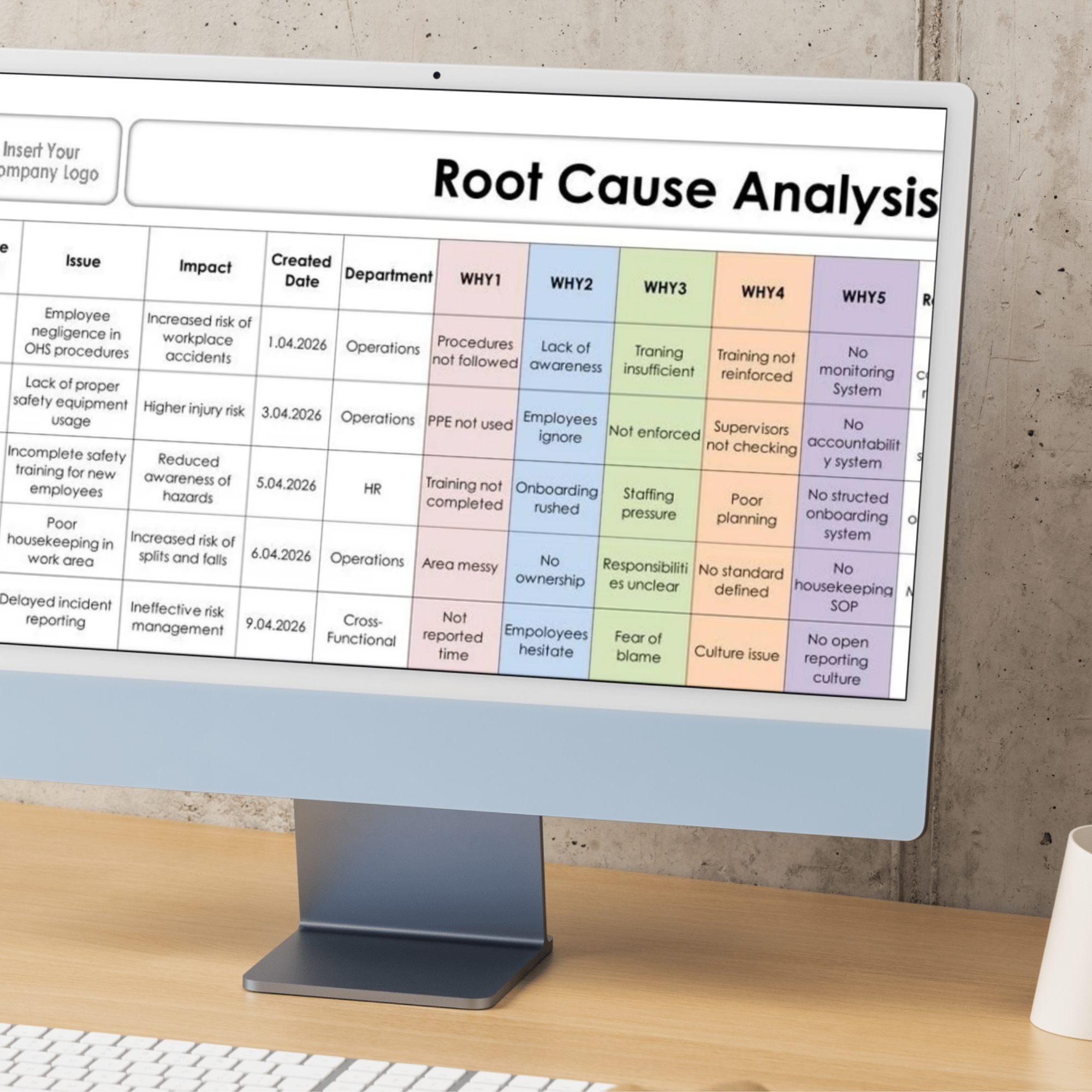
A structured FORM sheet for recording issues, departments, root causes, 5 Whys analysis, and risk assessment information.
3. 5 Whys Analysis Fields
Dedicated WHY1–WHY5 fields to support systematic investigation of underlying causes.
4. Automatic RPN Risk Assessment
Formula-based Risk Priority Number calculations using Severity, Likelihood, and Detection scores.
5. Customizable Drop-Down Lists
Editable department and root cause category lists that can be adapted to your organization.
6. Instructions Sheet
Guidance for entering records, customizing workbook settings, and using the dashboard.
7. Example Data
Sample records to demonstrate how the workbook and dashboard function.
📥 HOW TO ACCESS YOUR DIGITAL FILES
Your purchase is delivered through ONE downloadable PDF Access File containing a Google Drive link to your product.
STEP 1 — COMPLETE YOUR PURCHASE
Purchase the Root Cause Analysis Dashboard through DigiBySonmez.
STEP 2 — DOWNLOAD YOUR PDF ACCESS FILE
After purchase, download the PDF access document provided with your order.
STEP 3 — OPEN THE GOOGLE DRIVE LINK
Open the PDF and click the included Google Drive link.
STEP 4 — ACCESS YOUR EXCEL WORKBOOK
The Google Drive folder contains your Root Cause Analysis Dashboard Excel workbook.
STEP 5 — DOWNLOAD & CUSTOMIZE
Download the Excel file, open it in a supported Microsoft Excel version, and begin entering your own issue records.
IMPORTANT: The initial PDF is an access document. Your editable Excel dashboard is available through the Google Drive link inside the PDF.
This is a digital product. No physical item will be shipped.
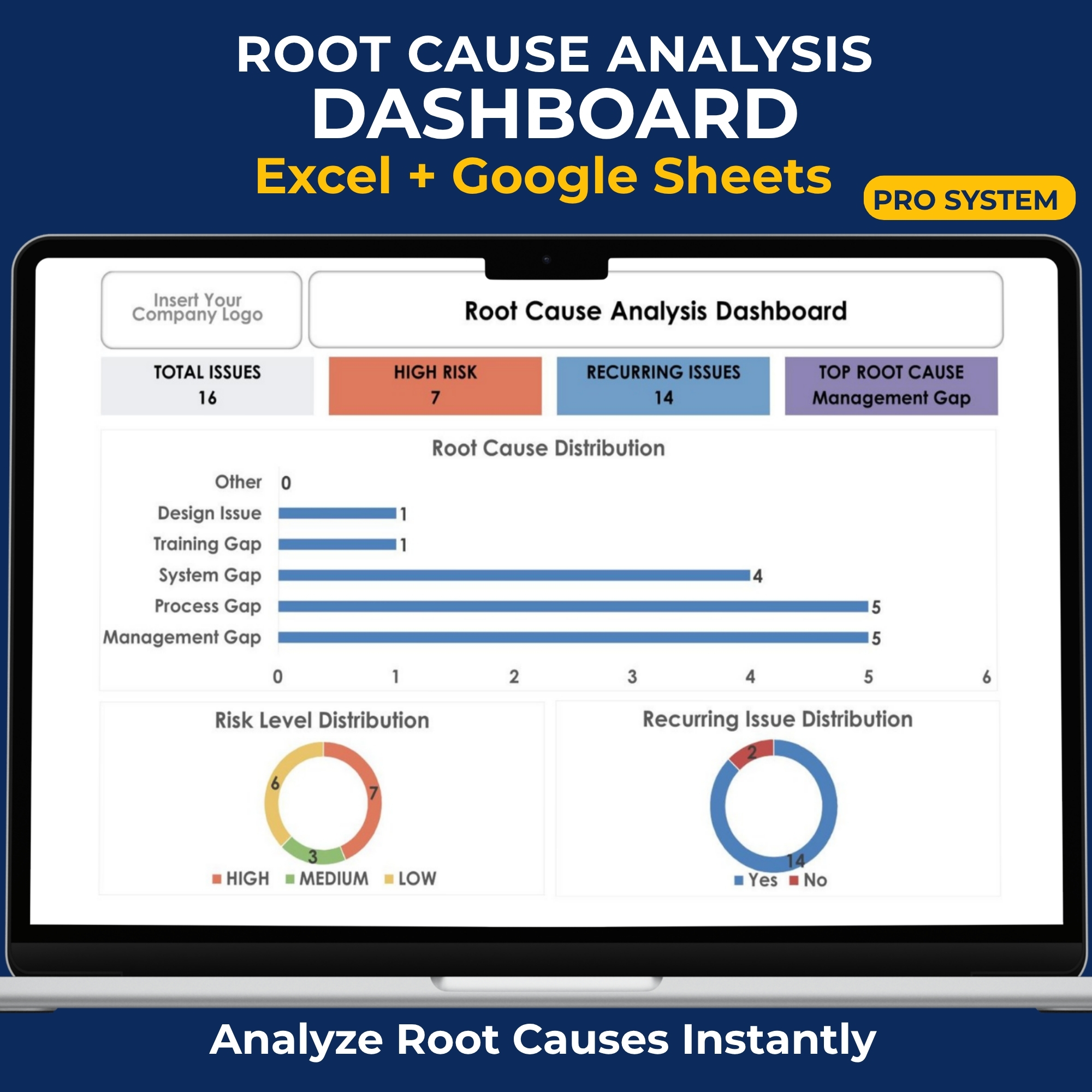
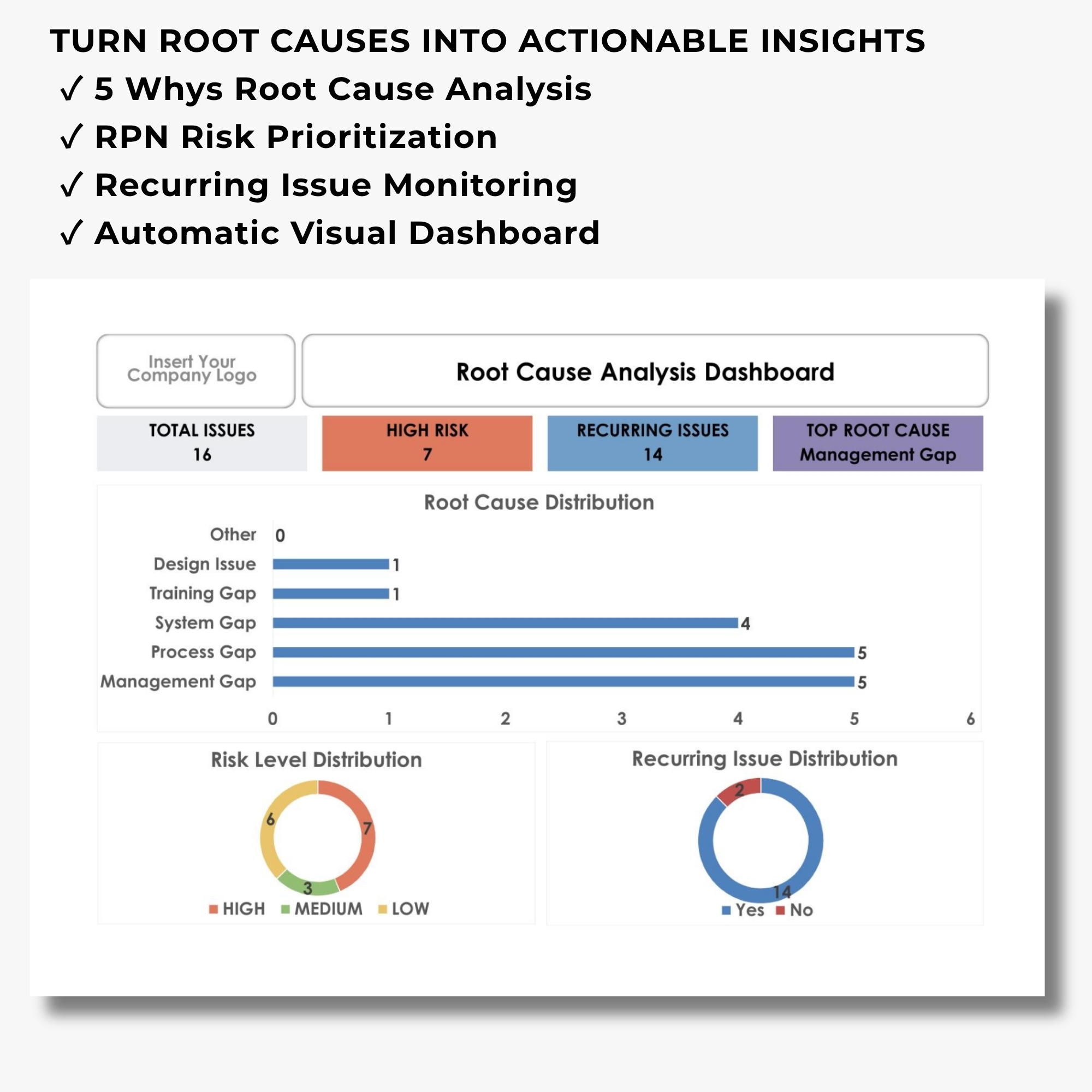
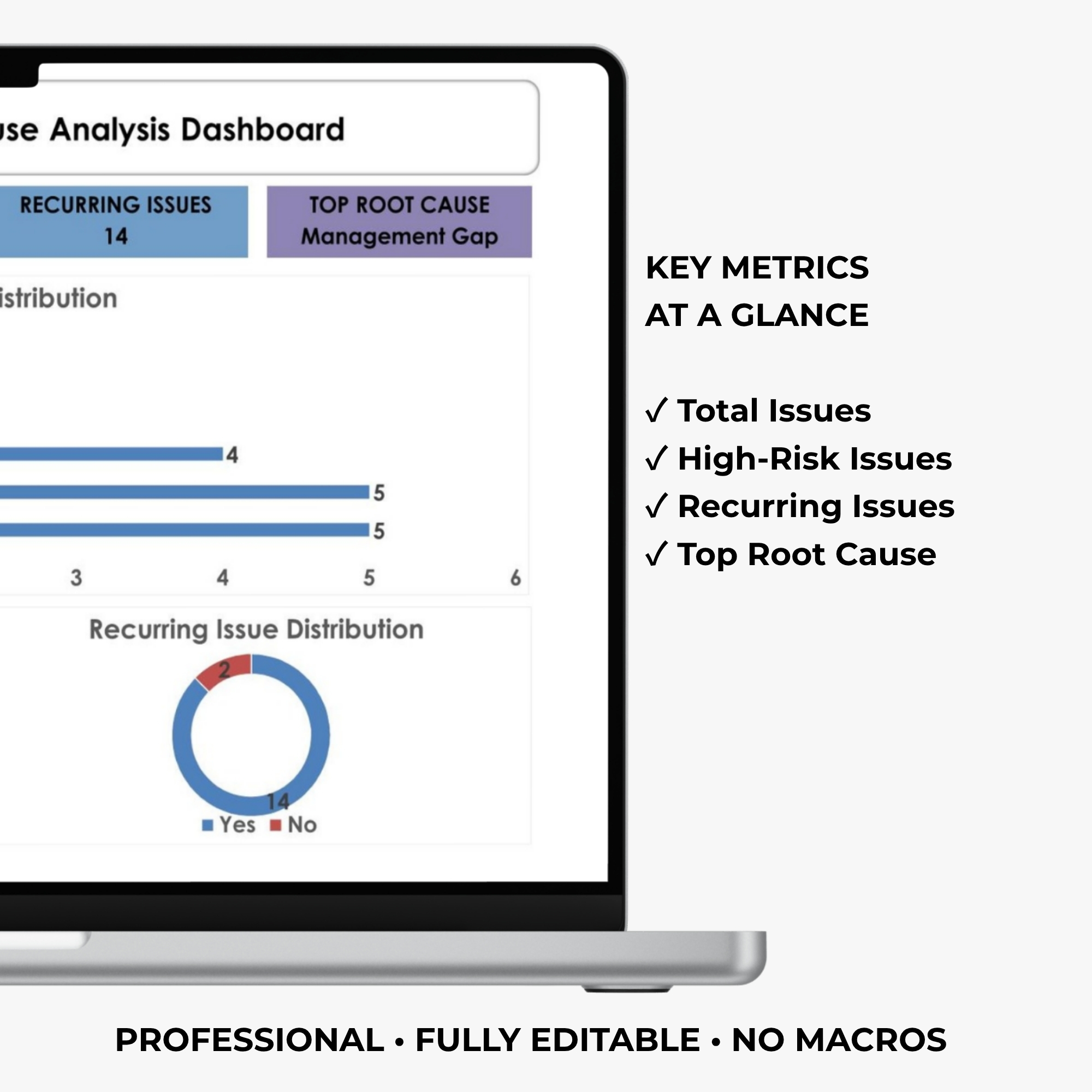
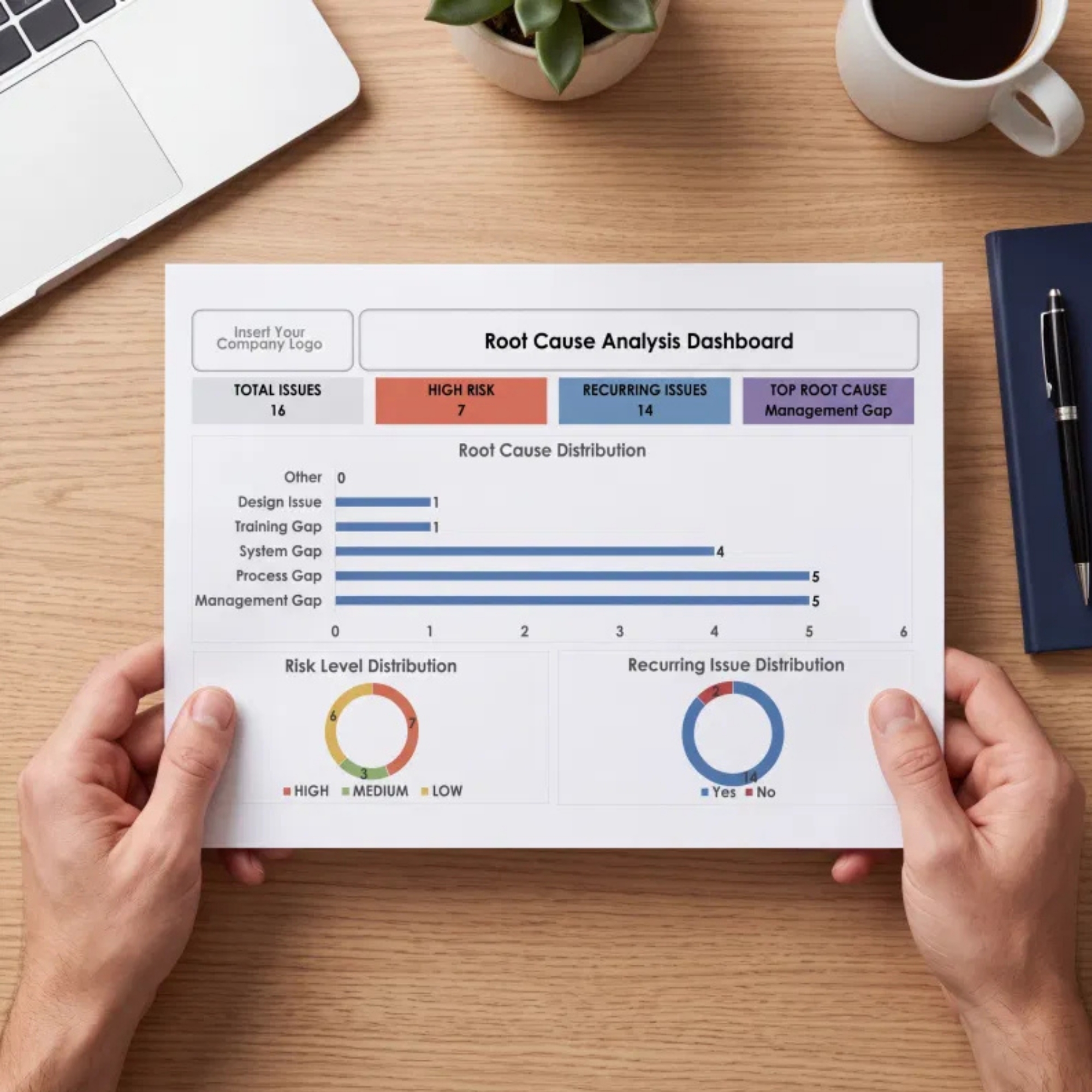
📊 AUTOMATIC ROOT CAUSE ANALYSIS DASHBOARD
Transform individual issue records into meaningful visual information.
Your dashboard automatically displays:
Total Issues
Monitor the total number of recorded issues in your analysis system.
High-Risk Issues
Identify issues classified as high risk based on your entered risk assessment data.
Recurring Issues
Monitor repeated problems and identify areas that may require additional investigation.
Top Root Cause
Automatically identify the most frequently recorded root cause in your dataset.
Root Cause Distribution
Visualize how root causes are distributed across your recorded issues.
Risk Level Distribution
Review the distribution of High, Medium, and Low Risk issues.
Recurring Issue Distribution
Analyze recurring versus non-recurring issues through visual charts.
Simply enter or update records in the FORM sheet, and the connected dashboard calculations update automatically.
🔎 STRUCTURED 5 WHYS ROOT CAUSE ANALYSIS
Go beyond identifying symptoms and investigate why problems occur.
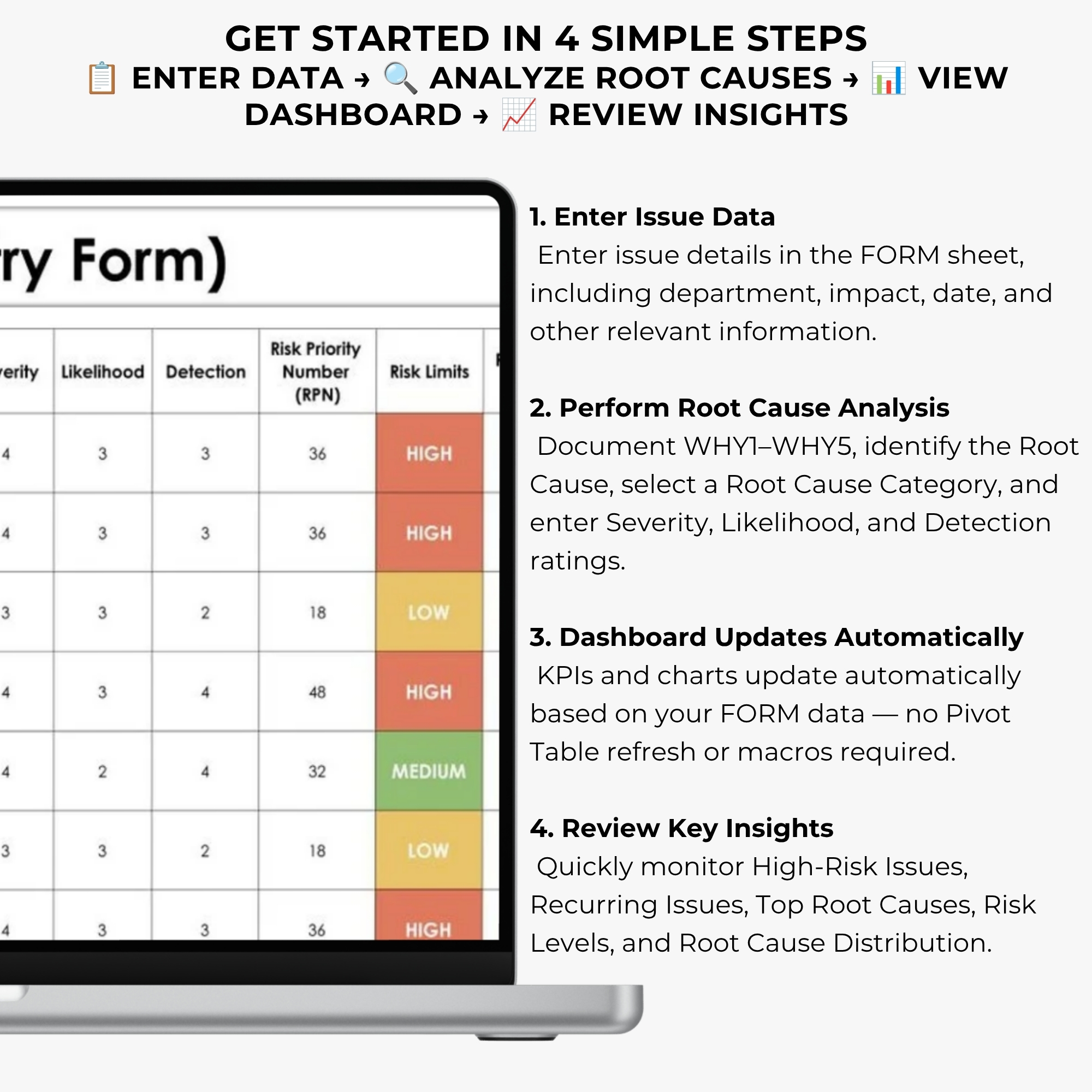
The included data entry form provides dedicated fields for:
✔ Issue ID
✔ Issue Description
✔ Impact
✔ Created Date
✔ Department
✔ WHY1
✔ WHY2
✔ WHY3
✔ WHY4
✔ WHY5
✔ Root Cause
✔ Root Cause Category
✔ Severity
✔ Likelihood
✔ Detection
✔ Risk Priority Number (RPN)
✔ Risk Level
✔ Recurring Issue
This structured approach helps your team organize issue investigations and maintain consistent analysis records.
⚠️ AUTOMATIC RPN RISK ASSESSMENT
Not every problem has the same level of risk.
Use the built-in Risk Priority Number calculation to help evaluate and prioritize recorded issues.
The workbook calculates:
RPN = Severity × Likelihood × Detection
Based on the workbook’s risk classification settings, issues are categorized into risk levels for easier monitoring.
Use this information to support risk-based prioritization, management discussions, and improvement planning.
Risk scores should be interpreted according to your organization’s own assessment criteria and professional judgment.
🔄 IDENTIFY RECURRING ISSUES
Repeated problems can indicate unresolved underlying causes or ineffective improvement activities.
Use the recurring issue tracking fields and dashboard charts to:
✔ Identify repeated issues
✔ Monitor recurring problem records
✔ Review frequently recorded root causes
✔ Support corrective action discussions
✔ Identify potential improvement priorities
✔ Prepare visual reports for management meetings
Bring issue records together in one structured Excel workbook.
🛠️ FULLY CUSTOMIZABLE FOR YOUR ORGANIZATION
Every organization has different departments, processes, and root cause categories.
This template includes editable drop-down lists that allow you to customize:
Departments
Adapt department selections to your own organizational structure.
Root Cause Categories
Modify existing root cause categories or add new categories relevant to your processes.
Company Logo
Add your organization’s logo for a professional internal reporting appearance.
Dashboard Title
Customize the dashboard title to match your business reporting needs.
You are not limited to the original pre-populated department and root cause category options.
🎯 PERFECT FOR
✔ Quality Managers & Quality Assurance Teams
✔ Root Cause Analysis Professionals
✔ Manufacturing Companies
✔ Operations Managers
✔ Process Improvement Specialists
✔ Continuous Improvement Teams
✔ Workplace Safety Professionals
✔ ISO Consultants
✔ Internal Auditors
✔ Engineering Teams
✔ Risk Assessment Activities
✔ Business Problem-Solving Teams
✔ Internal Issue Tracking
✔ Management Review Reporting
📈 SUPPORT QUALITY MANAGEMENT & CONTINUOUS IMPROVEMENT
This Root Cause Analysis Dashboard can be used as a practical tool to support structured problem investigation and improvement activities.
It may be useful for organizations implementing quality management processes associated with ISO 9001:2015 Clause 10.2 — Nonconformity and Corrective Action.
Use the workbook to document issue investigations, evaluate root causes, analyze risk, and support improvement discussions.
The template does not independently guarantee ISO certification, regulatory compliance, or successful audit outcomes.
💻 SOFTWARE COMPATIBILITY
Recommended Software:
✔ Microsoft Excel 2021
✔ Microsoft Excel 365
✔ Microsoft Excel Desktop Version
Workbook Features:
✔ Formula-Based Calculations
✔ Fully Editable Excel Template
✔ No VBA
✔ No Macros
✔ No Pivot Table Refresh Required
✔ English Language
For the best experience, use the desktop version of Microsoft Excel.
Google Sheets compatibility is not guaranteed for this workbook.
📋 PRODUCT DETAILS
Product Type: Digital Excel Dashboard Template
Included Workbook: 1 Microsoft Excel Workbook
Template Language: English
Software: Microsoft Excel 2021 / Microsoft Excel 365
Dashboard: Automatic KPI Calculations & Charts
Risk Assessment: RPN-Based
Analysis Method: 5 Whys
Customization: Editable Departments, Categories, Logo & Title
Macros: None
VBA: None
Delivery: 1 PDF Access File with Google Drive Link
Physical Shipping: None
⚠️ IMPORTANT DIGITAL PRODUCT INFORMATION
- This is a digital product. No physical item will be shipped.
- The initial download is a PDF containing your Google Drive access link.
- The editable Excel workbook is available through that link.
- Sample records shown in product images are for demonstration purposes.
- The template should be customized to reflect your organization’s processes.
- Microsoft Excel 2021 or Excel 365 is recommended.
- Results depend on the accuracy and completeness of user-entered information.
- Please review the product screenshots and compatibility information before purchasing.
LICENSE & USAGE
This template is intended for use by the purchaser or purchasing business.
Reselling, redistributing, sharing, sublicensing, or offering the workbook as a competing template is not permitted.
DISCLAIMER
This workbook is an organizational and analytical tool designed to support root cause investigation, risk evaluation, and internal reporting.
It does not replace professional judgment, organization-specific procedures, applicable requirements, or guidance from qualified professionals.
🚀 STOP REPEATING THE SAME PROBLEMS
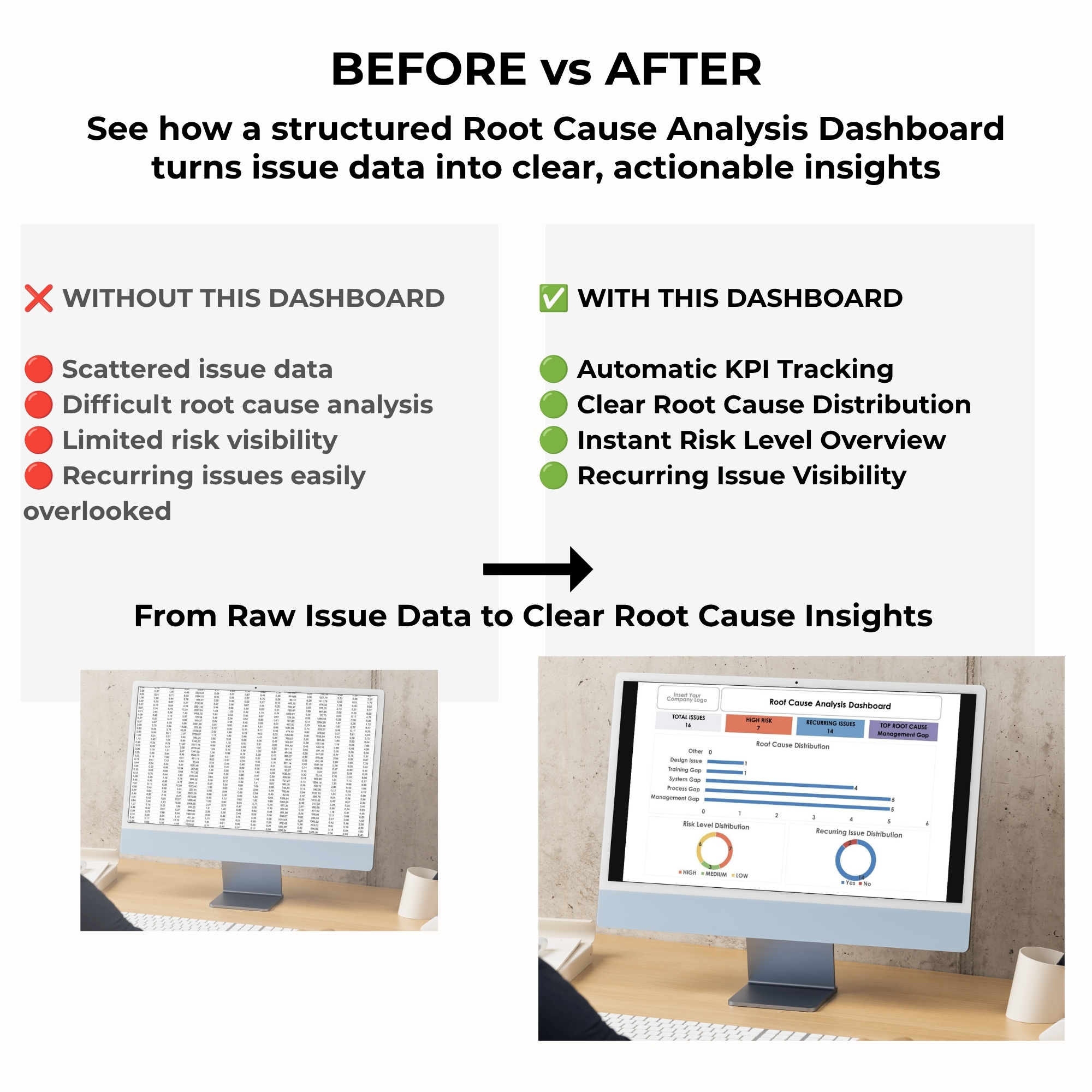
Stop wasting time searching through scattered issue records and manually preparing analysis reports.
Identify root causes, calculate risk scores, monitor recurring issues, and turn your problem-solving data into clear visual insights.
Get your Root Cause Analysis Dashboard today and make problem-solving more structured, visual, and actionable.



Reviews
There are no reviews yet.