

Corrective Action Tracker & Plan Dashboard | Excel & Google Sheets
STOP CHASING DEADLINES. START MANAGING CORRECTIVE ACTIONS.
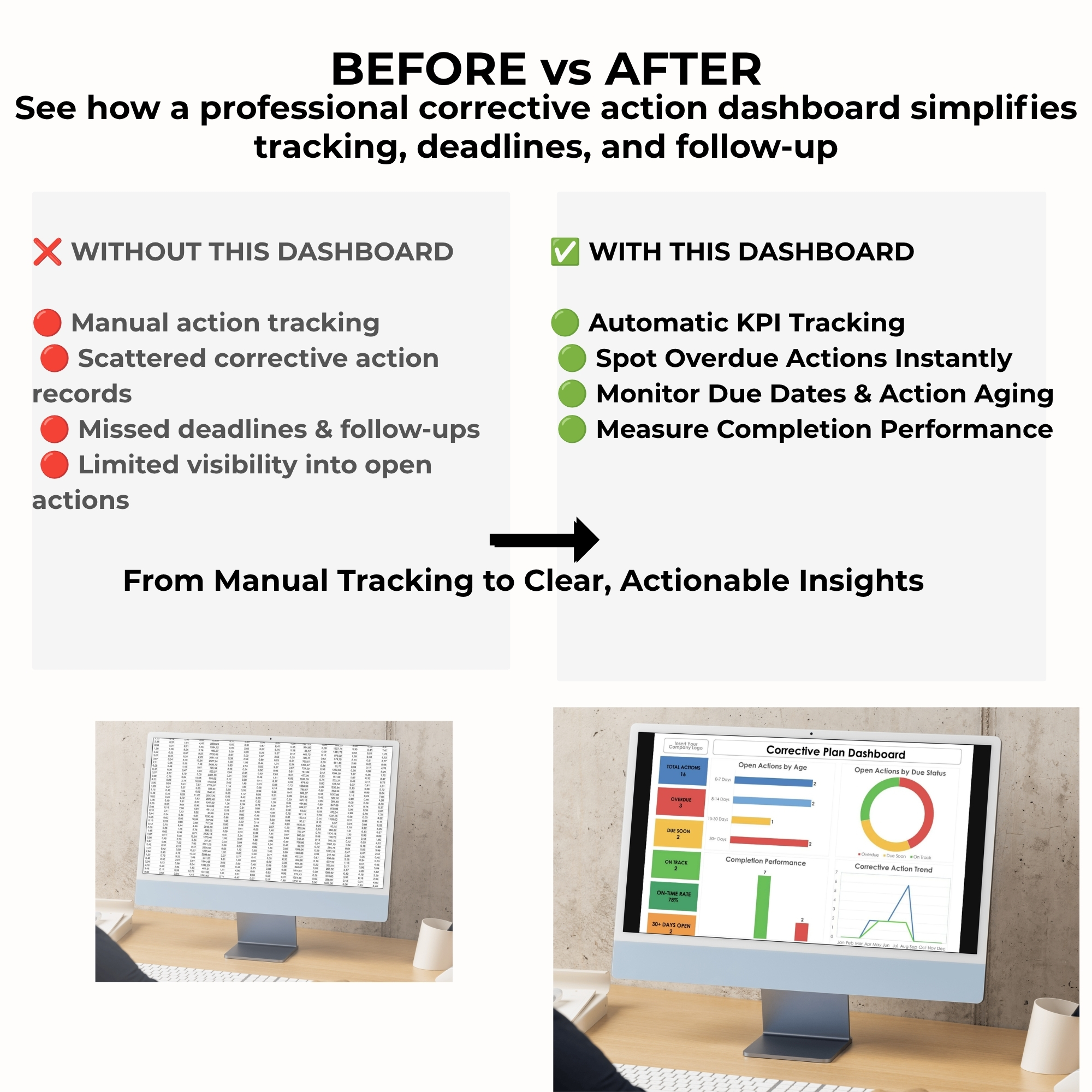
Are overdue corrective actions, missed deadlines, and scattered spreadsheets making it difficult to stay in control?
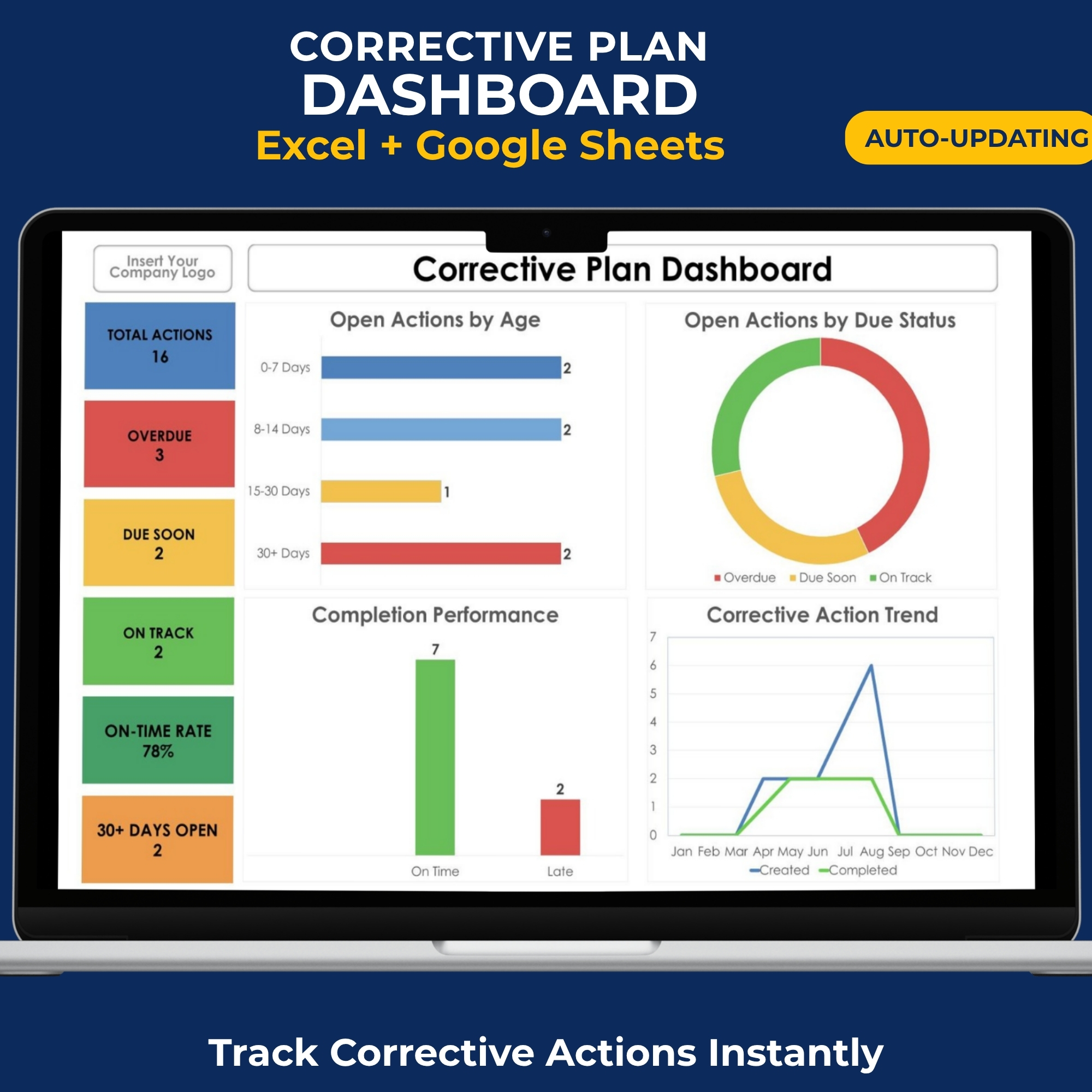
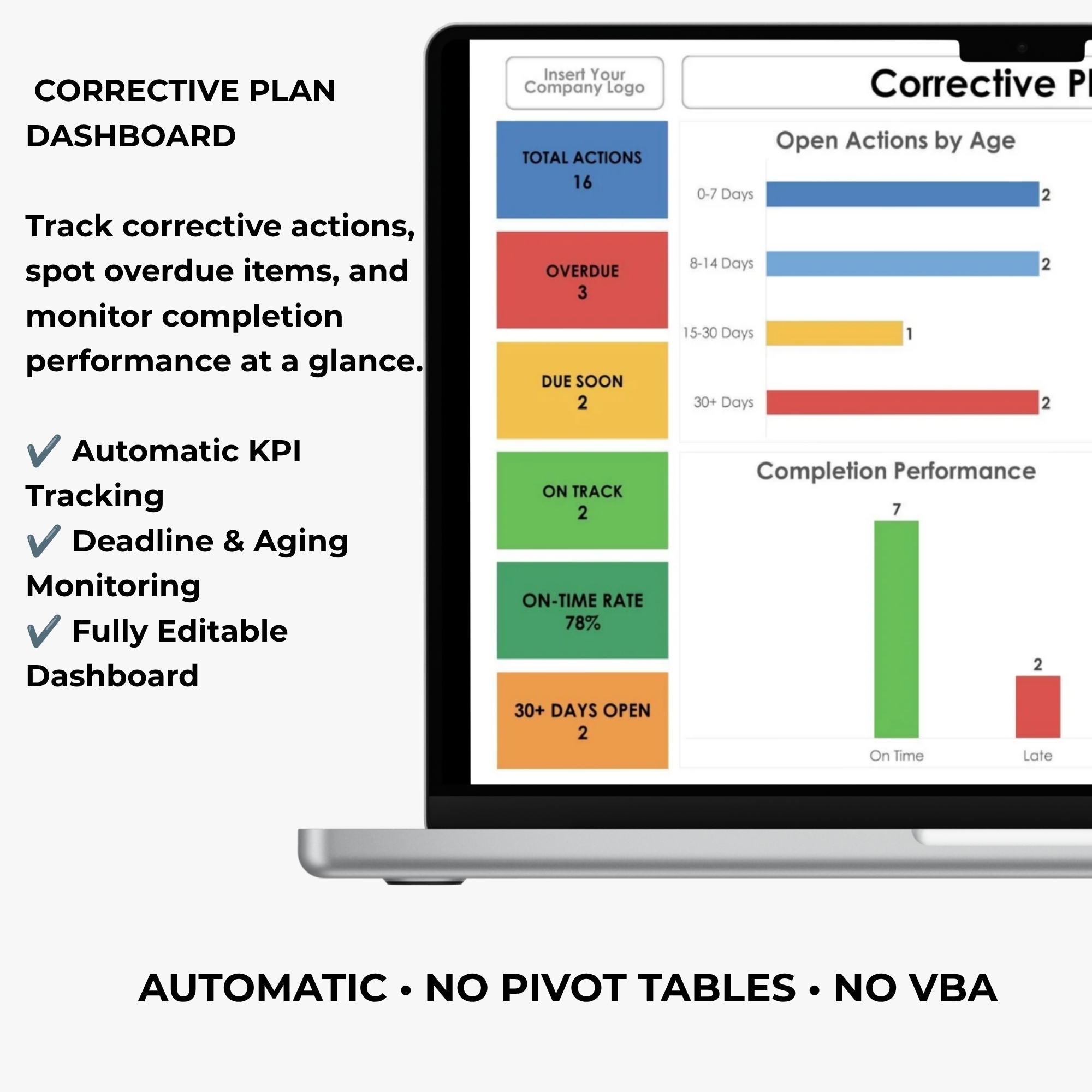
Bring clarity and structure to your corrective action management process with this professional Corrective Plan Dashboard for Excel and Google Sheets.
Designed for Quality Managers, ISO Consultants, Internal Auditors, Compliance Professionals, and Business Teams, this editable dashboard helps you organize corrective actions, monitor deadlines, identify overdue tasks, and track completion performance.
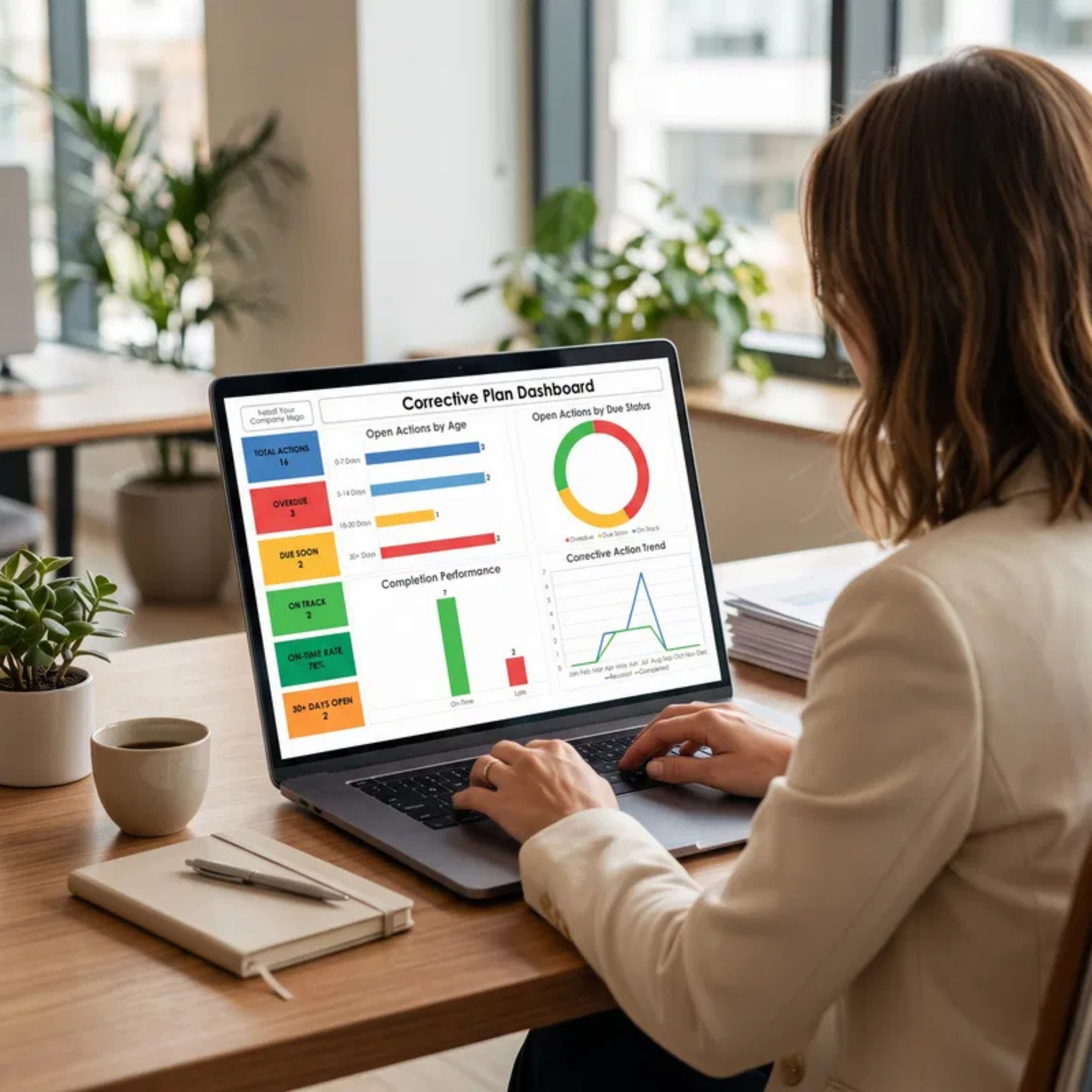
Instead of manually reviewing multiple spreadsheets, use a centralized tracking system with visual performance indicators and automated reporting.
Less manual tracking. Better visibility. More effective corrective action management.
WHY YOU’LL LOVE THIS DASHBOARD
✔ Automated Corrective Action Dashboard
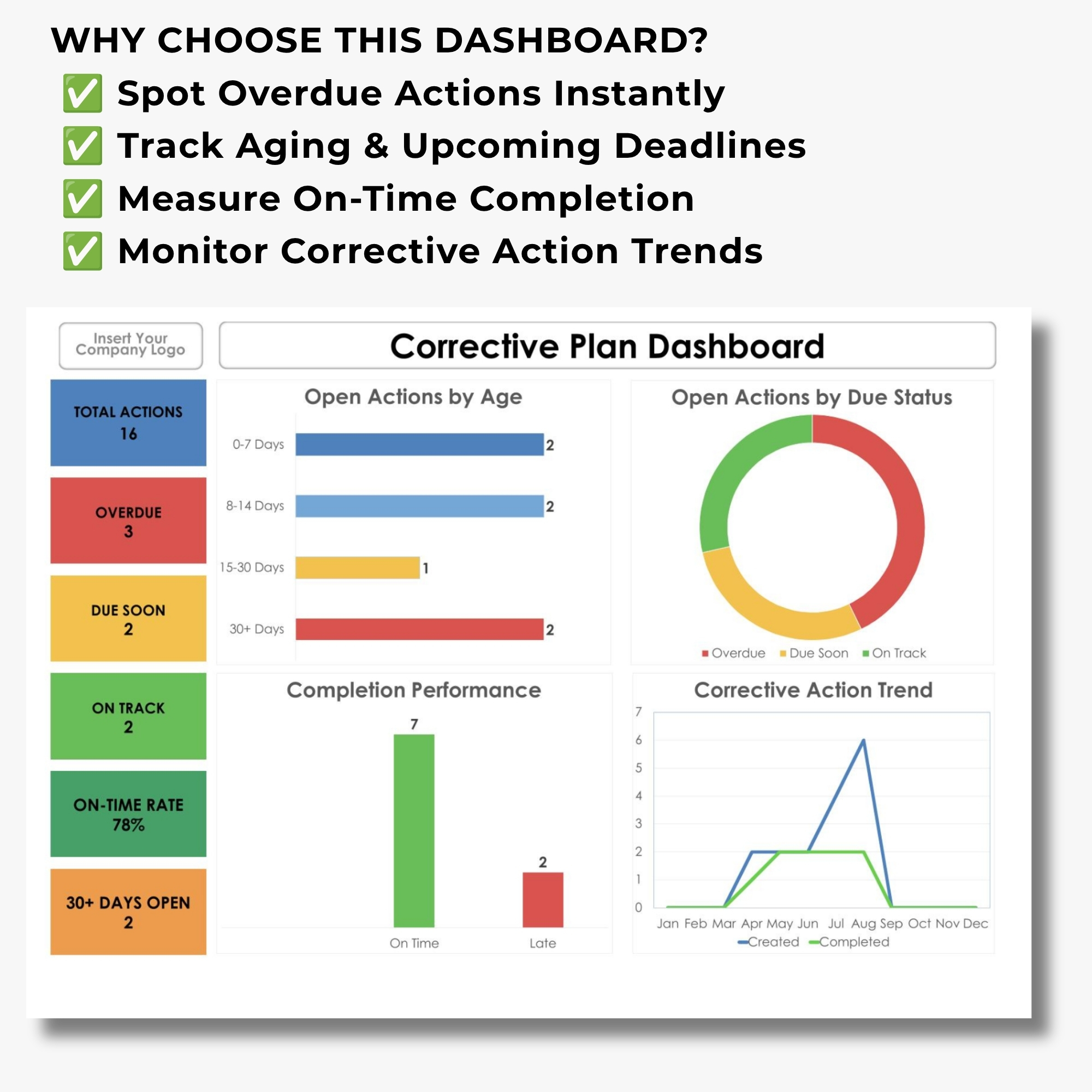
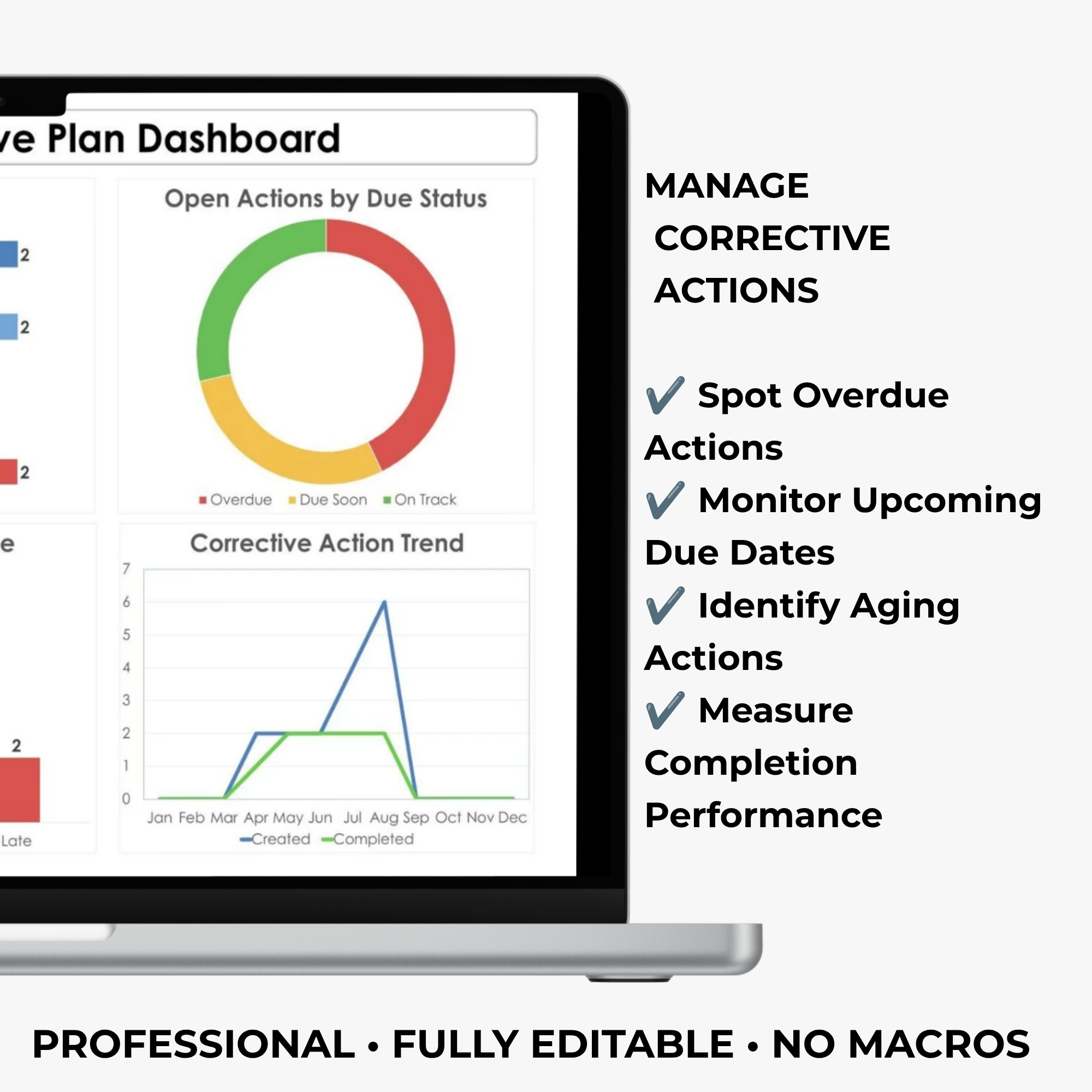
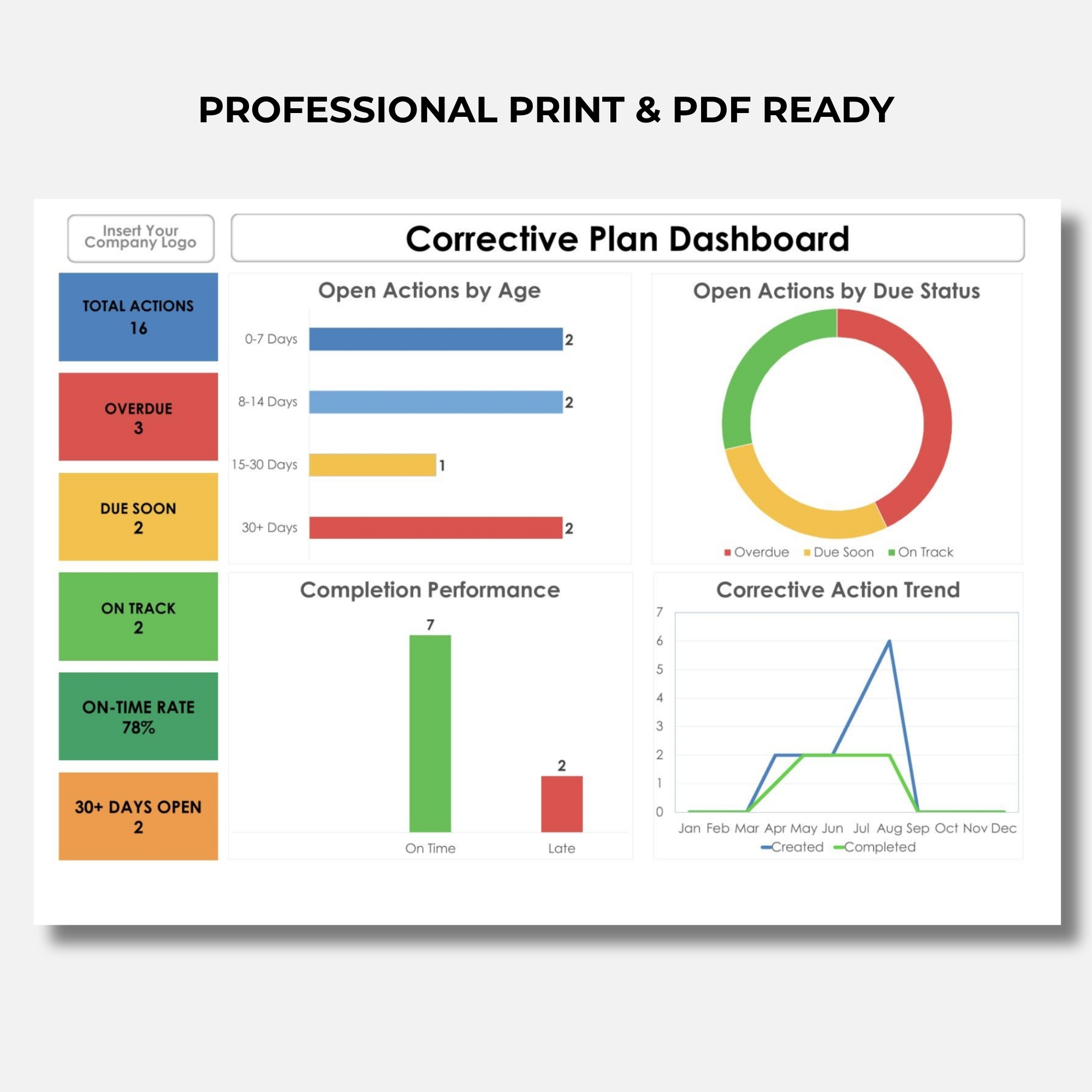
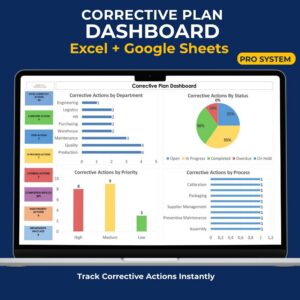
Turn corrective action records into visual performance indicators and charts without manually building reports.
✔ Overdue Action Monitoring
Identify corrective actions that have passed their deadlines and require attention.
✔ Deadline & Due Date Tracking
Monitor upcoming deadlines and support timely follow-up activities.
✔ Action Aging Analysis
Track how long corrective actions remain open and identify potential delays.
✔ Completion Performance Monitoring
Visualize corrective action completion and progress through dashboard charts.
✔ Color-Coded Action Status
Quickly distinguish between different corrective action stages.
✔ Centralized Corrective Action Records
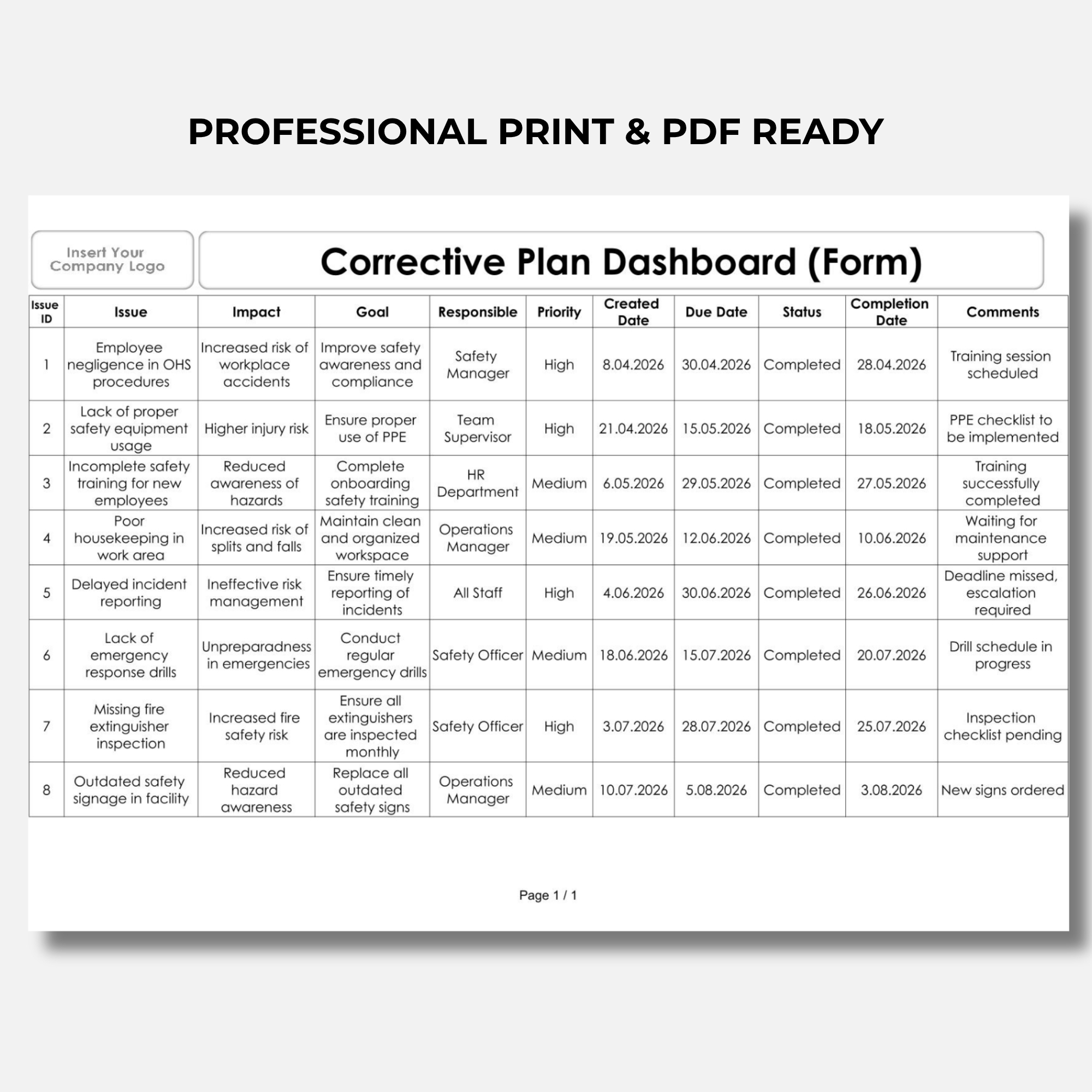
Keep action details, responsibilities, deadlines, and progress information organized.
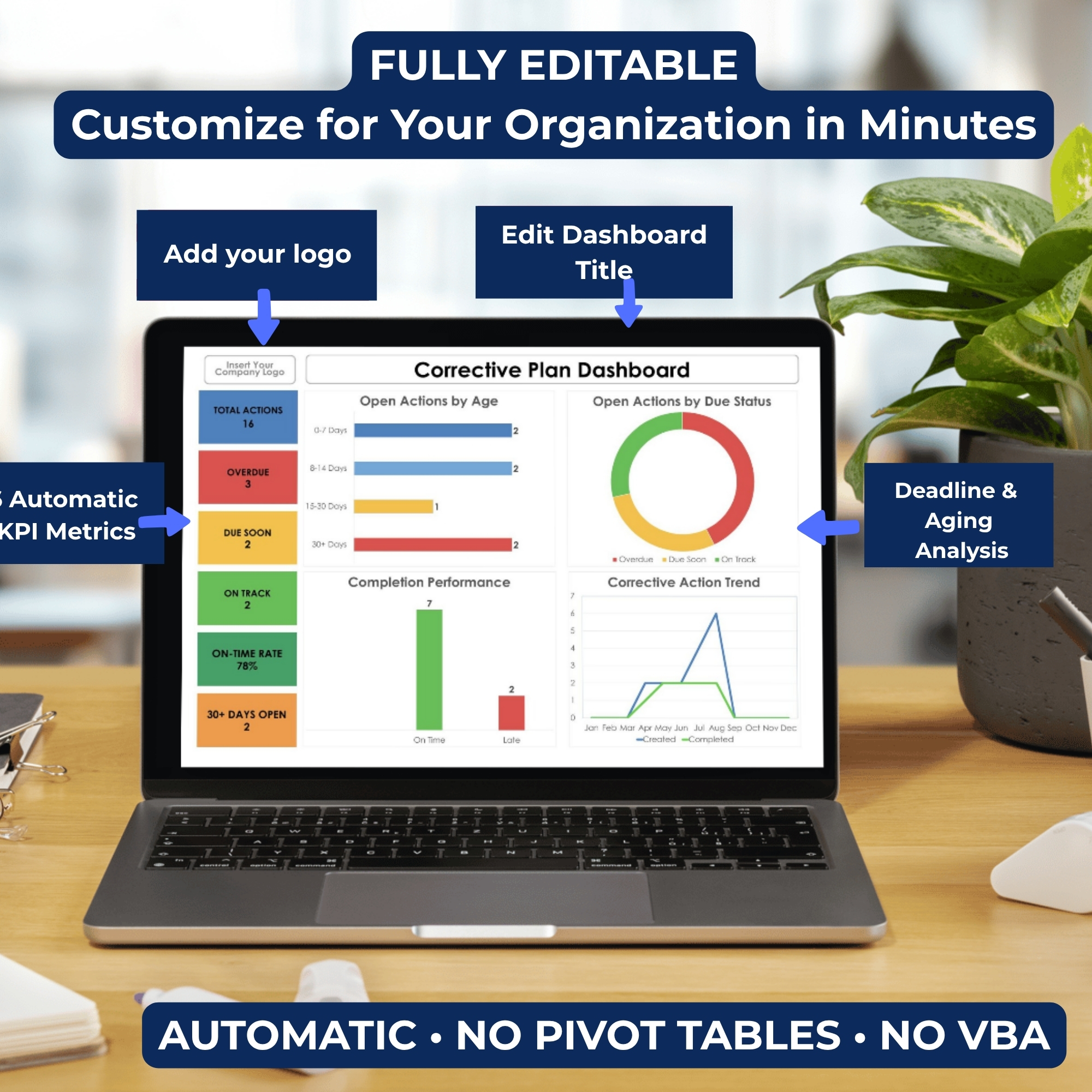
✔ Fully Editable Spreadsheet Templates
Customize the tracking system to fit your organization’s processes and requirements.
✔ Excel & Google Sheets Compatible
Use the dashboard in Microsoft Excel or Google Sheets.
✔ No VBA or Macros Required
A practical, formula-based spreadsheet solution for everyday quality management.
WHAT’S INCLUDED
Your digital purchase provides access to:
1. Corrective Plan Dashboard — Excel
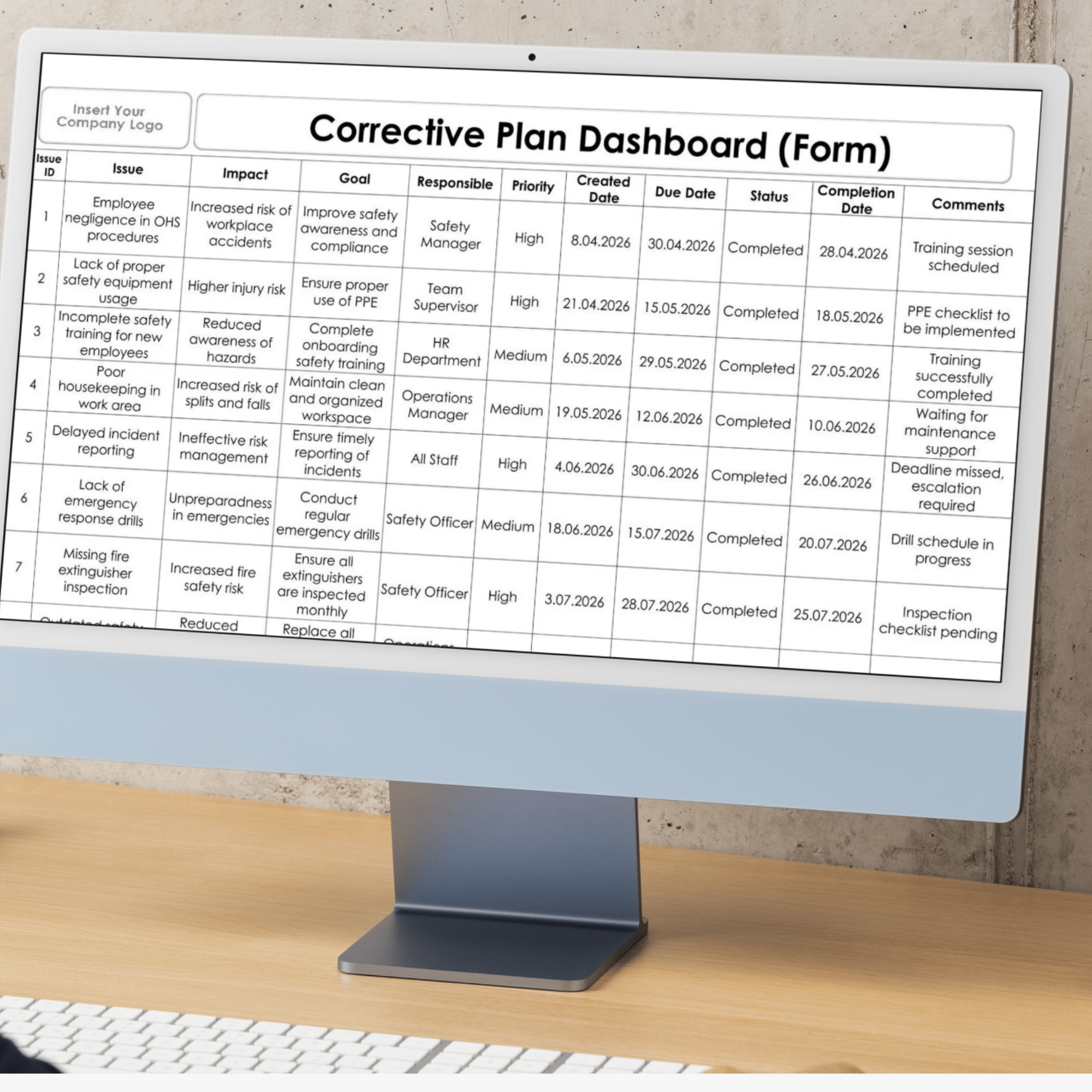
A professional spreadsheet dashboard featuring visual corrective action monitoring, performance indicators, and tracking charts.
2. Corrective Action Tracking Form — Excel
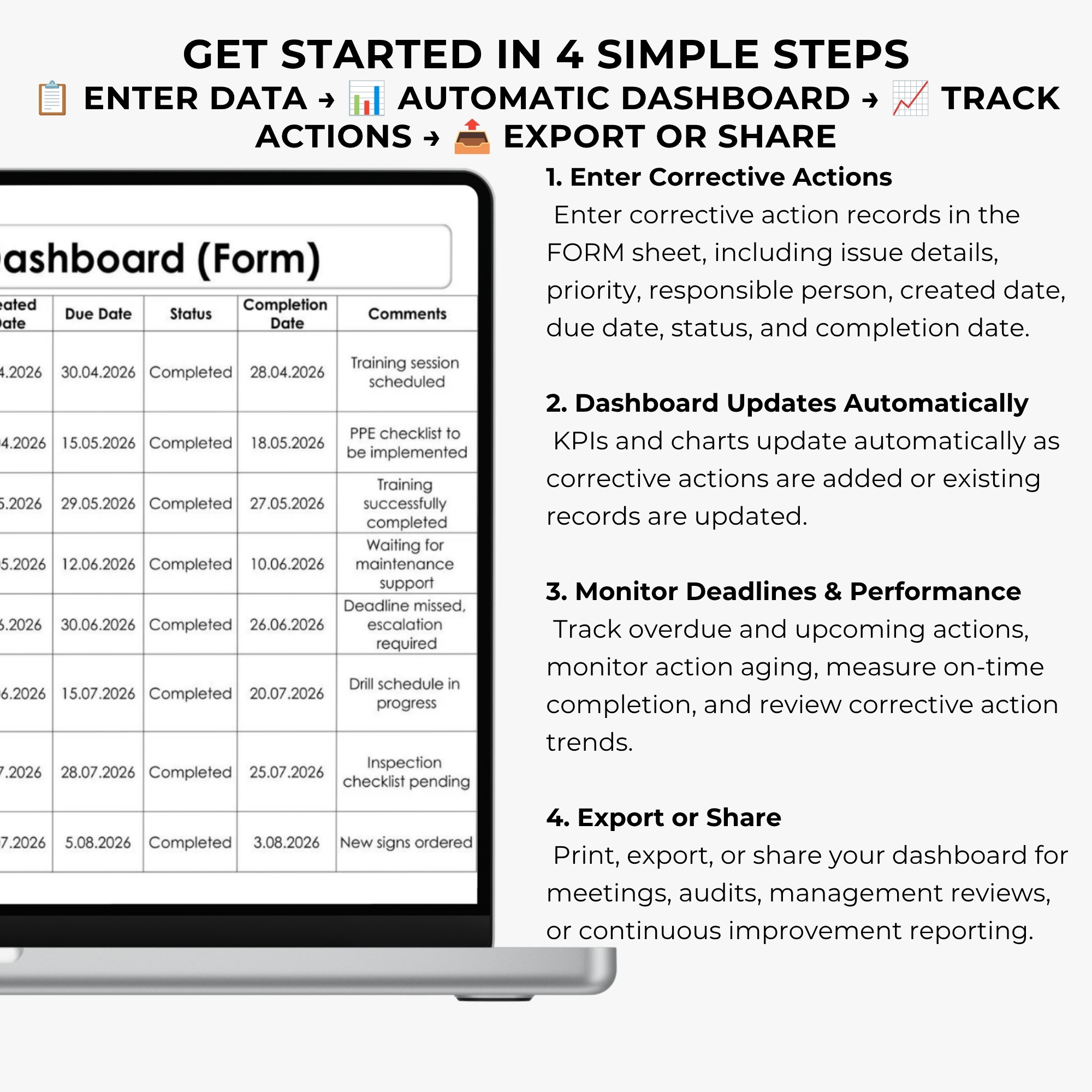
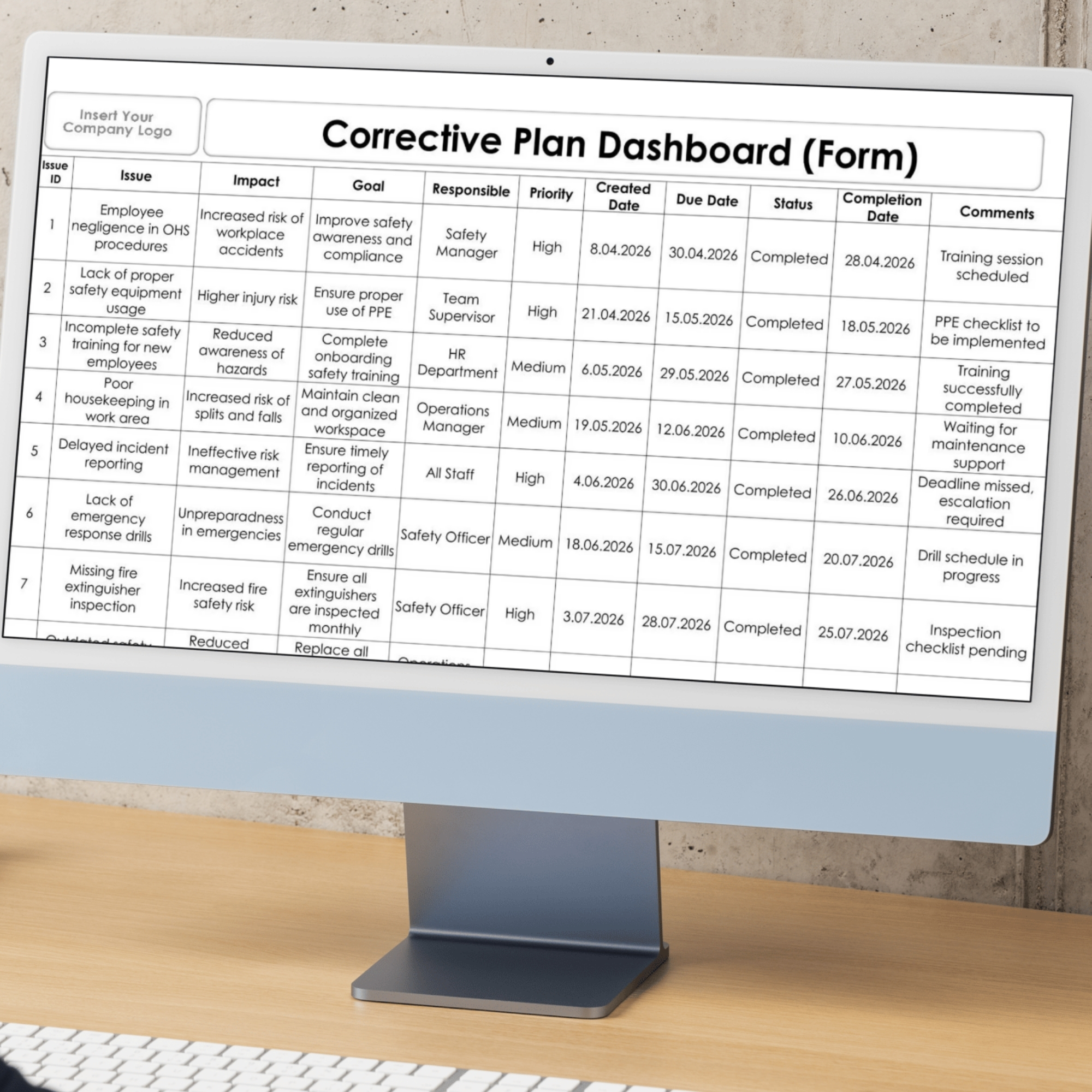
A structured data entry form for recording corrective actions, monitoring responsibilities, updating progress, and managing deadlines.
3. Google Sheets Compatible Version
Use the spreadsheet-based tracking system in Google Sheets for flexible online access.
4. PDF Access File
A digital access document containing the download link and instructions for retrieving your purchased files.
All templates are provided in English.
WHAT CAN YOU TRACK?
Use the dashboard to monitor:
- Corrective action status and progress
- Open and overdue corrective actions
- Upcoming deadlines and due dates
- Action aging and delays
- Completion performance
- Corrective action responsibilities
- Overall corrective action management trends
The dashboard transforms entered records into a more accessible visual overview for monitoring and reporting.
PERFECT FOR
✔ Quality Managers and Quality Engineers
✔ ISO 9001 Consultants
✔ Internal Auditors and Audit Teams
✔ QMS Coordinators
✔ Compliance Professionals
✔ Corrective Action Coordinators
✔ Manufacturing and Production Teams
✔ Operations and Process Managers
✔ Small and Medium-Sized Businesses
✔ Organizations Managing Corrective Action Plans
SUPPORT YOUR ISO 9001 QUALITY MANAGEMENT SYSTEM
Effective corrective action management requires organizations to document actions, monitor implementation, and evaluate results.
This Corrective Plan Dashboard can support structured corrective action tracking within a Quality Management System, including activities related to ISO 9001:2015 Clause 10.2 — Nonconformity and Corrective Action.
It can also support management review preparation, internal audit follow-up, and continual improvement activities.
Important: This template is a management support tool and does not independently guarantee ISO certification, regulatory compliance, or audit approval.
HOW IT WORKS — 4 SIMPLE STEPS
STEP 1 — Enter Corrective Action Data
Record corrective action information, responsible persons, deadlines, and relevant tracking details.
STEP 2 — Update Action Status
Maintain accurate action records as implementation progresses.
STEP 3 — Monitor Deadlines & Performance
Review overdue actions, upcoming deadlines, action aging, and completion indicators.
STEP 4 — Report & Share
Use the dashboard to communicate corrective action performance during meetings, audits, and management reviews.
PRODUCT FEATURES
- Product Type: Digital Spreadsheet Template
- Software: Microsoft Excel & Google Sheets
- Language: English
- Fully Editable: Yes
- Automated Dashboard: Yes
- Visual KPI Charts: Yes
- Overdue Action Monitoring: Yes
- Deadline Tracking: Yes
- Action Aging Monitoring: Yes
- Print-Ready Layout: Yes
- VBA / Macros: Not Required
- Delivery: Digital Download Access
- Physical Product: None
DIGITAL DELIVERY
After completing your purchase, you will receive access to a PDF file containing a Google Drive download link.
Open the PDF, follow the link, and download your digital spreadsheet templates.
No physical product will be shipped.
TURN CORRECTIVE ACTION DATA INTO CLEAR MANAGEMENT INSIGHTS
Stop wasting time searching through scattered corrective action records.
Bring deadlines, progress, overdue actions, and completion performance together in one organized dashboard.
Whether you’re preparing for an internal audit, monitoring corrective action plans, or reviewing QMS performance, this template helps you stay organized and make informed decisions.
Get instant digital access and take control of your corrective action tracking today!
DigiBySonmez ISO — Professional ISO Documentation & Excel Dashboards


Değerlendirmeler
Henüz değerlendirme yapılmadı.