

EMPLOYEE PERFORMANCE DASHBOARD EXCEL | HR PERFORMANCE TRACKER + BONUS EVALUATION FORM
Simplify Employee Performance Management with Automated Excel Reporting
Stop managing employee performance evaluations across scattered spreadsheets.
Bring employee records, structured performance reviews, automatic scoring, and visual HR reporting together in one organized Employee Performance Dashboard Excel Template.
Designed for HR Managers, Human Resources Professionals, Team Leaders, Department Managers, HR Consultants, and Business Owners, this employee performance tracking system helps you evaluate employee performance, monitor key indicators, compare results, and identify opportunities for improvement.
With 16 structured performance evaluation criteria, automatic score calculations, employee-level analysis, and visual dashboard charts, you can reduce manual reporting and make employee performance reviews more organized and consistent.
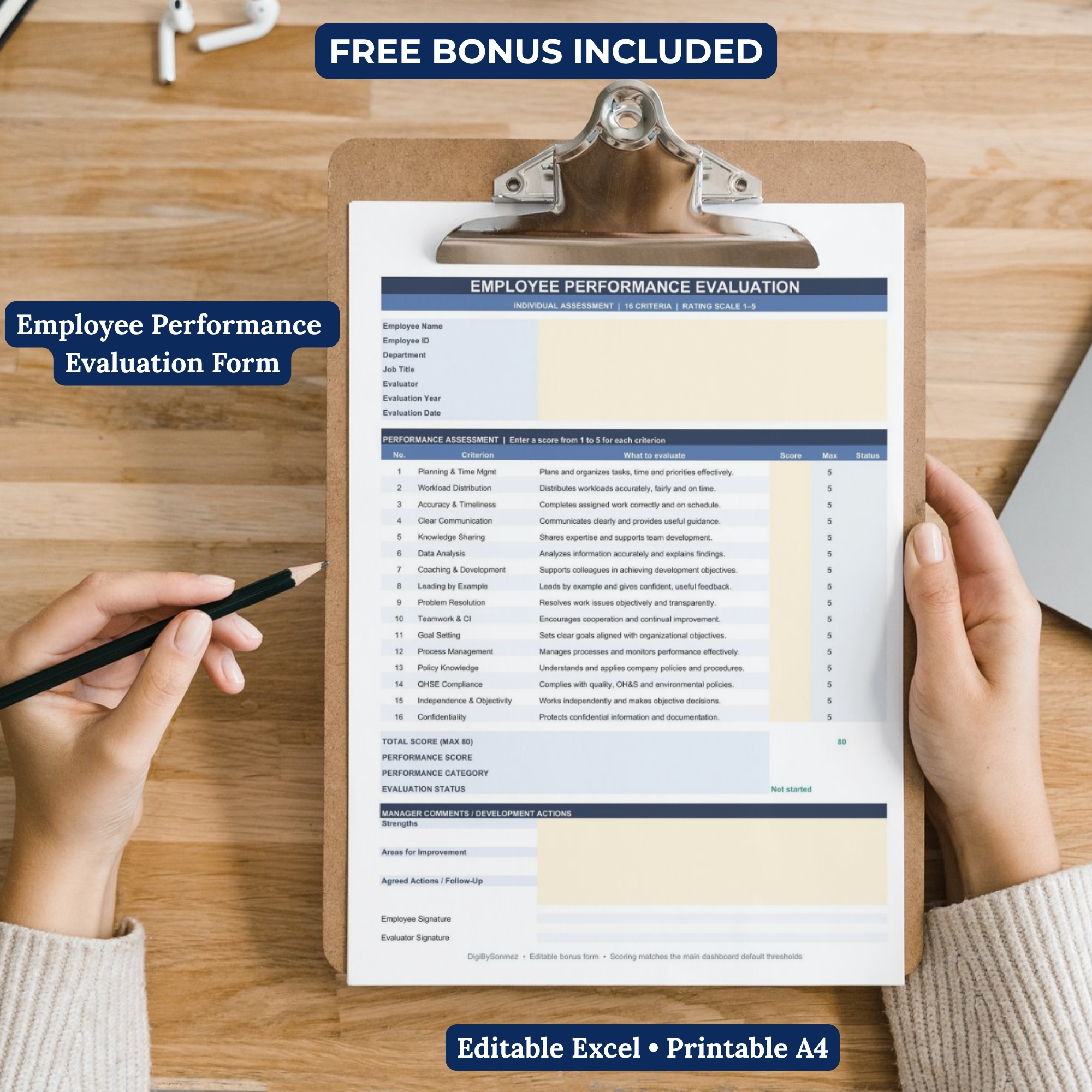
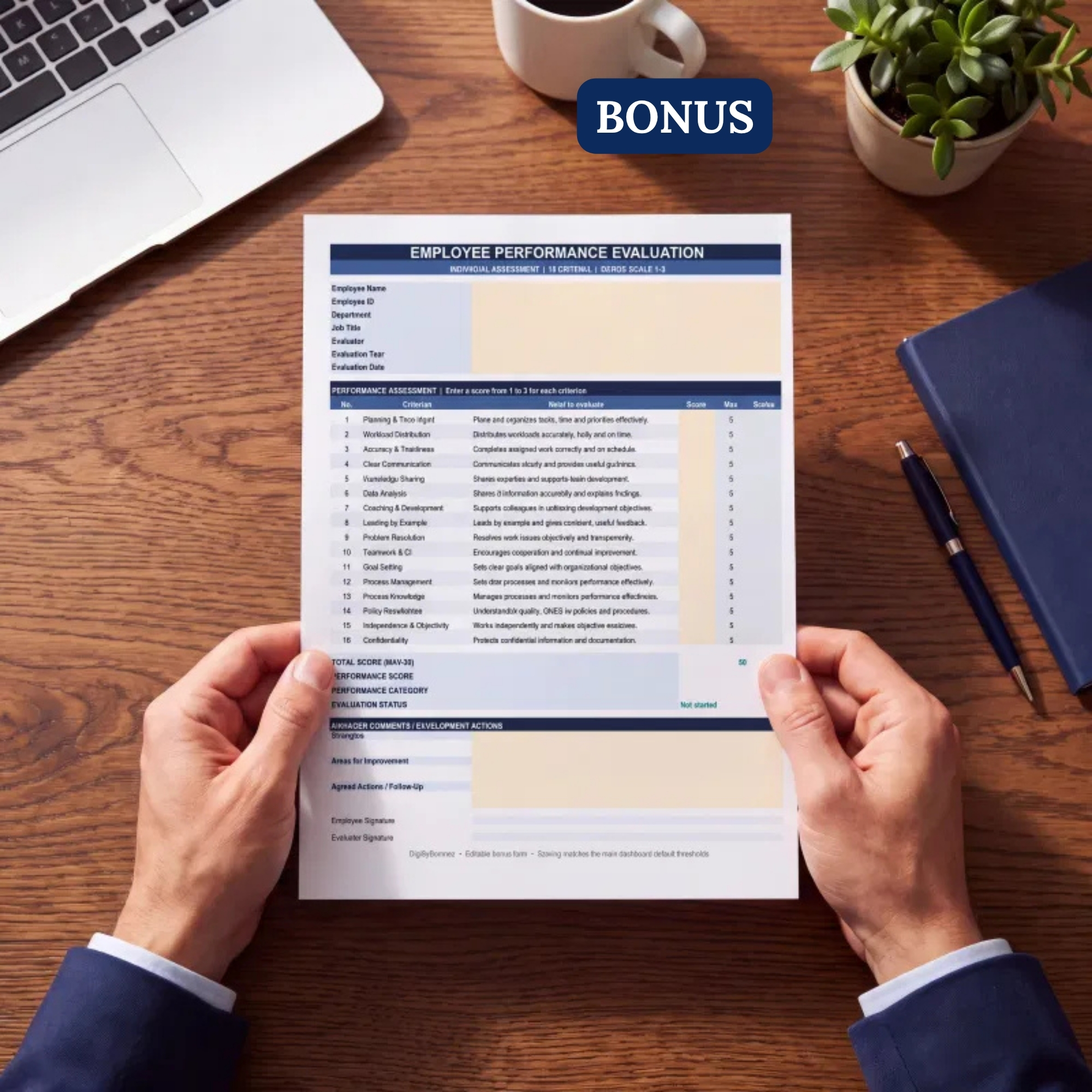
BONUS INCLUDED: Individual Employee Performance Evaluation Form – Excel Template
FREE DEMO AVAILABLE: Preview the dashboard before purchasing the complete version.
────────────────────────
WHY CHOOSE THIS EMPLOYEE PERFORMANCE DASHBOARD?
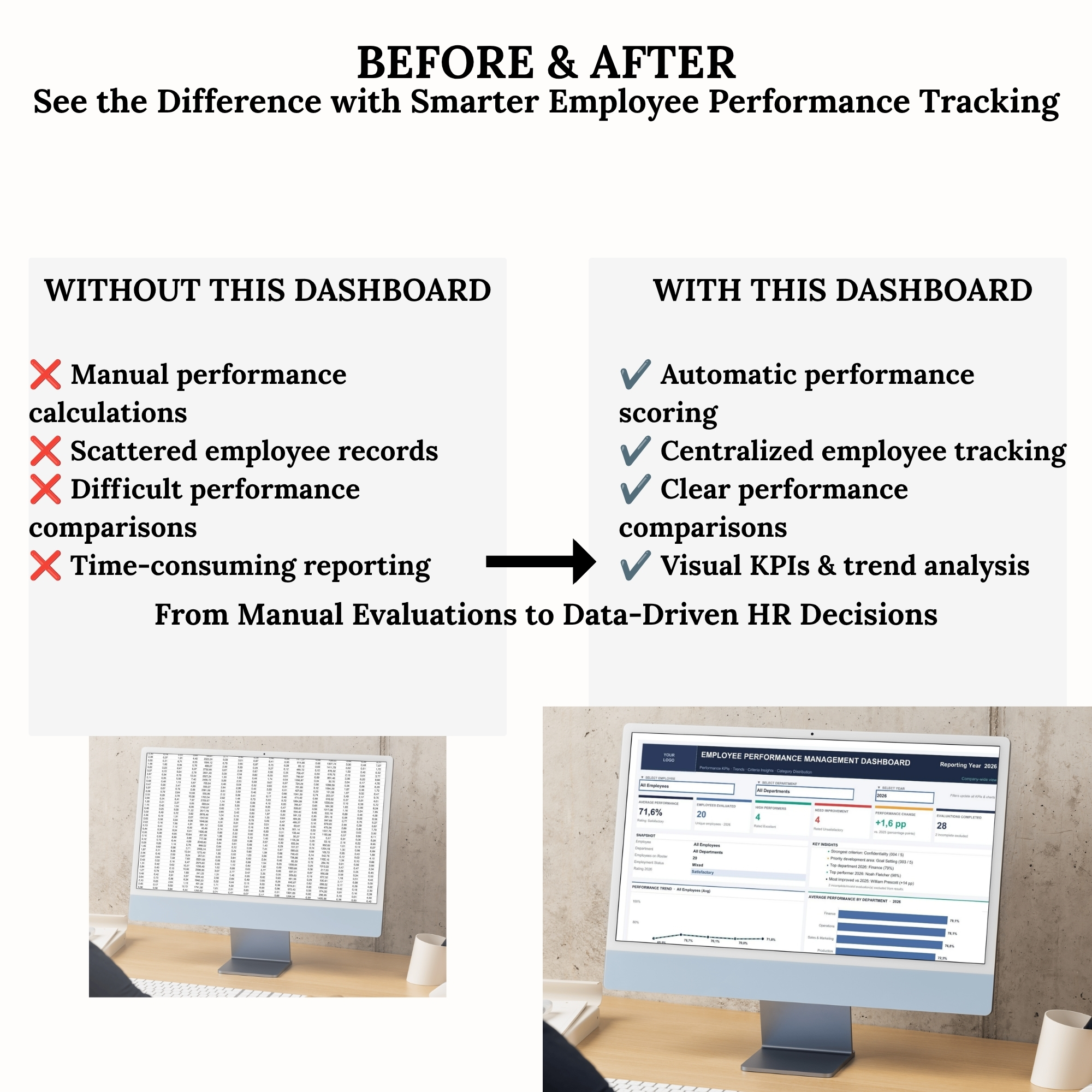
Managing employee performance can become time-consuming when employee information, evaluation scores, and reporting data are stored in separate documents.
This Excel-based HR Performance Dashboard provides a structured system for recording employee evaluations and transforming the results into meaningful performance insights.
Instead of calculating scores manually or preparing separate performance reports, you can use automated calculations and visual summaries to support your HR management activities.
LESS MANUAL REPORTING. MORE MEANINGFUL PERFORMANCE INSIGHTS.
────────────────────────
KEY FEATURES & BENEFITS
✔ Automated Employee Performance Scoring
Automatically calculate performance results based on employee evaluation entries.
✔ 16 Structured Performance Evaluation Criteria
Evaluate employee competencies and workplace performance using a consistent 1–5 rating system.
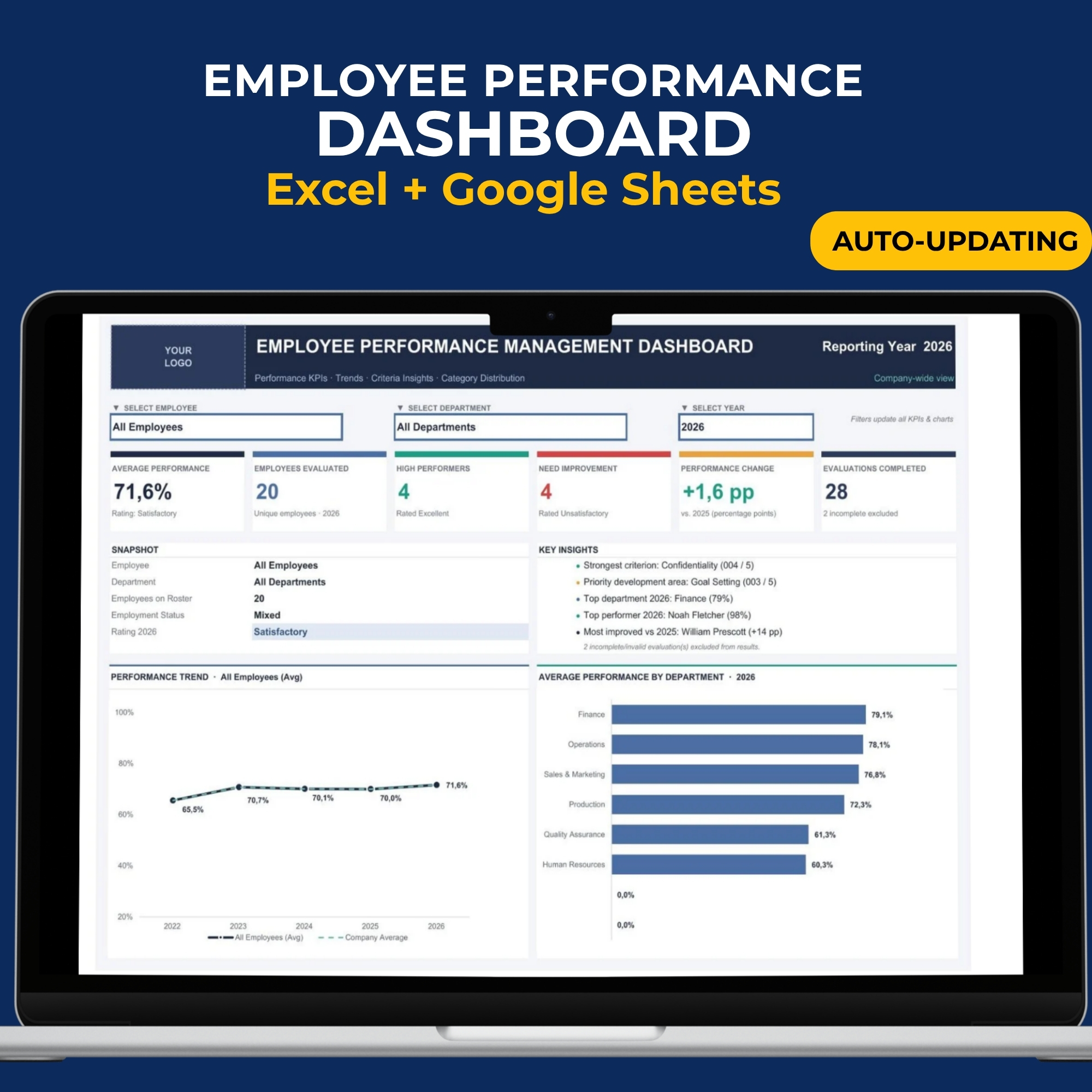
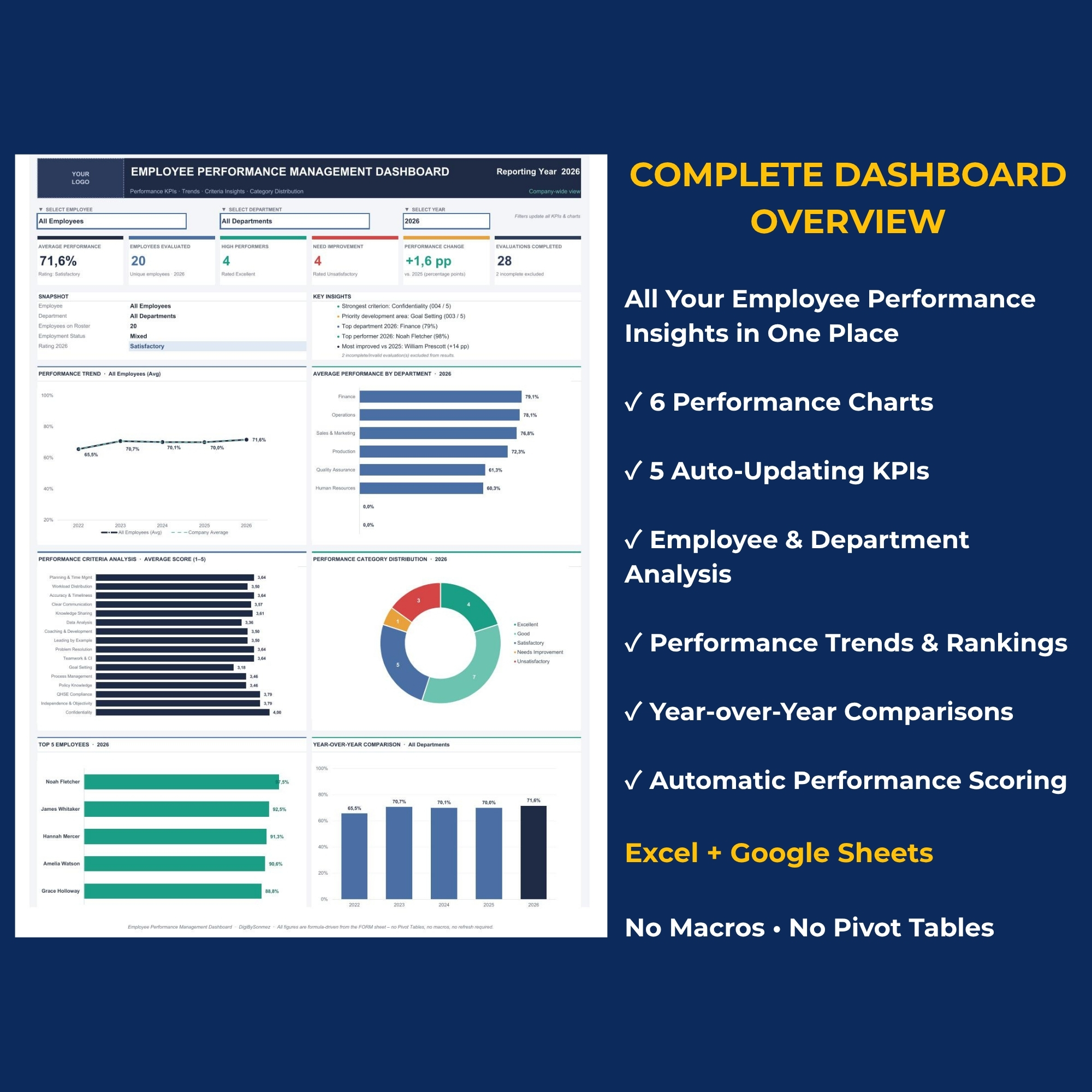
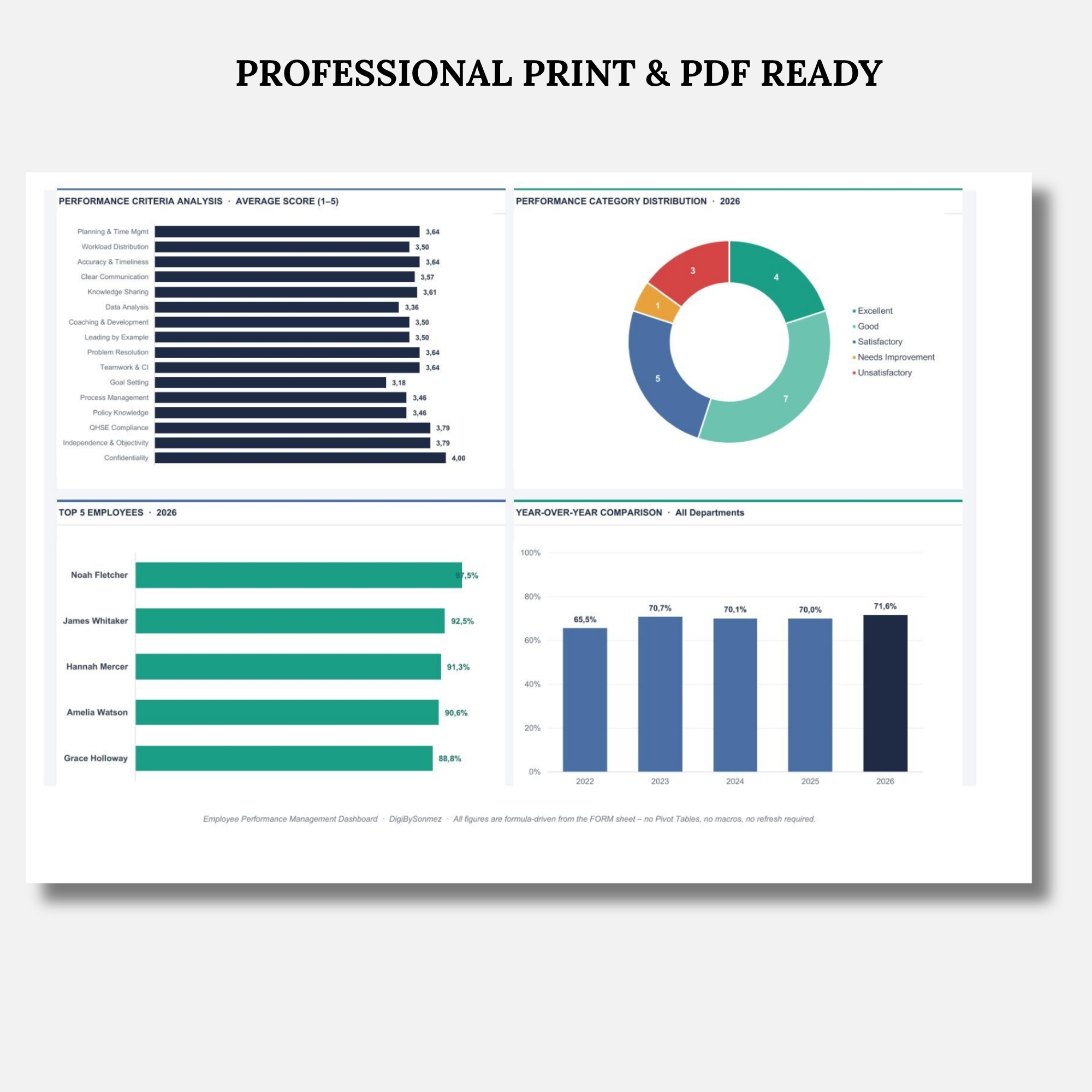
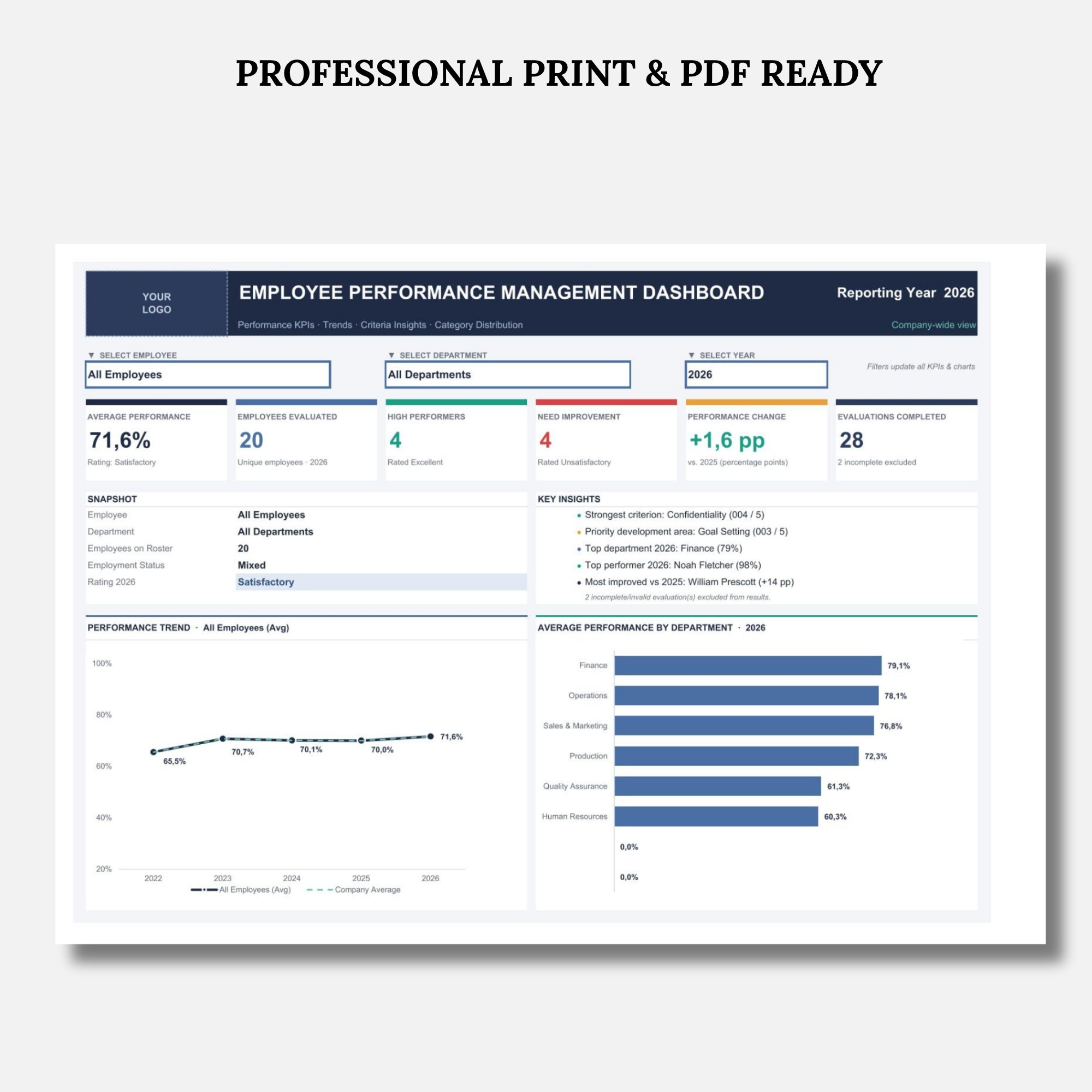
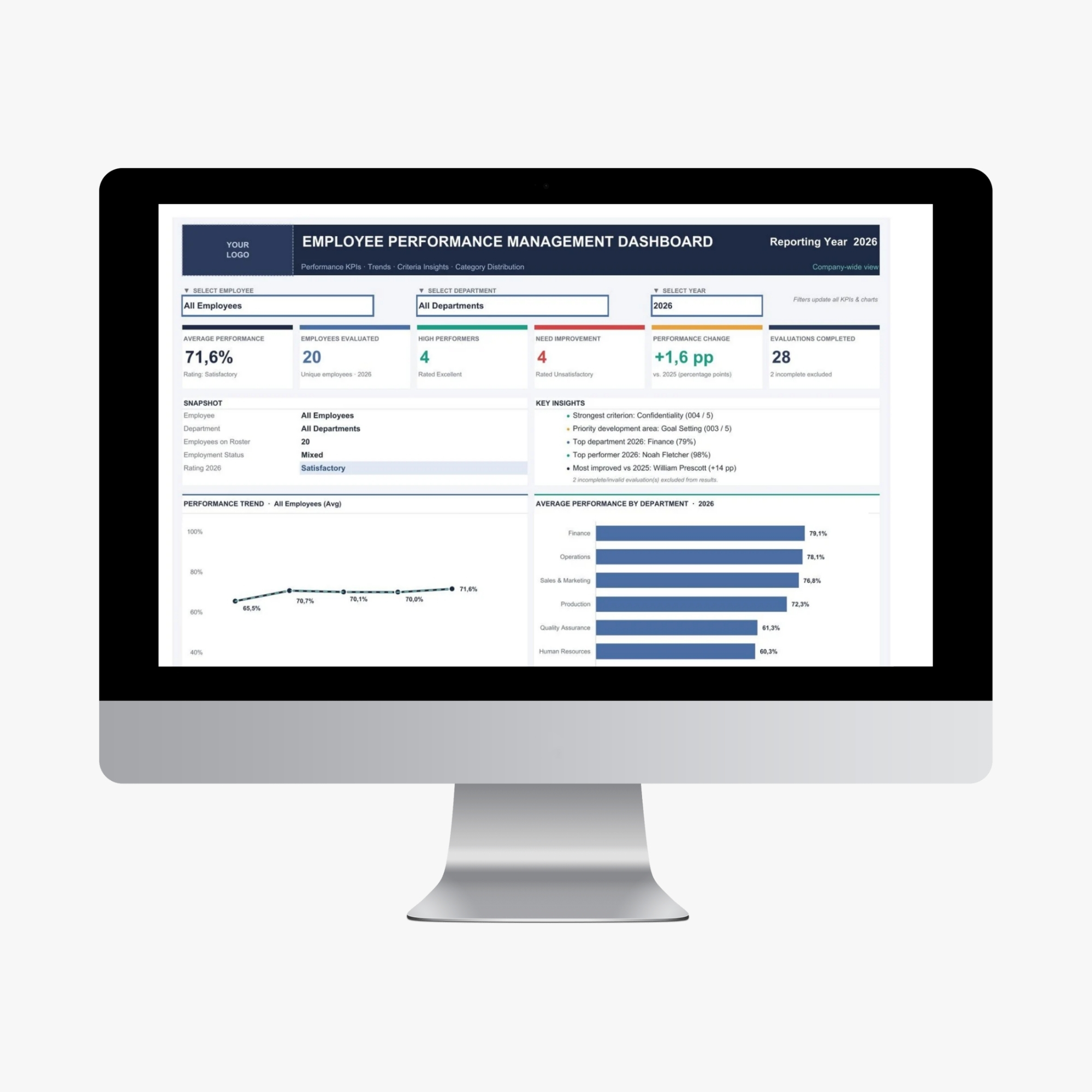
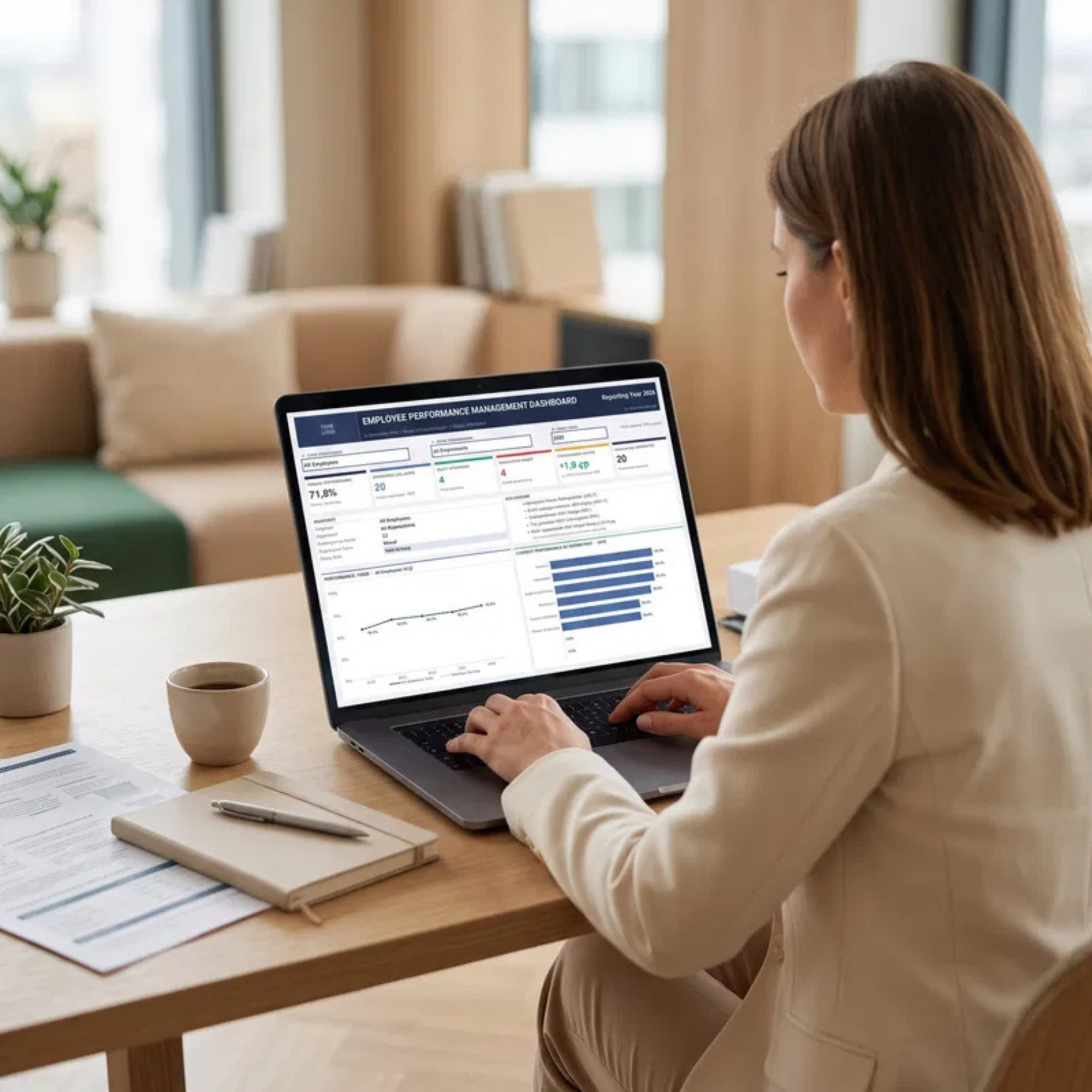
✔ Interactive HR Performance Dashboard
Review key performance indicators, employee results, performance distribution, and visual charts in one centralized dashboard.
✔ Employee Performance Tracking
Organize employee evaluation records and monitor performance across employees, departments, and evaluation periods.
✔ Performance Analysis & Reporting
Identify high-performing employees, compare performance results, and recognize areas requiring improvement.
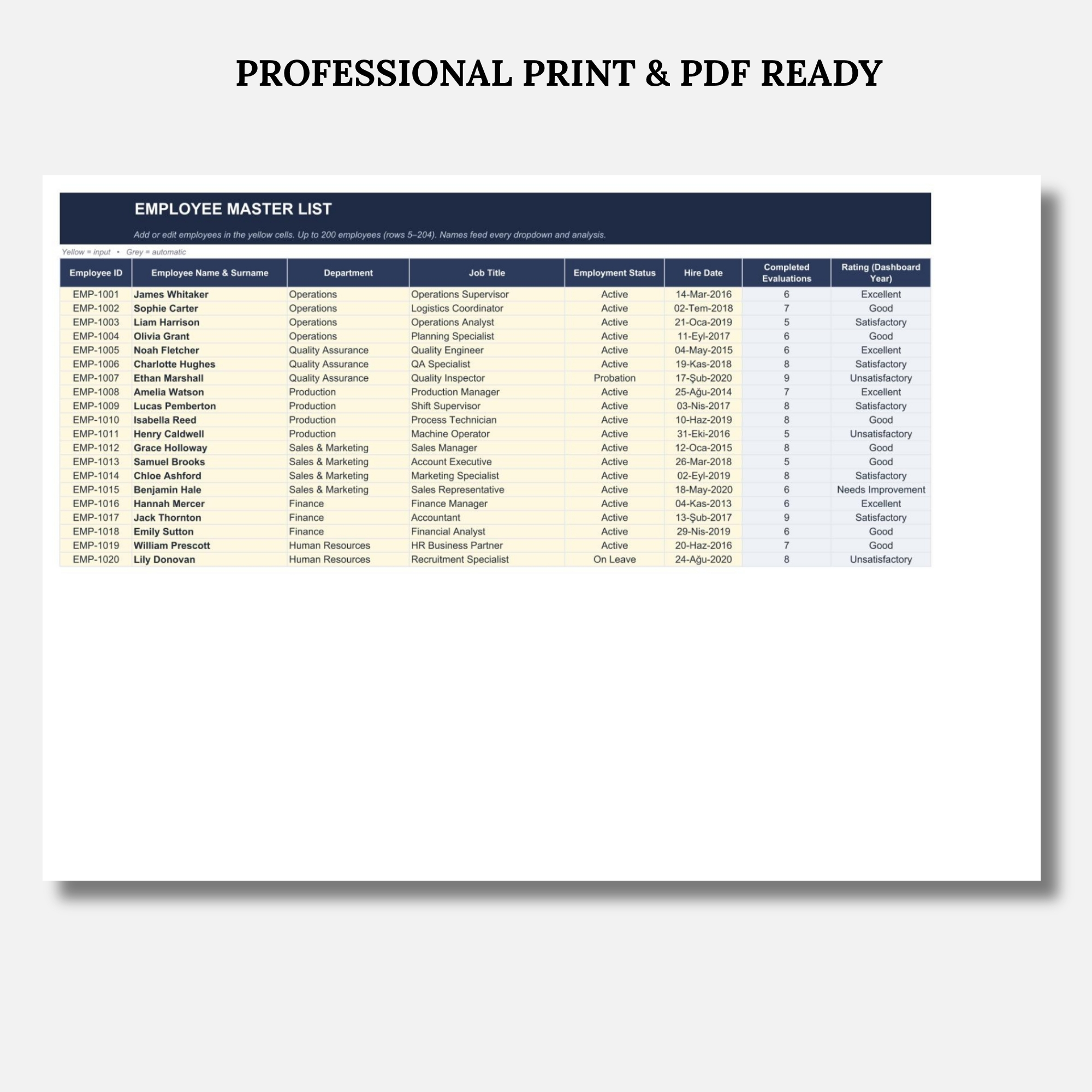
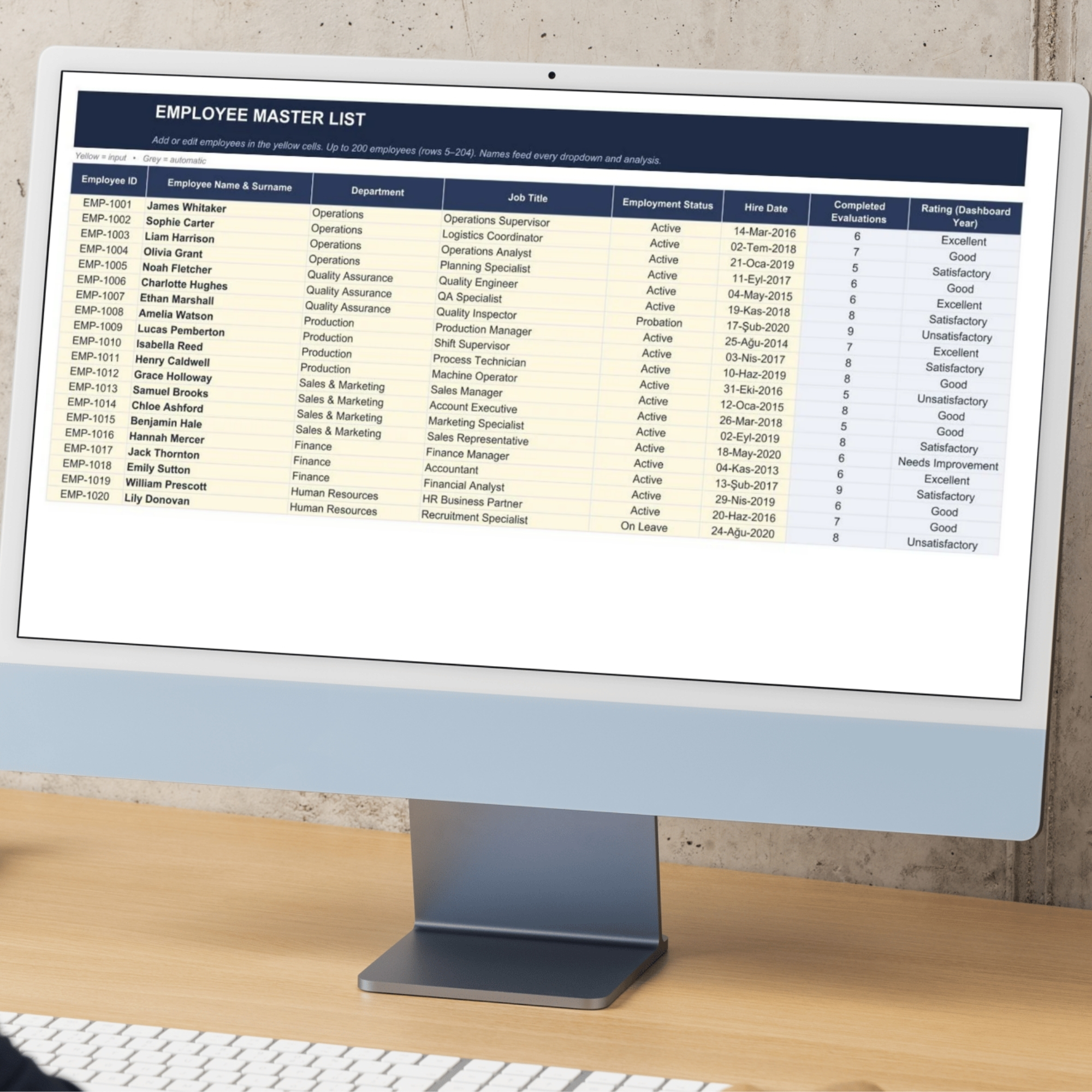
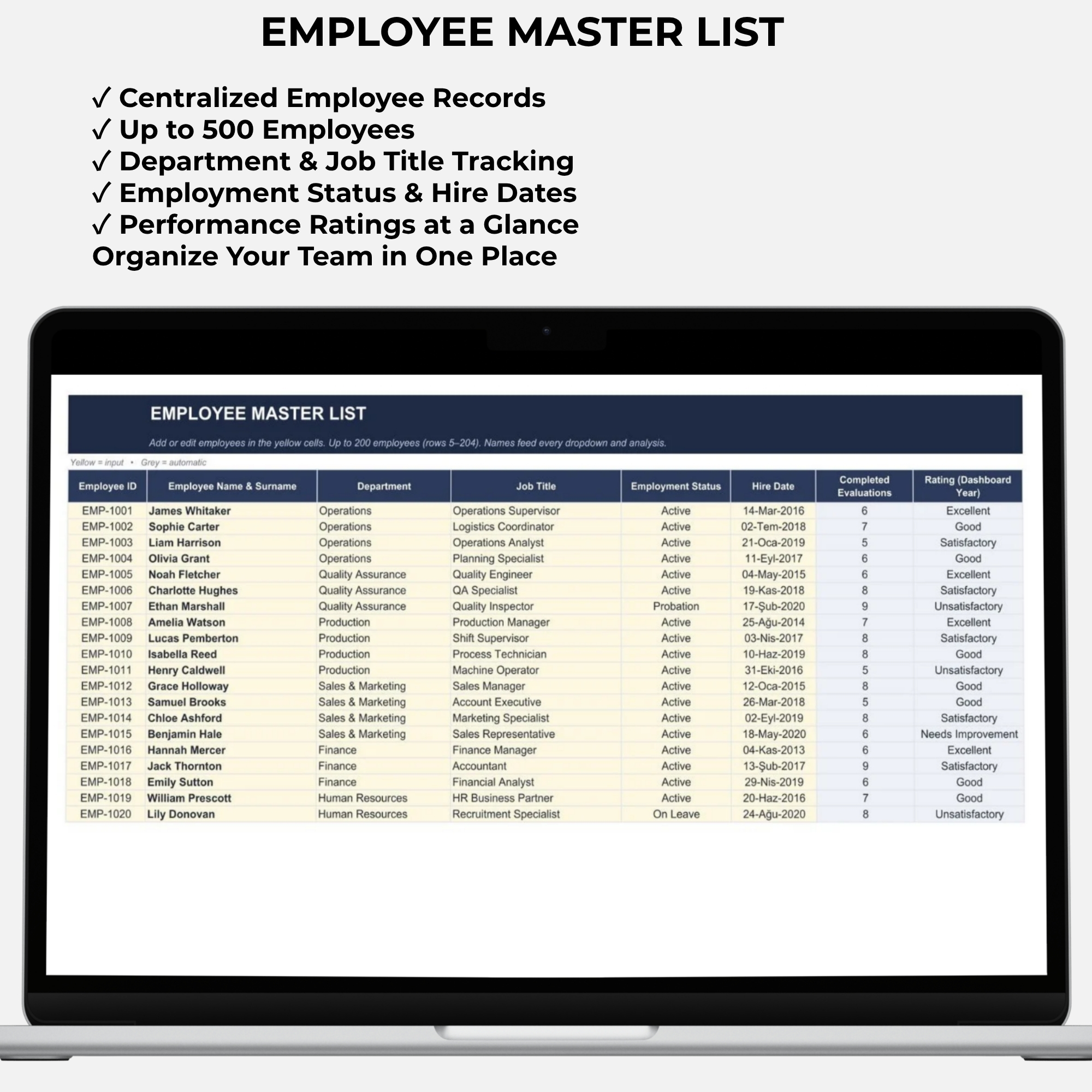
✔ Centralized Employee Database
Maintain employee records in a dedicated master list worksheet.
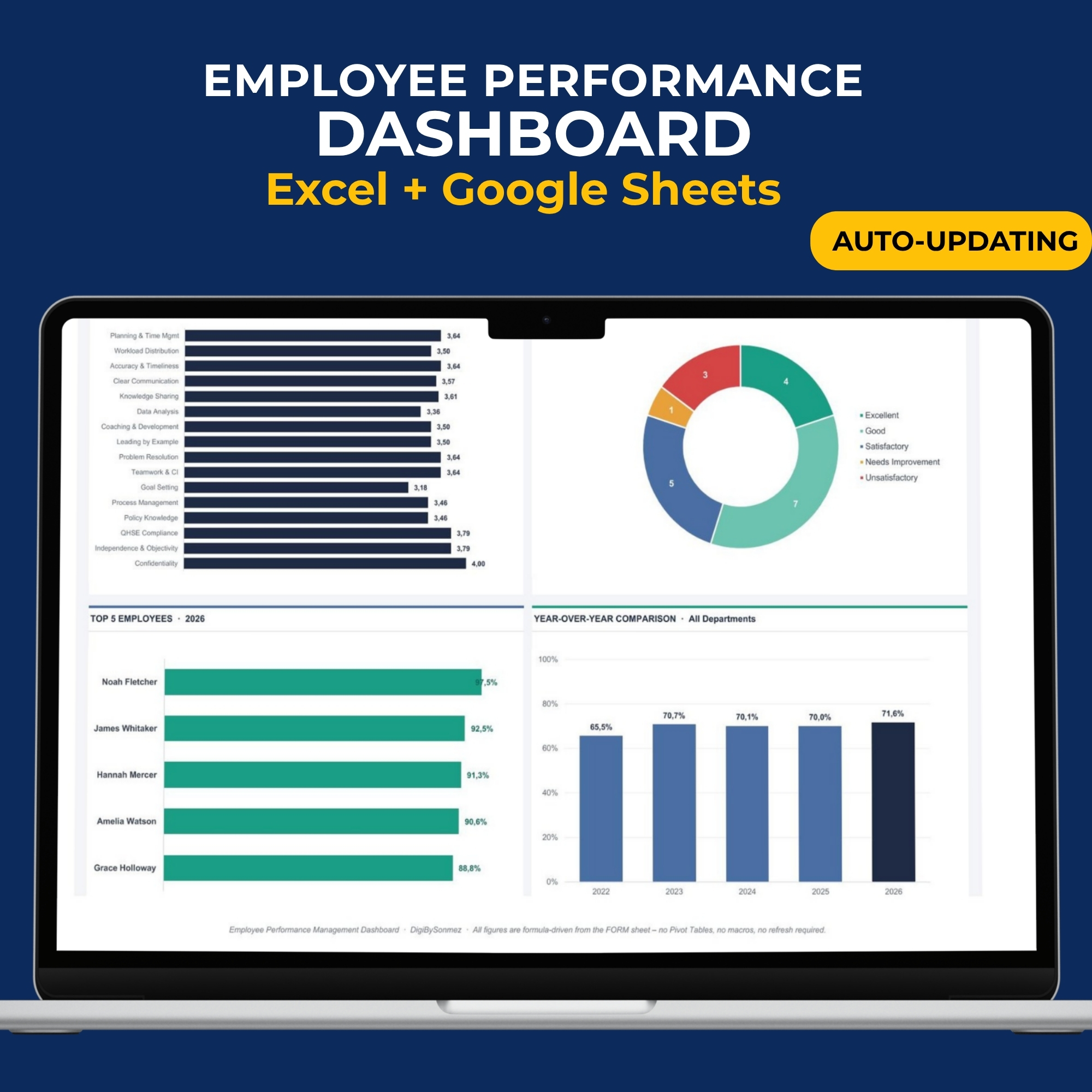
✔ Visual Performance Charts
Turn employee evaluation data into charts and performance summaries that are easier to understand and present.
✔ Structured Evaluation Process
Support more consistent employee assessments using standardized criteria and automatic calculations.
✔ No Macros Required
The workbook operates without VBA or macros.
✔ Step-by-Step Instructions Included
A dedicated INSTRUCTIONS worksheet helps you understand how to use the dashboard.
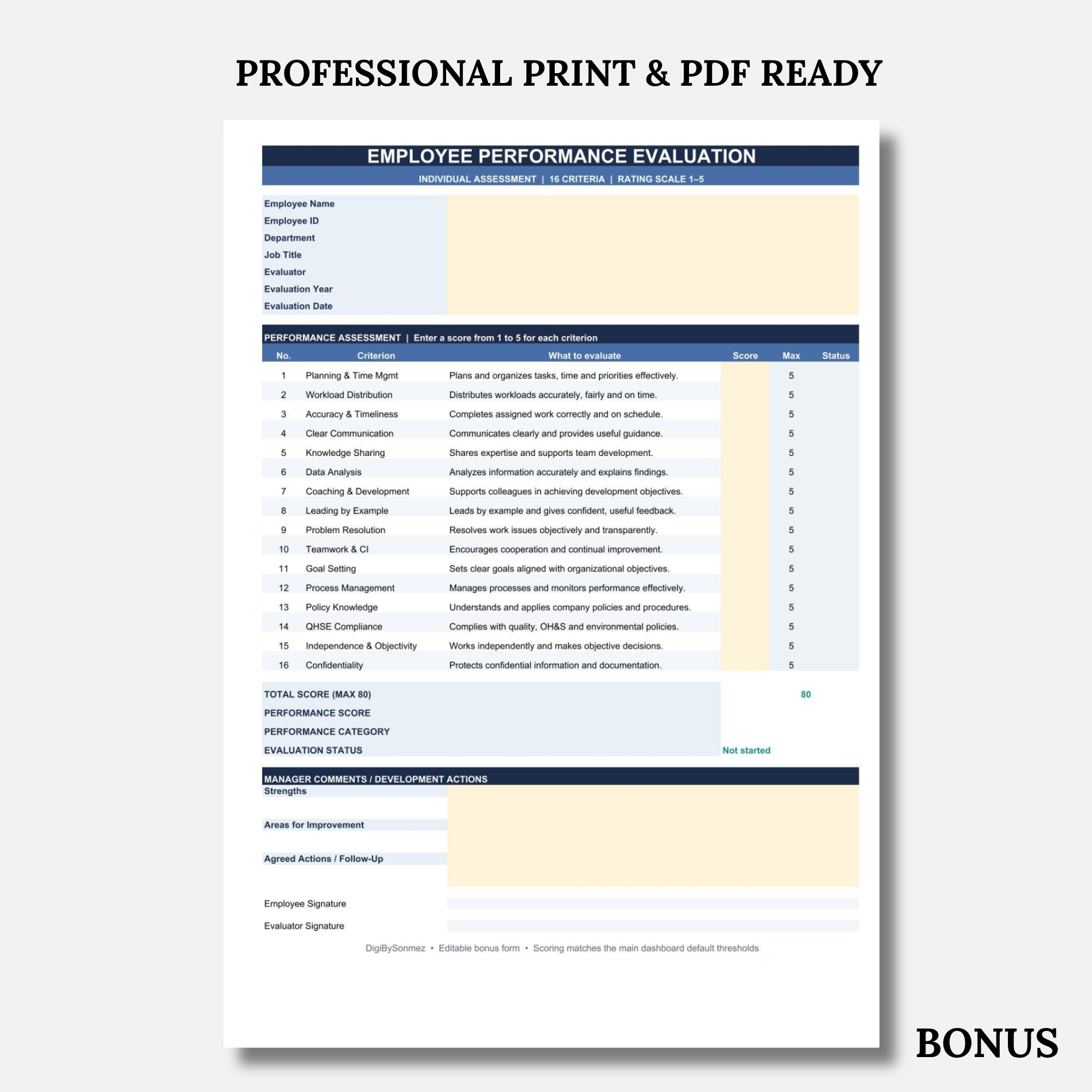
✔ BONUS Employee Performance Evaluation Form
Receive an additional standalone Excel form for individual employee performance reviews.
────────────────────────
WHAT’S INCLUDED
Your purchase includes 2 Microsoft Excel workbooks.
The files are delivered through a Google Drive access link inside your downloadable PDF access file.
WORKBOOK 1 – EMPLOYEE PERFORMANCE MANAGEMENT DASHBOARD
The main Excel workbook contains 6 worksheets:
- DASHBOARD – Employee Performance Dashboard
A visual HR reporting dashboard designed to present employee performance information in an organized format.
Features include:
✔ Employee performance KPI summaries
✔ Visual performance charts
✔ Performance result comparisons
✔ Employee and department performance insights
✔ Evaluation trends and reporting
✔ Dashboard filtering options
Use this worksheet to review performance information without manually compiling separate reports.
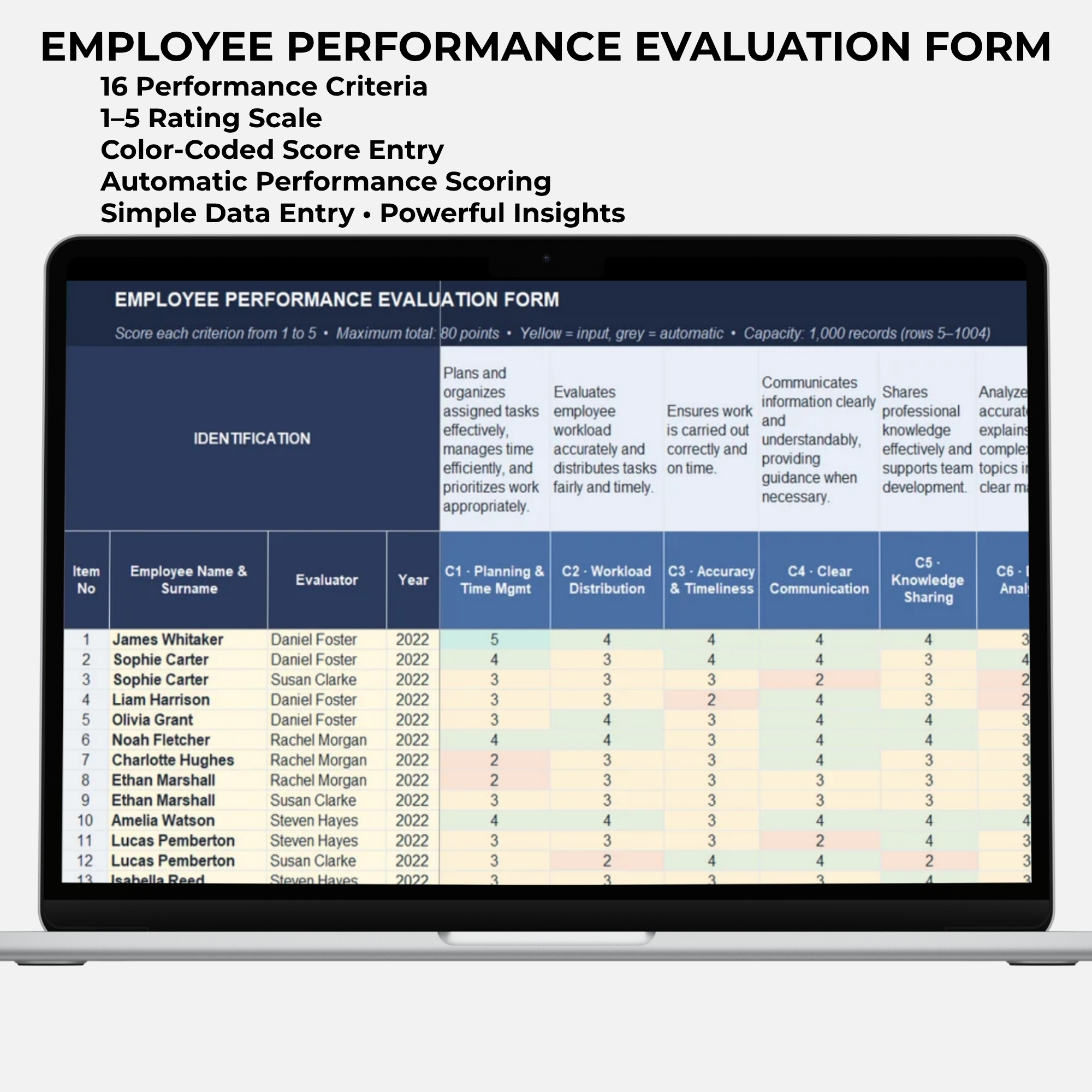
- FORM – Employee Performance Evaluation Form
The main data entry worksheet for recording employee performance evaluations.
Features include:
✔ Employee identification fields
✔ Evaluator information
✔ Evaluation year
✔ 16 performance criteria
✔ Structured 1–5 rating scale
✔ Automatic performance calculations
✔ Color-coded evaluation results
Enter evaluation data and allow the workbook to calculate the corresponding performance results.
- EMPLOYEES – Employee Master List
A centralized worksheet for maintaining employee information.
Organize essential employee records, including employee identification, departments, job titles, and related personnel information.
This worksheet supports consistent employee data management throughout the performance evaluation process.
- ANALYSIS – Employee Performance Analysis
Review automatically calculated employee performance results and supporting analytical information.
Use the analysis worksheet to:
✔ Review performance results
✔ Compare employee evaluations
✔ Examine performance distribution
✔ Identify improvement opportunities
✔ Support performance review discussions
- LISTS – Supporting Lists & Settings
Contains supporting reference lists used by the workbook.
These lists help standardize data entry, maintain consistent evaluation categories, and support the dashboard’s calculation and reporting structure.
- INSTRUCTIONS – Step-by-Step User Guide
A dedicated worksheet providing practical guidance for using the Employee Performance Dashboard.
The instructions help you understand how to:
✔ Enter employee information
✔ Record performance evaluations
✔ Use the workbook’s worksheets
✔ Review automatically calculated results
✔ Navigate the dashboard and analysis sections
The INSTRUCTIONS worksheet is included in the main Excel workbook.
────────────────────────
WORKBOOK 2 – BONUS EMPLOYEE PERFORMANCE EVALUATION FORM
FREE BONUS INCLUDED WITH YOUR PURCHASE
In addition to the main dashboard, you will receive a separate Individual Employee Performance Evaluation Form in Microsoft Excel format.
This standalone workbook is designed for individual employee assessments, performance review meetings, and printable employee evaluation records.
BONUS FORM FEATURES
✔ 16 employee performance evaluation criteria
✔ Structured 1–5 performance rating scale
✔ Employee and evaluator information fields
✔ Automatic total score calculation
✔ Performance percentage calculation
✔ Overall performance rating
✔ Manager comments and feedback
✔ Employee strengths
✔ Areas for improvement
✔ Development actions and next steps
✔ Employee and evaluator signature fields
✔ Editable Excel format
✔ Printable A4 layout
This bonus form is particularly useful when you need an individual employee assessment document for a performance review meeting or personnel file.
IMPORTANT: The bonus evaluation form is a separate Excel workbook. Information entered into this form does not automatically transfer to the main Employee Performance Dashboard.
────────────────────────
WHAT CAN YOU TRACK WITH THIS HR EXCEL DASHBOARD?
The Employee Performance Tracker helps you organize and review:
✔ Employee performance evaluation scores
✔ Overall employee performance results
✔ Employee performance ratings
✔ Employee-level performance comparisons
✔ Department-level performance results
✔ Performance trends across evaluation years
✔ High-performing employees
✔ Employees requiring additional support
✔ Performance strengths and improvement areas
✔ Employee evaluation activity
✔ HR performance indicators
✔ Employee performance reporting data
Use the information to support employee review meetings, team performance discussions, and HR management reporting.
────────────────────────
16 EMPLOYEE PERFORMANCE EVALUATION CRITERIA
The dashboard uses 16 structured performance criteria to support consistent employee assessments.
The evaluation framework covers workplace competencies and performance areas such as:
✔ Planning & Time Management
✔ Workload Distribution
✔ Accuracy & Timeliness
✔ Clear Communication
✔ Knowledge Sharing
✔ Data Analysis
✔ Coaching & Development
✔ Leading by Example
✔ Problem Resolution
✔ Teamwork & Cooperation
✔ Goal Setting
✔ Process Management
✔ Policy Knowledge
Additional evaluation criteria are included in the workbook.
Each criterion uses a 1–5 rating system, allowing employee performance to be evaluated using a consistent scoring structure.
────────────────────────
WHO IS THIS TEMPLATE FOR?
This Employee Performance Dashboard Excel Template is suitable for:
✔ HR Managers
✔ Human Resources Departments
✔ HR Consultants
✔ Business Owners
✔ Small and Medium-Sized Businesses
✔ Department Managers
✔ Team Leaders
✔ Supervisors
✔ Operations Managers
✔ Administrative Professionals
✔ Employee Performance Review Teams
✔ Organizations Managing Staff Evaluations
It can support annual employee reviews, periodic performance evaluations, employee development discussions, and internal performance monitoring.
────────────────────────
HOW TO USE THE EMPLOYEE PERFORMANCE DASHBOARD
STEP 1 – ADD EMPLOYEE INFORMATION
Open the EMPLOYEES worksheet and enter your employee records.
STEP 2 – RECORD PERFORMANCE EVALUATIONS
Use the FORM worksheet to record employee evaluations and assign scores for the 16 performance criteria.
STEP 3 – REVIEW AUTOMATIC CALCULATIONS
The workbook calculates employee performance results based on the evaluation data entered.
STEP 4 – EXPLORE THE DASHBOARD
Open the DASHBOARD worksheet to review HR KPI summaries, visual charts, employee performance results, and reporting information.
STEP 5 – ANALYZE PERFORMANCE RESULTS
Use the ANALYSIS worksheet to examine employee performance data and identify trends or improvement opportunities.
STEP 6 – USE THE BONUS EVALUATION FORM
Open the separate bonus Excel workbook whenever you need an individual employee performance review document.
STEP 7 – FOLLOW THE USER INSTRUCTIONS
Refer to the INSTRUCTIONS worksheet for guidance on navigating and using the main dashboard.
────────────────────────
FREE DEMO VERSION AVAILABLE
Want to preview the Employee Performance Dashboard before purchasing?
A free demo version is available so you can explore the dashboard’s design, worksheet structure, and selected features before purchasing the complete version.
The demo is provided for product preview purposes and may contain limitations compared with the full version.
The complete paid version includes the main Employee Performance Management Dashboard workbook and the bonus Individual Employee Performance Evaluation Form.
DOWNLOAD FREE DEMO
────────────────────────
DIGITAL PRODUCT DELIVERY – HOW YOU RECEIVE YOUR FILES
This is a digital product. No physical item will be shipped.
After completing your purchase:
- Receive access to the PDF Access File provided with your order.
- Open the PDF document.
- Click the Google Drive access link inside the PDF.
- Download the 2 included Microsoft Excel workbooks:
Employee Performance Management Dashboard (.XLSX)
BONUS Employee Performance Evaluation Form (.XLSX)
- Open the Excel files and follow the included instructions.
The PDF is your access document. The actual Excel templates are available through the Google Drive link provided inside it.
────────────────────────
FILE FORMAT & COMPATIBILITY
✔ Microsoft Excel (.XLSX)
✔ Fully editable spreadsheet templates
✔ No VBA or macros required
✔ English language
✔ Digital file delivery
✔ Step-by-step instructions included
Microsoft Excel is recommended for the intended workbook experience.
Google Sheets compatibility may vary depending on spreadsheet features, calculations, and formatting. Some functions or visual elements may require adjustments when opened in Google Sheets.
────────────────────────
IMPORTANT INFORMATION
• This is a digital product, not a physical item.
• The purchase includes 2 Excel workbooks accessed through 1 PDF access document.
• The main dashboard contains 6 worksheets.
• The bonus Employee Performance Evaluation Form is a separate workbook and does not automatically synchronize with the dashboard.
• Basic Microsoft Excel knowledge is recommended.
• The template is designed to support internal employee performance management and reporting.
• The dashboard does not replace professional HR judgment, company performance policies, or applicable employment requirements.
• Results depend on the accuracy and completeness of the data entered by the user.
• The templates are intended for personal or internal business use. Resale, redistribution, or unauthorized sharing of the original template files is not permitted.
────────────────────────
MAKE EMPLOYEE PERFORMANCE MANAGEMENT MORE ORGANIZED
Bring employee records, structured performance evaluations, automatic scoring, and visual HR reporting into one practical Excel-based performance management system.
Whether you are preparing annual employee reviews, tracking team performance, or improving your HR reporting process, this Employee Performance Dashboard provides a structured way to organize evaluation data and review performance results.
Get the Employee Performance Management Dashboard Excel Template today and receive the BONUS Individual Employee Performance Evaluation Form with your purchase.
DigiBySonmez
Professional Excel Dashboards, HR Templates & Business Management Tools

Değerlendirmeler
Henüz değerlendirme yapılmadı.