



Master Document Tracker Dashboard | Excel & Google Sheets
Stop Chasing Document Revisions. Start Tracking with Confidence.
Missed revision deadlines. Scattered document records. Unclear approval status.
Managing controlled documents shouldn’t mean constantly searching through spreadsheets, manually checking revision dates, or spending hours preparing document status reports.
Take control of your documented information with the Master Document Tracker Dashboard, a professional Excel and Google Sheets-compatible document control template designed to bring your master document register, revision deadlines, approval status, revision history, and performance indicators together in one organized system.
Created for quality managers, ISO consultants, document controllers, internal auditors, and compliance professionals, this editable dashboard helps simplify document monitoring and improve visibility across your organization.
REGISTER → TRACK → MONITOR → REVIEW → IMPROVE
No VBA. No macros. No complicated setup.
⭐ WHY YOU’LL LOVE THIS DASHBOARD
✔ Professional Master Document Control Dashboard
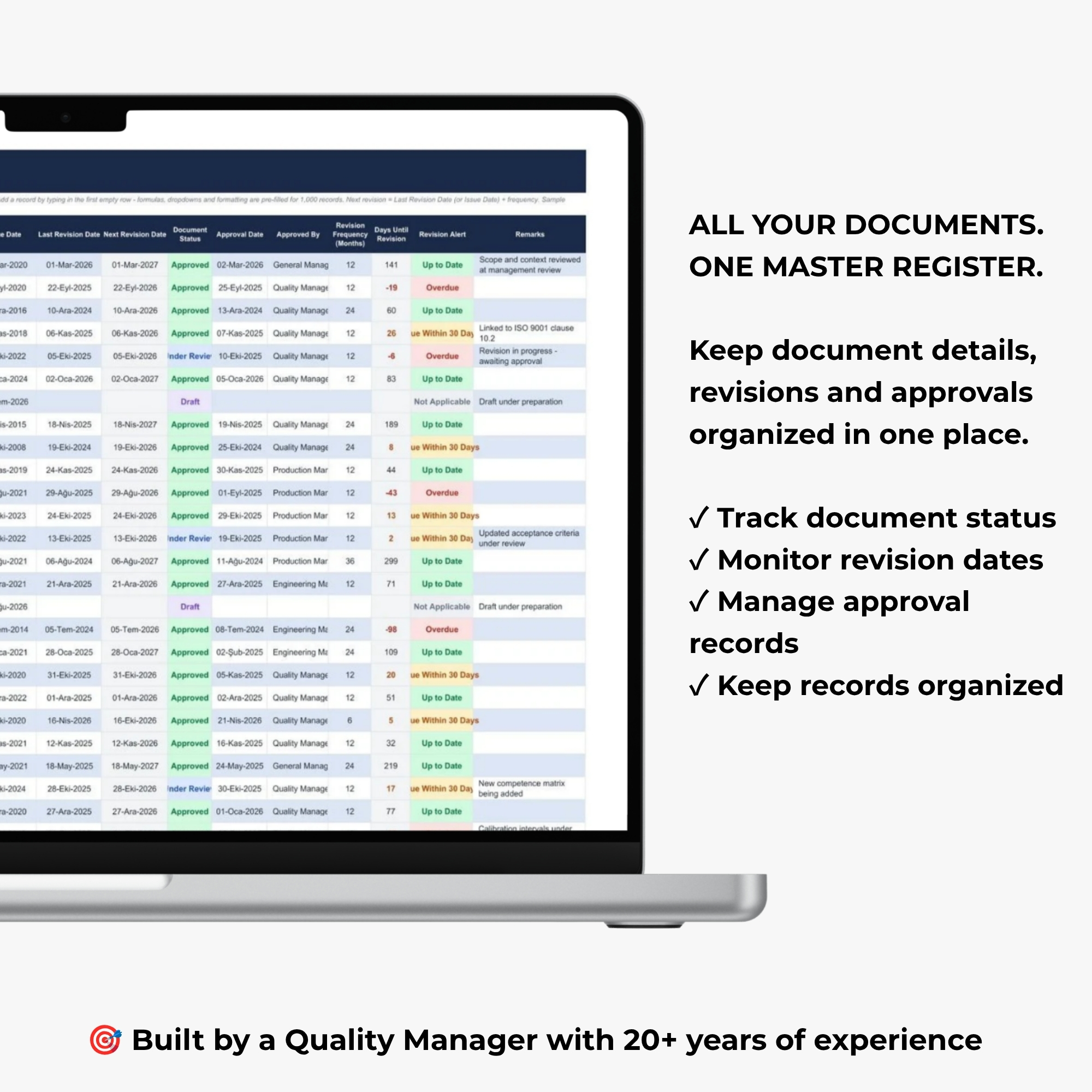
✔ Centralized Master Document Register
✔ Automatic Document Status KPI Calculations
✔ Document Approval Status Monitoring
✔ Overdue Revision Tracking
✔ Upcoming Revision Deadline Monitoring
✔ Color-Coded Revision Status Indicators
✔ Department-Based Document Analysis
✔ Structured Document Revision History
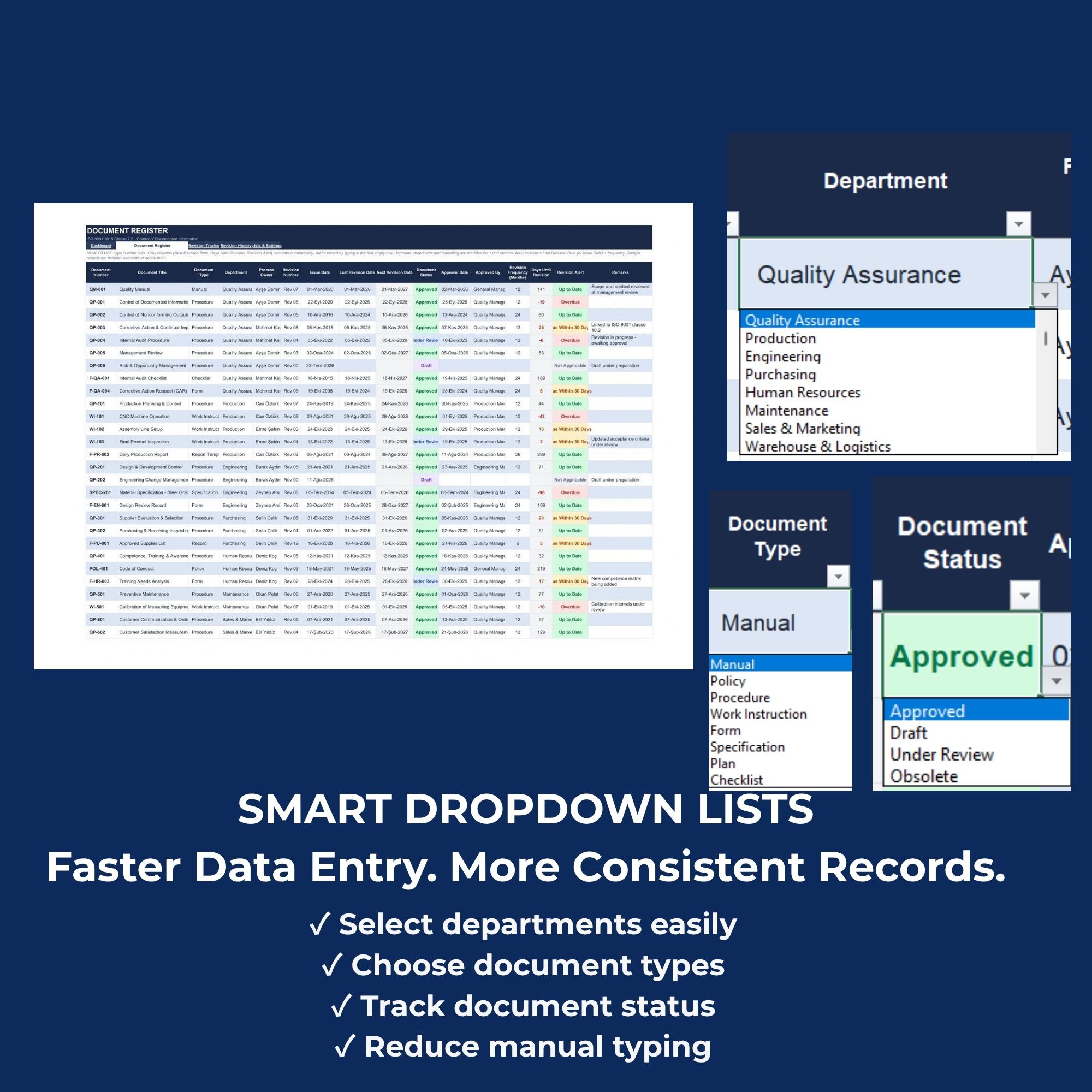
✔ Editable Document Types & Departments
✔ Convenient Data Entry Drop-Down Menus
✔ Fully Editable Excel Template
✔ Google Sheets Compatible
✔ Professional Visual Reporting
✔ No VBA or Macros Required
✔ ISO 9001 Document Control Support
✔ Instant Digital Access
📦 WHAT’S INCLUDED
Your purchase includes a professional Master Document Tracker Dashboard spreadsheet system, accessible through a downloadable PDF containing your Google Drive product link.
MASTER DOCUMENT TRACKER DASHBOARD WORKBOOK
The workbook includes:
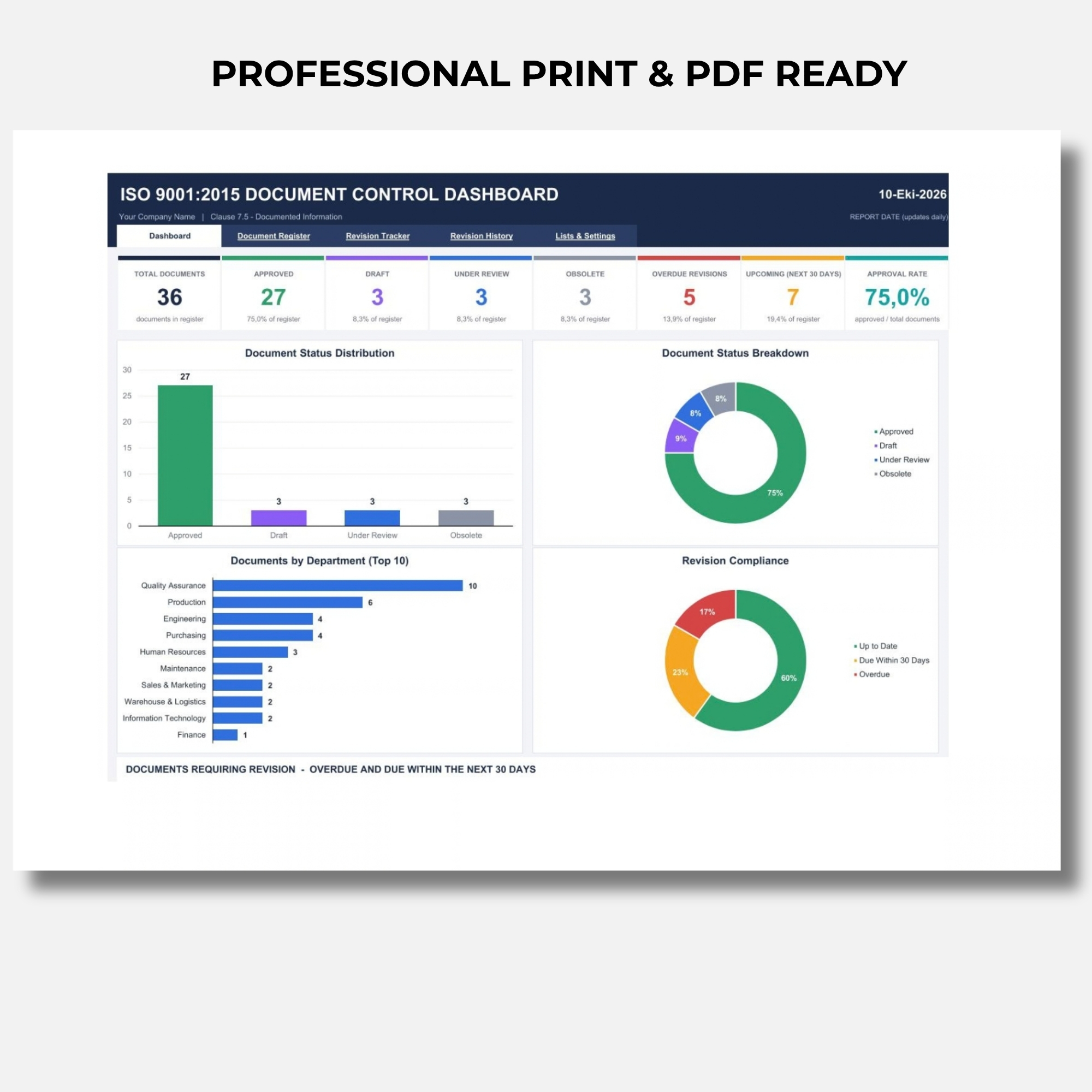
1. Document Control Dashboard
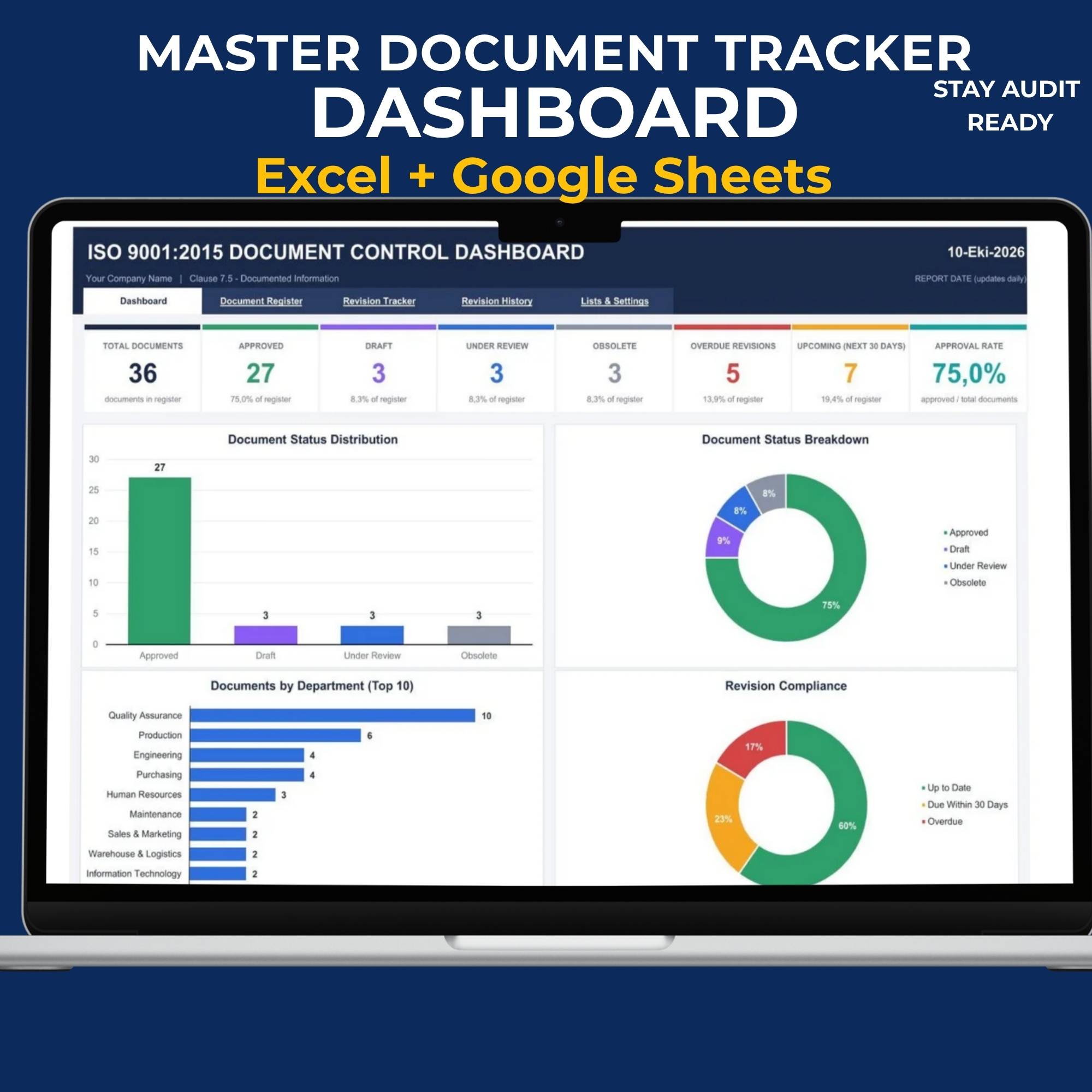
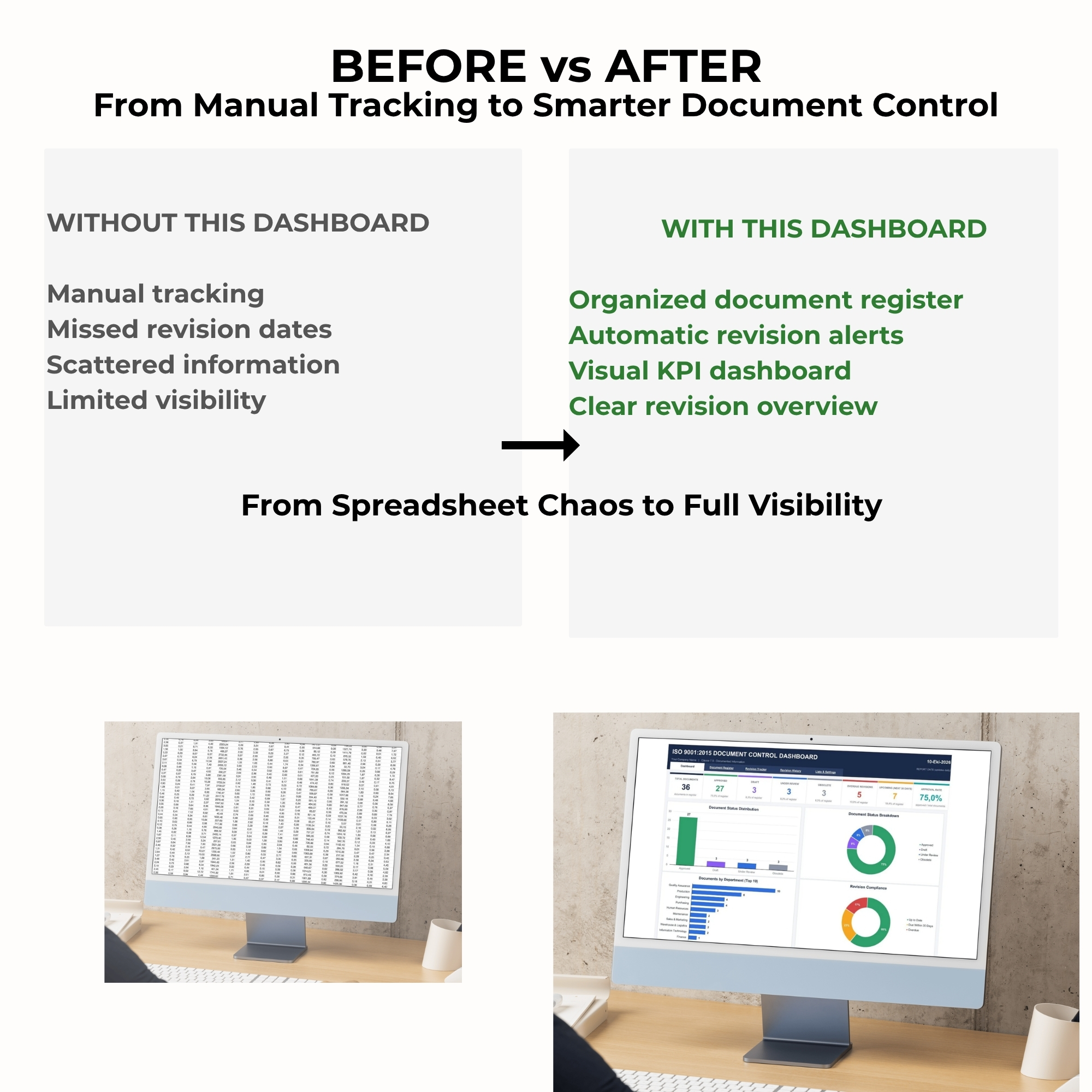
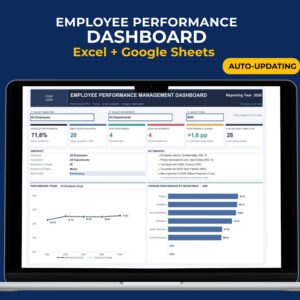
A visual dashboard featuring automatically calculated document control KPIs, status indicators, department analysis, and revision monitoring charts.
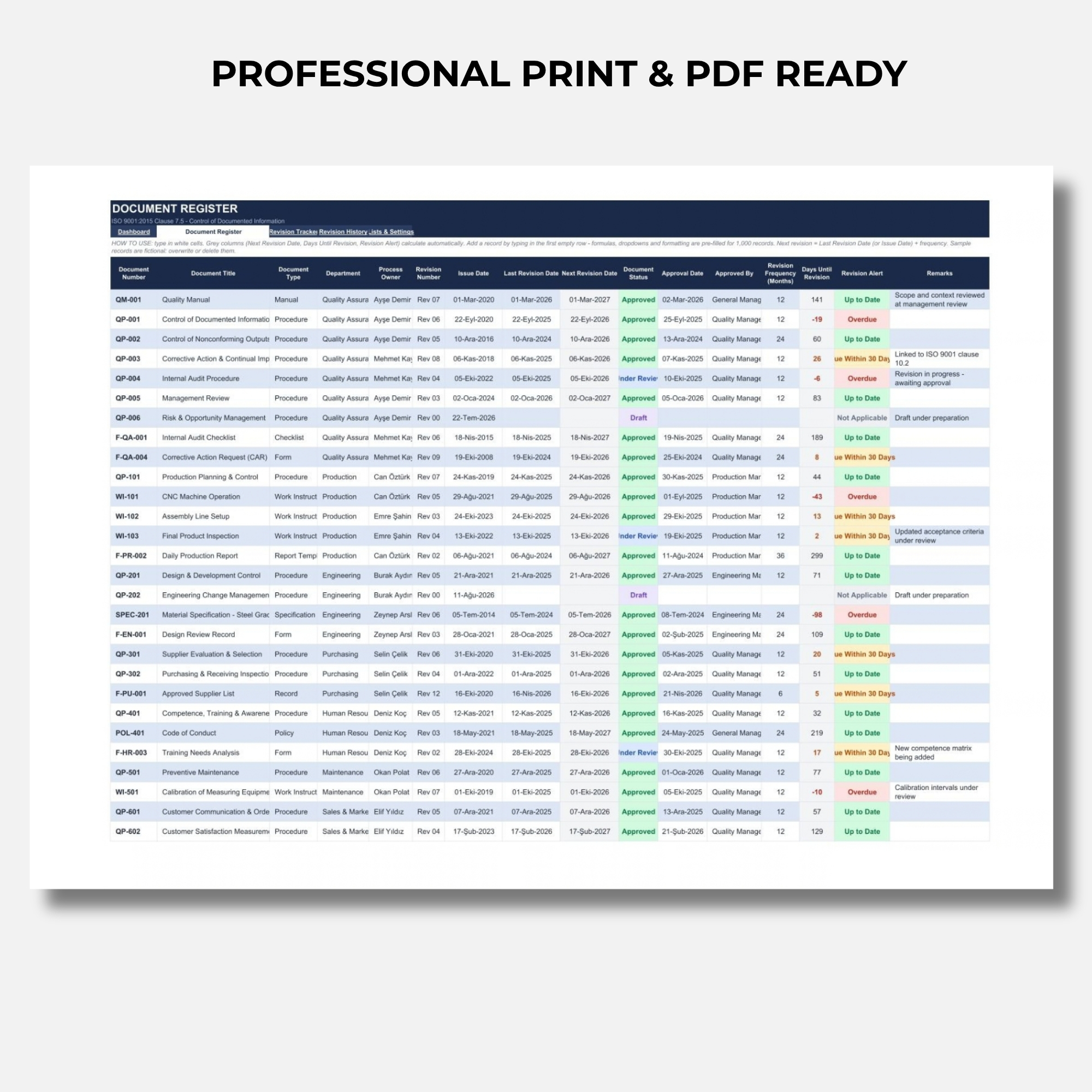
2. Master Document Register
A structured document master list for maintaining controlled document information, including document numbers, titles, types, departments, process owners, revision details, and approval status.
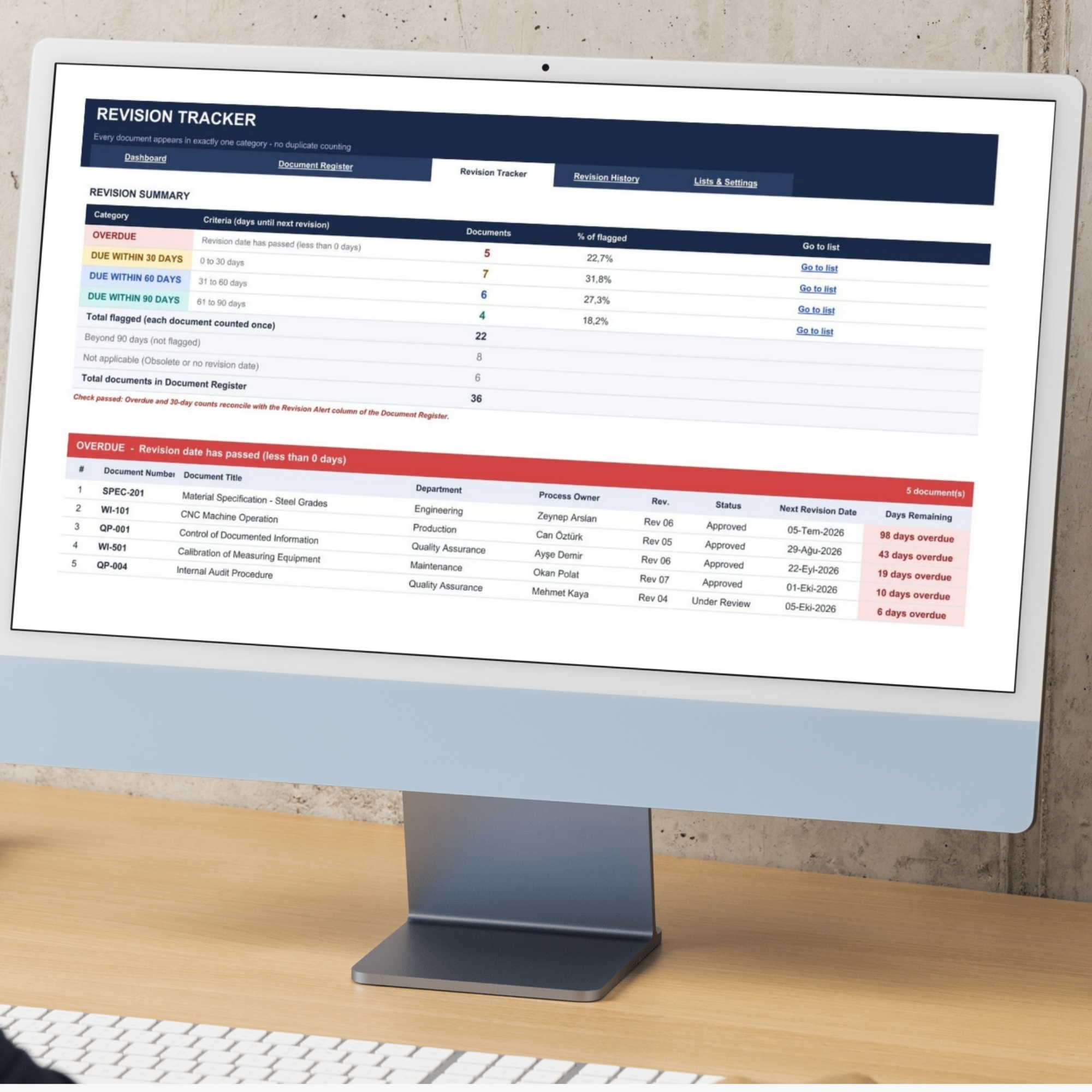
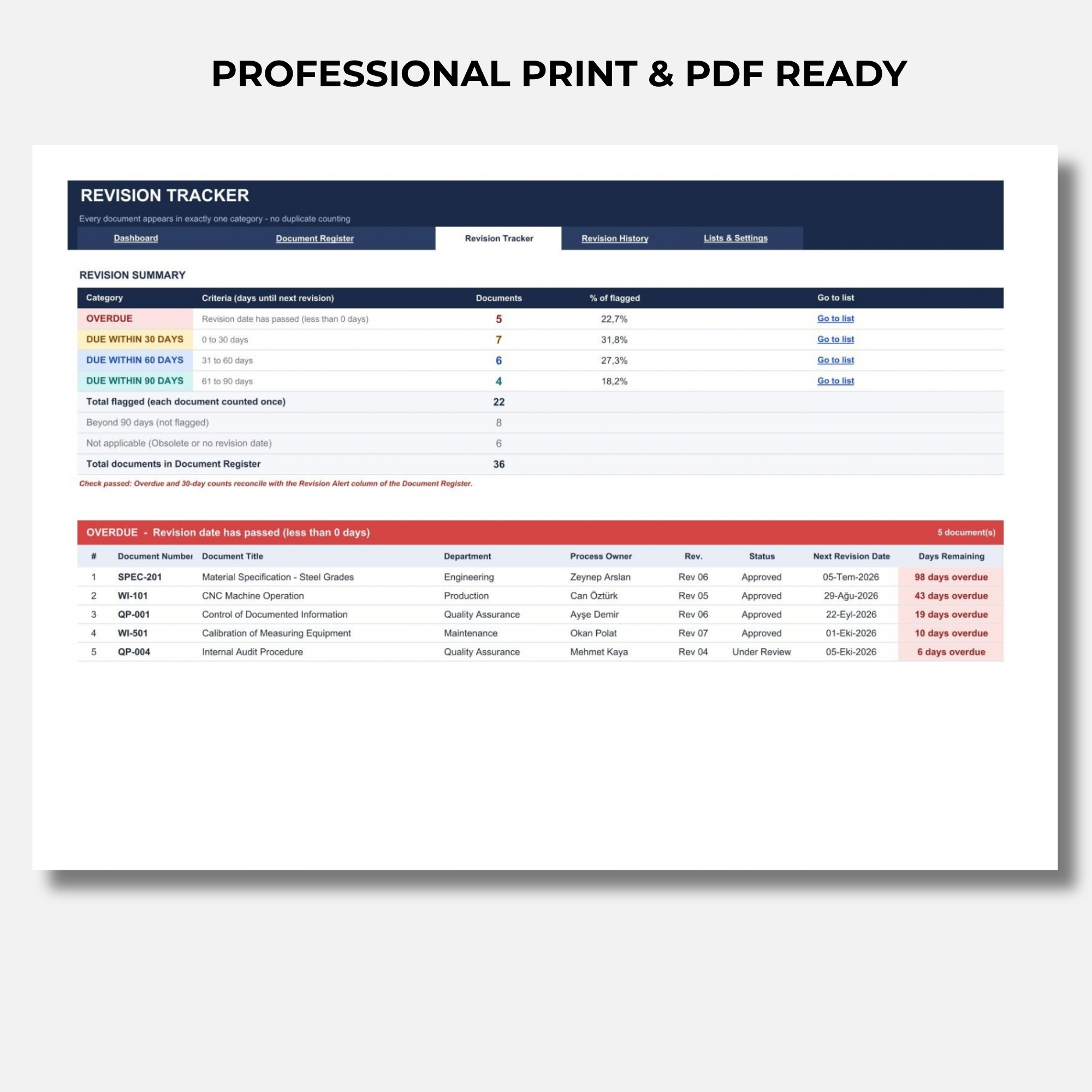
3. Revision Tracker
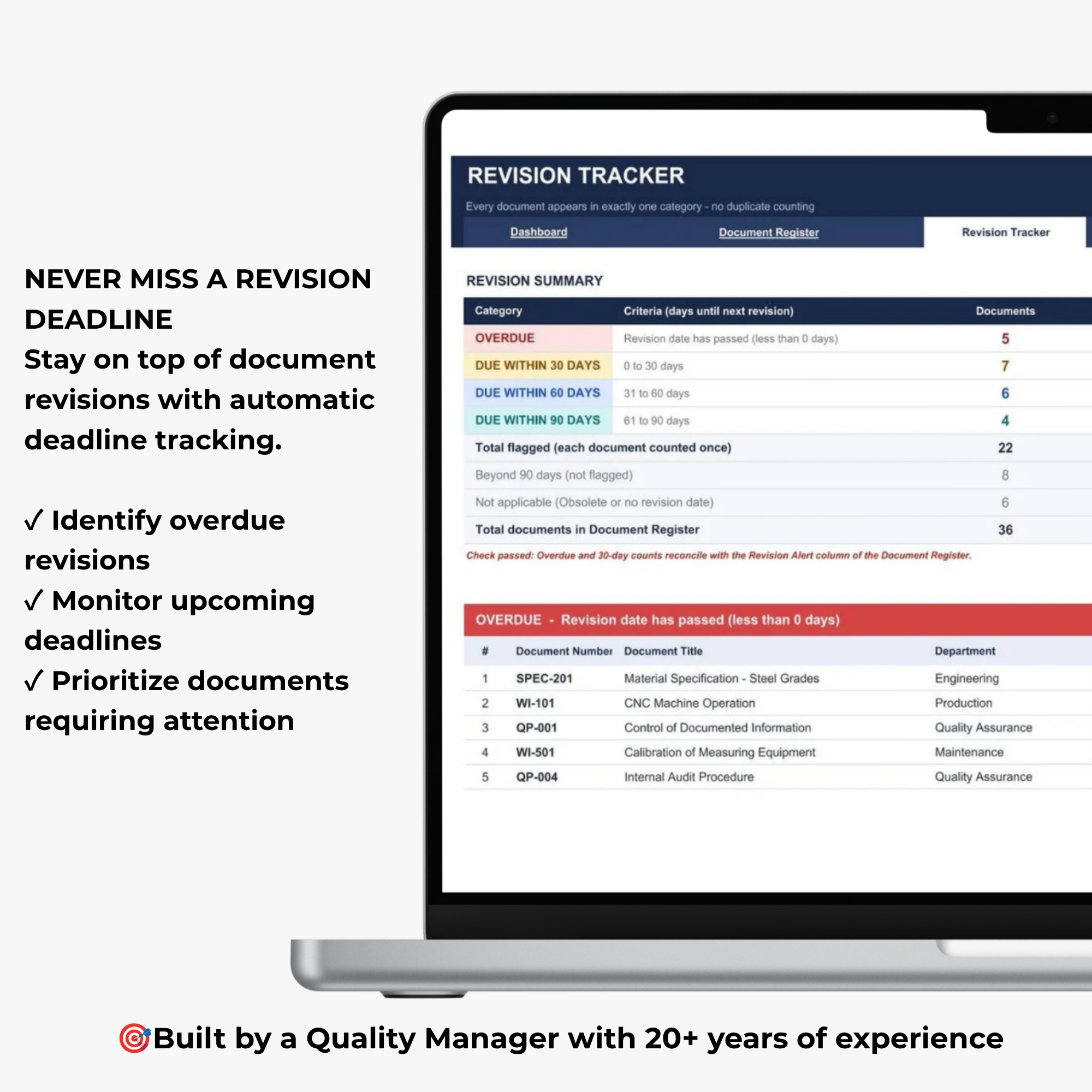
A dedicated tracking sheet to monitor upcoming document revisions, overdue deadlines, and documents requiring attention.
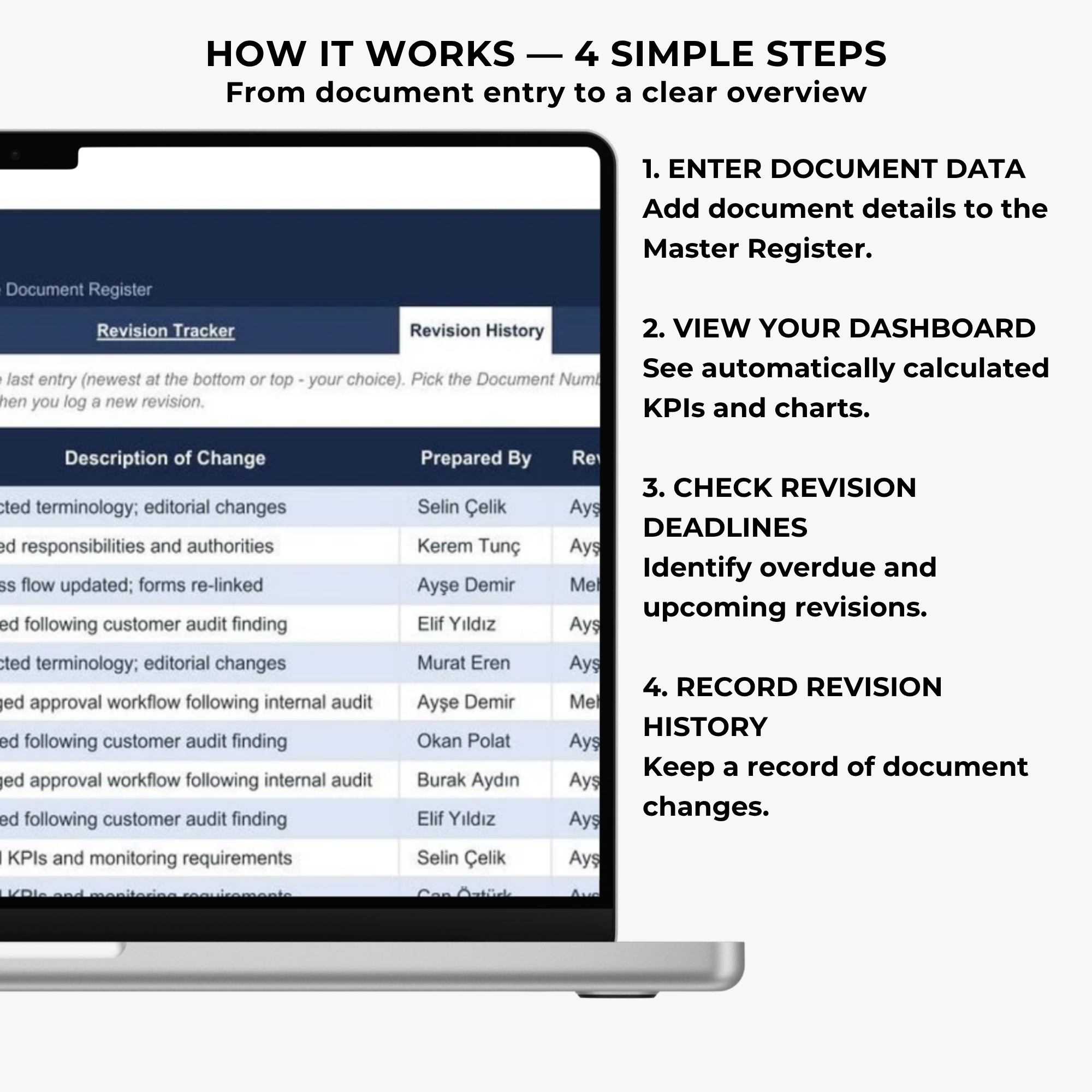
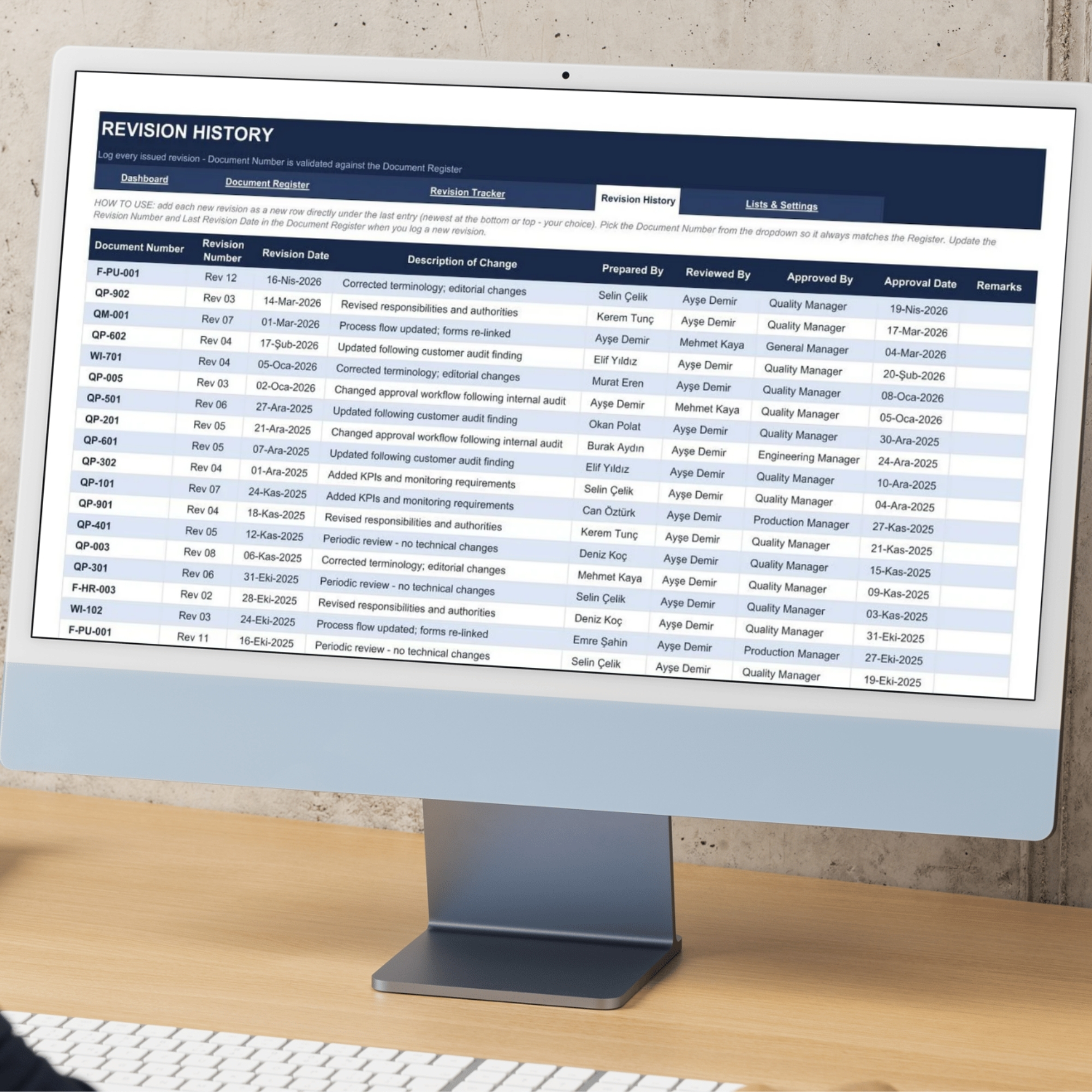
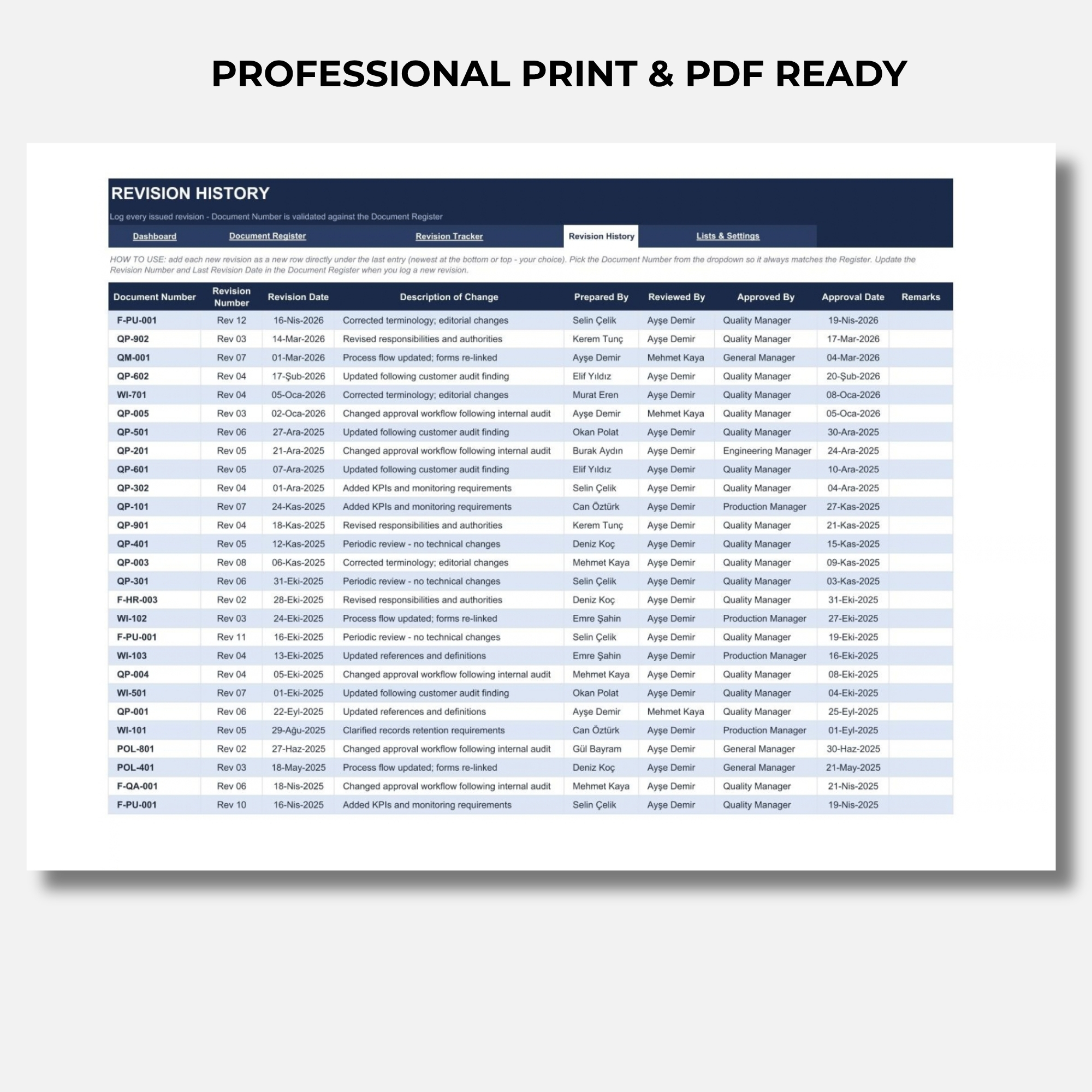
4. Revision History
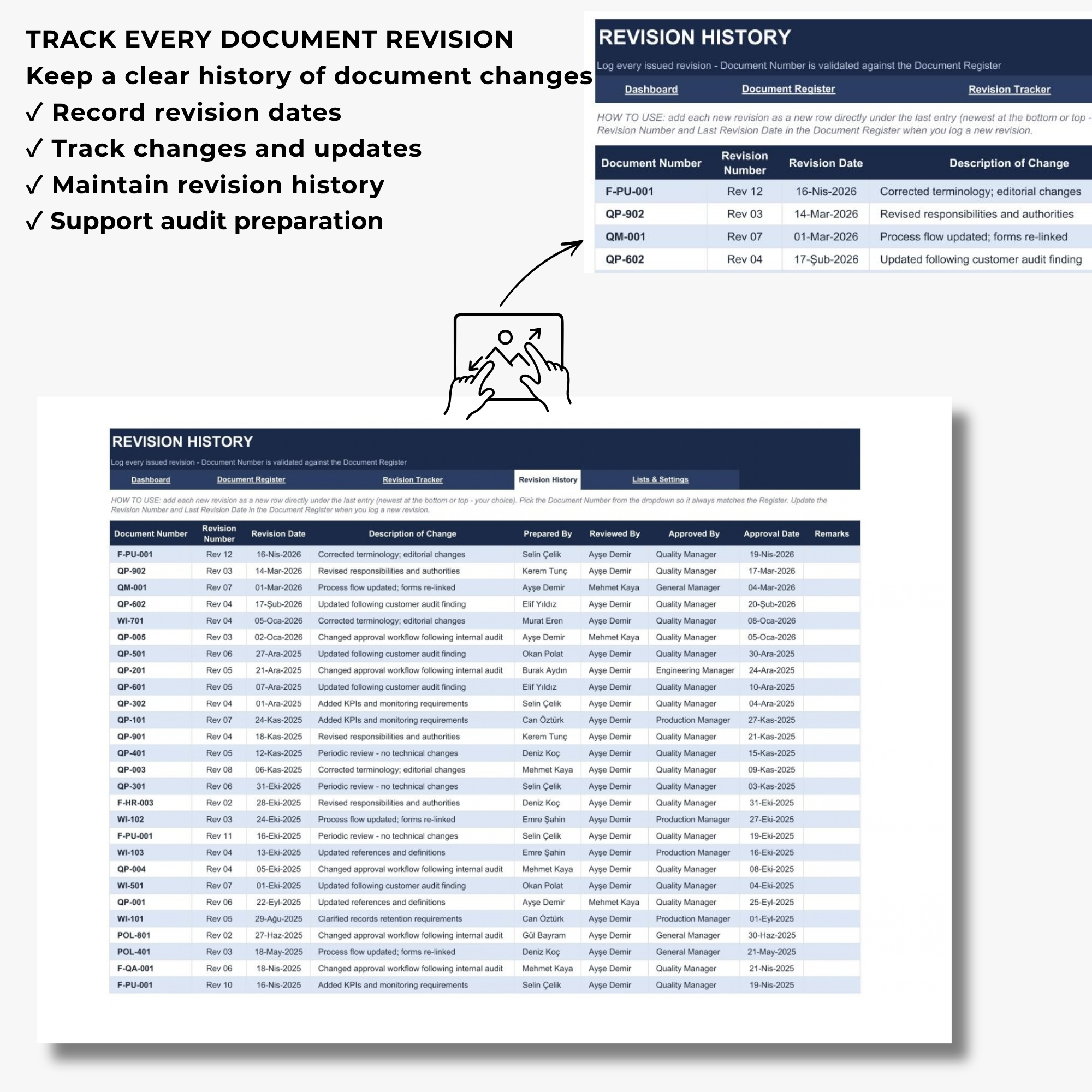
A structured log for recording document changes, revision numbers, revision dates, and related review or approval information.
5. Lists & Settings
Customizable drop-down lists for document types, departments, and document status to support consistent data entry.
6. Sample Data
Example document records demonstrating how the workbook and connected dashboard function.
FILE FORMATS
✔ Microsoft Excel Workbook
✔ Google Sheets-Compatible Version or Access Instructions, as Supplied with the Product
The included files are designed to support document tracking, revision monitoring, and quality management reporting.
📥 HOW TO DOWNLOAD YOUR PURCHASE
Your purchase is delivered through ONE downloadable PDF Access File containing a Google Drive link to your complete product package.
STEP 1 — COMPLETE YOUR PURCHASE
Purchase the Master Document Tracker Dashboard through DigiBySonmez.
STEP 2 — DOWNLOAD YOUR PDF ACCESS FILE
After completing your purchase, download the PDF access document provided with your order.
STEP 3 — OPEN THE GOOGLE DRIVE LINK
Open the PDF and click the included Google Drive access link.
STEP 4 — ACCESS YOUR PRODUCT FILES
The Google Drive folder contains your Master Document Tracker Dashboard files and any accompanying access instructions.
STEP 5 — DOWNLOAD & CUSTOMIZE
Download the files, save your own working copy, and begin customizing the document register for your organization.
IMPORTANT: The initial PDF is an access document. Your editable spreadsheet files are available through the Google Drive link inside the PDF.
This is a digital product. No physical item will be shipped.
📊 AUTOMATIC DOCUMENT CONTROL DASHBOARD
Transform document records into a clear visual overview of your document control process.
The dashboard automatically displays:
Total Documents
Monitor the total number of documents recorded in your master document register.
Approved Documents
Review documents currently classified as approved.
Draft Documents
Identify documents still in draft status.
Documents Under Review
Monitor documents undergoing review or approval activities.
Obsolete Documents
Track documents that are no longer current.
Upcoming Revisions
Identify documents with revision deadlines approaching.
Overdue Revisions
Highlight documents whose scheduled revision dates have passed.
Approval Rate
Monitor the proportion of approved documents within your recorded document register.
Department-Based Document Distribution
Visualize how controlled documents are distributed across organizational departments.
Simply enter or update records in the Document Register, and the connected dashboard calculations and charts update automatically.
📋 CENTRALIZED MASTER DOCUMENT REGISTER
Keep your documented information organized in one structured location.
The Master Document Register allows you to record and maintain information such as:
✔ Document Number
✔ Document Title
✔ Document Type
✔ Department
✔ Process Owner
✔ Revision Number
✔ Revision Date
✔ Review and Approval Information
✔ Document Status
✔ Next Revision Date
Instead of maintaining disconnected lists, use one centralized register to improve document visibility and consistency.
📅 REVISION DEADLINE TRACKER
Don’t let important document revision dates go unnoticed.
The Revision Tracker helps you identify documents that may require review or updating.
Color-coded indicators make it easier to distinguish:
✔ Overdue Revisions
✔ Upcoming Revision Deadlines
✔ Up-to-Date Documents
Use the tracker to support periodic document reviews, revision planning, and internal document control activities.
🔄 DOCUMENT REVISION HISTORY
Maintain an organized record of document changes.
The Revision History sheet provides a structured place to document:
✔ Document Identification
✔ Revision Numbers
✔ Revision Dates
✔ Document Changes
✔ Review Information
✔ Approval Information
This helps your team maintain clearer revision records and supports internal document control processes.
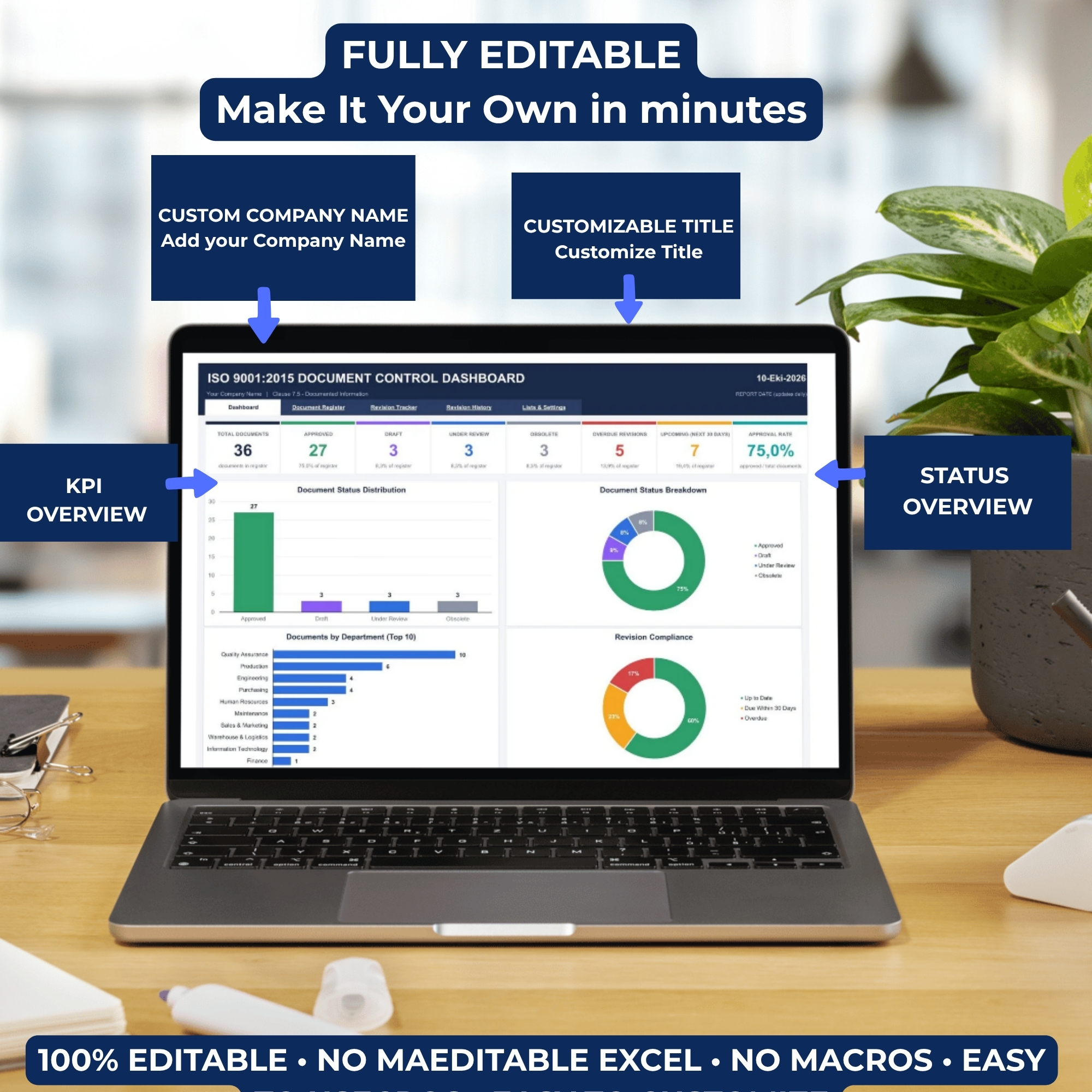
🛠️ FULLY EDITABLE & CUSTOMIZABLE
Every organization has its own document types, departments, and approval processes.
The Master Document Tracker Dashboard includes customizable settings and convenient drop-down menus.
You can:
✔ Customize Document Types
✔ Customize Department Lists
✔ Select Document Status
✔ Enter Your Own Document Records
✔ Update Revision Information
✔ Maintain Approval Records
✔ Replace Sample Data
✔ Adapt the Workbook to Your Organization
Create a document control system that reflects your own processes and organizational structure.
🎯 PERFECT FOR
✔ Quality Managers
✔ ISO 9001 Consultants
✔ Document Controllers
✔ QMS Coordinators
✔ Internal Auditors
✔ Compliance Professionals
✔ Manufacturing Companies
✔ Engineering and Technical Teams
✔ Operations Managers
✔ Small and Medium-Sized Businesses
✔ Organizations Managing Controlled Documents
✔ Quality Management System Documentation
🛡️ SUPPORT ISO 9001 DOCUMENT CONTROL
Documented information is an important component of an effective Quality Management System.
This dashboard is designed to support document organization and monitoring activities associated with:
ISO 9001:2015 Clause 7.5 — Documented Information
Use the workbook to maintain document records, monitor revision dates, review document status, and support internal audit preparation.
The template can assist with document control activities but does not independently guarantee ISO certification, audit readiness, or compliance with every applicable requirement.
💻 PRODUCT DETAILS
Product Type: Digital Spreadsheet Dashboard
Product Name: Master Document Tracker Dashboard
Primary Format: Microsoft Excel
Compatibility: Google Sheets-Compatible Version or Access Instructions
Language: English
Customization: Tamamen Düzenlenebilir
Calculations: Automatic Formula-Based KPIs
Macros: None
VBA: None
Delivery: 1 PDF Access File with Google Drive Link
Physical Shipping: None
Microsoft Excel and Google Sheets are different applications. Minor differences in fonts, formatting, charts, and visual layout may occur.
💡 WHY USE A DOCUMENT CONTROL DASHBOARD?
Managing documented information requires more than keeping a list of file names.
A structured document control dashboard can help you:
✔ Keep document records organized
✔ Improve document status visibility
✔ Identify approaching revision deadlines
✔ Monitor overdue document reviews
✔ Maintain structured revision history
✔ Reduce manual status reporting
✔ Prepare clearer management reports
✔ Support internal audit preparation
✔ Improve document control consistency
Spend less time searching for document information and more time managing your quality system effectively.
⚠️ IMPORTANT DIGITAL PRODUCT INFORMATION
- This is a digital product. No physical item will be shipped.
- The initial download is a PDF containing your Google Drive access link.
- The editable spreadsheet files are available through that link.
- Sample data shown in product images is for demonstration purposes.
- Please save your own working copy before replacing the sample data.
- The workbook should be customized according to your organization’s processes.
- Spreadsheet appearance may vary depending on the software version.
- Please review product screenshots and compatibility information before purchasing.
DISCLAIMER
This template is an organizational document control and monitoring tool.
It does not guarantee ISO 9001 certification, regulatory compliance, or successful audit outcomes.
Users remain responsible for reviewing the workbook and ensuring that their documented information processes meet applicable organizational and regulatory requirements.
🚀 TAKE CONTROL OF YOUR DOCUMENT REGISTER
Stop chasing document revisions and manually preparing document status reports.
Organize your master document register, monitor approval status, track revision deadlines, and maintain revision history with one professional Excel dashboard.
Get your Master Document Tracker Dashboard today and keep your document control process organized, visible, and easier to manage.

Değerlendirmeler
Henüz değerlendirme yapılmadı.